EasyManua.ls Logo

ProForm 580X 831.293063 - User Manual

ProForm 580X 831.293063
30 pages
Print Icon
To Next Page IconTo Next Page
Loading...
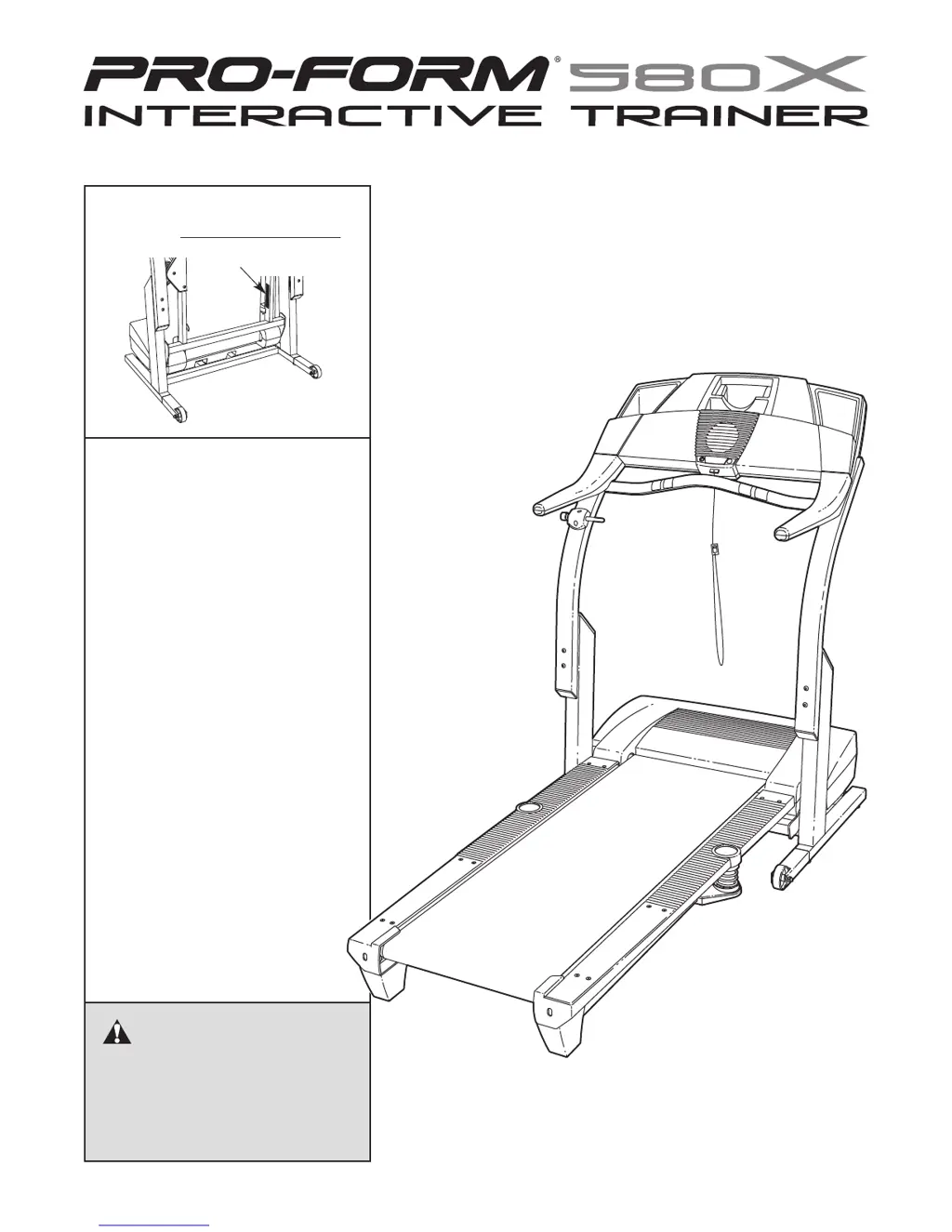
Serial Number Decal
Model No. 831.293063
Serial No.
CAUTION
Read all precautions and instruc-
tions in this manual before using
this equipment. Save this manual
for future reference.
Sears, Roebuck and Co., Hoffman Estates, IL 60179
TREADMILL EXERCISER
Users Manual
• Assembly
• Operation
• Maintenance
• Part List and Drawing

Questions and Answers

  • E
    Elizabeth StaffordJul 30, 2025
    Why does my ProForm 580X 831.293063 Treadmill power turn off during use?
    • W
      William HenryJul 30, 2025
      The ProForm Treadmill may turn off during use due to several reasons. First, check the reset/off circuit breaker and if tripped, wait five minutes before pressing the switch back in. Ensure the power cord is securely plugged in; if it is, unplug it, wait five minutes, then plug it back in. Also, remove and reinsert the key fully into the console. If these steps do not resolve the issue, further assistance may be needed.
  • S
    shaun16Aug 5, 2025
    How to fix ProForm 580X 831.293063 walking belt if it slips or is off-center?
    • K
      khowellAug 5, 2025
      To fix a walking belt that is off-center or slips on your ProForm Treadmill: * First, remove the key and unplug the power cord. * If the belt is off-center to the left, turn the left rear roller bolt clockwise 1/2 turn. If it's off-center to the right, turn the bolt counterclockwise 1/2 turn. Be careful not to overtighten the belt. * If the belt slips, turn both rear roller bolts clockwise 1/4 turn. Ensure you can lift each side of the belt 2 to 3 inches off the platform when it's correctly tightened. Plug in the power cord, insert the key, and walk on the treadmill for a few minutes to test. Repeat adjustments until the belt is centered and properly tightened.
  • G
    grossAug 10, 2025
    How to reset ProForm 580X 831.293063 if it doesn't turn on?
    • A
      Alexander PittmanAug 11, 2025
      If your ProForm Treadmill does not turn on, ensure the power cord is plugged into a surge suppressor connected to a grounded outlet, using a single-outlet surge suppressor meeting the required specifications. Confirm the key is fully inserted into the console. Check the reset/off circuit breaker near the power cord on the treadmill frame; if it protrudes, wait five minutes, then press the switch back in to reset it.
  • B
    brussoAug 16, 2025
    How to recalibrate incline on ProForm 580X 831.293063?
    • M
      Mr. Jesse Payne MDAug 17, 2025
      To recalibrate the incline on your ProForm Treadmill, insert the key into the console, then press one of the Incline buttons. While the incline is changing, remove the key. After a few seconds, reinsert the key. The treadmill will automatically rise to the maximum incline level and then return to the minimum level, recalibrating the incline system.
  • L
    Lisa JimenezAug 23, 2025
    What to do if ProForm Treadmill walking belt slows when walked on?
    • L
      Lisa BellAug 23, 2025
      If the walking belt on your ProForm Treadmill slows down when you walk on it, ensure you are using a single-outlet surge suppressor that meets the specified requirements. Also, the walking belt might be overtightened. To correct this, remove the key and unplug the power cord. Then, use an Allen wrench to turn both rear roller adjustment bolts counterclockwise by 1/4 of a turn. The walking belt should be tightened correctly when you can lift each side 2 to 3 inches off the walking platform. Plug the power cord back in, insert the key, and run the treadmill for a few minutes. Repeat these steps until the belt is properly tightened.

Summary

Important Safety Precautions

Getting Started: Before You Begin

Treadmill Assembly Guide

Treadmill Operation and Adjustments

Walking Belt Lubrication and Care

Details on the treadmill's walking belt lubricant and care.

Power Cord Connection and Surge Protection

Instructions for safe power connection and surge suppressor use.

Console Features and iFIT.com Technology

Powering On and Basic Operation

Manual Mode Operation

Step-by-step guide for operating the treadmill manually.

Using Preset Workout Programs

Using Heart Rate Controlled Programs

Connecting Treadmill for iFIT.com Features

Connecting a Portable CD Player

Instructions for connecting a CD player for iFIT.com audio.

Connecting a Portable Stereo

Instructions for connecting a stereo for iFIT.com audio.

Connecting a VCR for iFIT.com

Using iFIT.com CD;Video Programs

Guide to using iFIT.com programs with CDs or VCRs.

Using Web-Based iFIT.com Programs

Information and Demo Modes

Optional Chest Pulse Sensor

Information on purchasing and using the chest pulse sensor.

Leveling the Treadmill

Steps to adjust treadmill feet for stability and balance.

Folding and Moving the Treadmill

Folding for Storage

Detailed steps for folding the treadmill for storage.

Moving the Treadmill

Guidance on safely moving the treadmill after folding.

Treadmill Troubleshooting Guide

Fitness Conditioning Guidelines

Understanding Exercise Intensity

Guidance on determining optimal exercise intensity levels.

Workout Structure Guidelines

Recommended structure for workouts including warm-up and cool-down.

Recommended Stretches for Exercise

Treadmill Parts List

Part Identification Chart

Exploded View of Treadmill Components

One Year Limited Warranty Information

ProForm 580X 831.293063 Specifications

General IconGeneral
BrandProForm
Model580X 831.293063
CategoryTreadmill
LanguageEnglish

Related product manuals