9
42
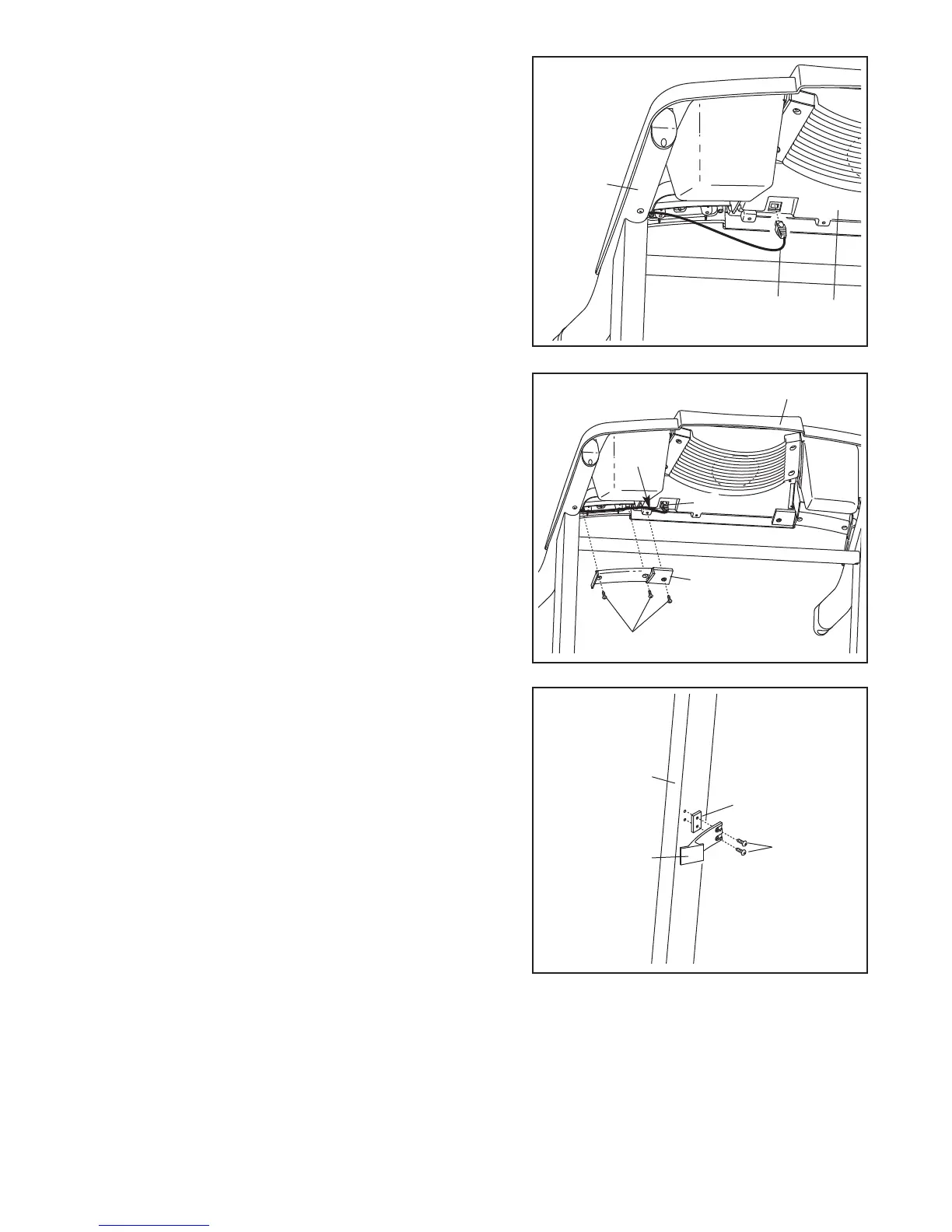
8. Touch the Right Handrail (72) to discharge any static.
Insert the end of the Upright Wire (42) into the socket in the
bottom of the Console Base (47).
The connector should
slide easily into the socket and snap into place. If the
connector does not slide easily and snap into place, turn
the connector and then insert it.
72
47
8
42
36
47
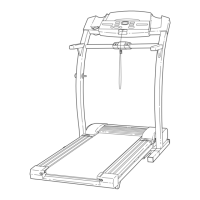
9.
Press the Upright Wire (42) into the slot in the underside
of the Console Base (47) in the indicated area. Cover the
Upright Wire with the Right Grip Plate (36).
Be careful
not to pinch the Upright Wire. Tighten three 1/2”
Screws (48) into the Right Grip Plate and the Console
Base.
48
Slot
9
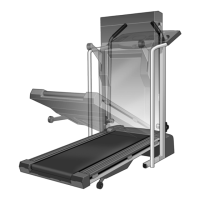
10.Attach the Storage Latch (29) and the Latch Spacer (44)
to the left Upright (69) with two 3/4” Screws (2) as shown.
Do not overtighten the Screws.
2
69
29
44
10



 To Next Page