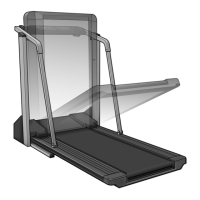
EasyManua.ls Logo

ProForm 720 - User Manual

ProForm 720
30 pages
Print Icon
To Next Page IconTo Next Page
Loading...
Serial Number Decal
Model No. PFTL79021
Serial No.
CAUTION
Read all precautions and instruc-
tions in this manual before using
this equipment. Save this manual
for future reference.
USER'S MANUAL
QUESTIONS?
If you have questions, or if there
are missing or damaged parts,
we will guarantee complete sat-
isfaction through direct assis-
tance from our factory.
TO AVOID DELAYS, PLEASE
CALL DIRECT TO OUR TOLL-
FREE CUSTOMER HOT LINE.
The trained technicians on our
Customer Hot Line will provide
immediate assistance, free of
charge to you.
CUSTOMER HOT LINE:
1-800-999-3756
Mon.–Fri., 6 a.m.–6 p.m. MST
Visit our website at
www.proform.com
new products, prizes,
fitness tips, and much more!

Other manuals for ProForm 720

Questions and Answers

Summary

Important Safety Precautions

Placement and Environment

Safe treadmill placement, avoiding moisture, aerosols, and oxygen.

User and Electrical Safety

Guidelines for users, weight limits, and power cord connection.

Operational Safety Rules

Safe operating procedures for use, handling, and maintenance.

Getting Started and Assembly

Product Overview and Support

Familiarize with treadmill parts and contact information.

Assembly Preparation

Identify hardware and gather necessary tools for assembly.

Treadmill Assembly Steps

Attaching Extension Legs and Base

Securely attach extension legs and base pads to the upright base.

Connecting Console Wiring

Properly connect wire harnesses for console functionality.

Mounting Console and Trays

Install the console base, trays, and optional pulse sensor.

Treadmill Operation

Power Connection and Belt Care

Proper power cord connection, surge suppression, and belt lubrication.

Console Features Overview

Description of console functions, displays, and workout options.

Manual Mode Operation

Step-by-step guide to operating the treadmill in manual mode.

Workout Programs

Preset Program Workouts

How to select and use the six preset workout programs.

Heart Rate Program Workouts

Using heart rate-controlled programs for targeted training.

Connectivity and iFIT.com

Connecting to Audio Sources

Connect treadmill to CD player, VCR, stereo, or computer via audio cables.

Using iFIT.com Programs

Guide to using iFIT.com CD/video and web-based interactive programs.

Using Programs Via Web Site

Step-by-step instructions for using online workout programs from the website.

Console Information Modes

Information and Demo Mode

Accessing total usage data and using the demo mode.

Optional Chest Pulse Sensor

Details and purchase information for the optional heart rate sensor.

Folding, Moving, and Storage

Folding for Storage

Instructions on how to fold the treadmill for storage.

Moving the Treadmill

Safe methods for moving the treadmill after folding.

Troubleshooting and Maintenance

Common Problems and Solutions

Troubleshooting power, incline, rocking, and display issues.

Walking Belt Issues

Resolving issues with belt speed, slippage, or centering.

Fitness Guidelines and Parts

Conditioning Guidelines

Recommendations for exercise intensity, workout structure, and frequency.

Suggested Stretches

Basic stretches for warm-up and cool-down routines.

Part List

List of all available replacement parts with key numbers.

Exploded Drawing

Visual diagram of treadmill parts for identification.

Support and Warranty

Ordering Replacement Parts

Information on how to order necessary replacement parts.

Limited Warranty

Details of the product's warranty coverage and terms.

Summary

Important Safety Precautions

Placement and Environment

Safe treadmill placement, avoiding moisture, aerosols, and oxygen.

User and Electrical Safety

Guidelines for users, weight limits, and power cord connection.

Operational Safety Rules

Safe operating procedures for use, handling, and maintenance.

Getting Started and Assembly

Product Overview and Support

Familiarize with treadmill parts and contact information.

Assembly Preparation

Identify hardware and gather necessary tools for assembly.

Treadmill Assembly Steps

Attaching Extension Legs and Base

Securely attach extension legs and base pads to the upright base.

Connecting Console Wiring

Properly connect wire harnesses for console functionality.

Mounting Console and Trays

Install the console base, trays, and optional pulse sensor.

Treadmill Operation

Power Connection and Belt Care

Proper power cord connection, surge suppression, and belt lubrication.

Console Features Overview

Description of console functions, displays, and workout options.

Manual Mode Operation

Step-by-step guide to operating the treadmill in manual mode.

Workout Programs

Preset Program Workouts

How to select and use the six preset workout programs.

Heart Rate Program Workouts

Using heart rate-controlled programs for targeted training.

Connectivity and iFIT.com

Connecting to Audio Sources

Connect treadmill to CD player, VCR, stereo, or computer via audio cables.

Using iFIT.com Programs

Guide to using iFIT.com CD/video and web-based interactive programs.

Using Programs Via Web Site

Step-by-step instructions for using online workout programs from the website.

Console Information Modes

Information and Demo Mode

Accessing total usage data and using the demo mode.

Optional Chest Pulse Sensor

Details and purchase information for the optional heart rate sensor.

Folding, Moving, and Storage

Folding for Storage

Instructions on how to fold the treadmill for storage.

Moving the Treadmill

Safe methods for moving the treadmill after folding.

Troubleshooting and Maintenance

Common Problems and Solutions

Troubleshooting power, incline, rocking, and display issues.

Walking Belt Issues

Resolving issues with belt speed, slippage, or centering.

Fitness Guidelines and Parts

Conditioning Guidelines

Recommendations for exercise intensity, workout structure, and frequency.

Suggested Stretches

Basic stretches for warm-up and cool-down routines.

Part List

List of all available replacement parts with key numbers.

Exploded Drawing

Visual diagram of treadmill parts for identification.

Support and Warranty

Ordering Replacement Parts

Information on how to order necessary replacement parts.

Limited Warranty

Details of the product's warranty coverage and terms.

ProForm 720 Specifications

General IconGeneral
Running Area20" x 55"
Weight203 lbs
Incline0-10%
Speed0-10 mph
Workout Programs18
Heart Rate MonitoringEKG Grip Pulse
FoldingSpaceSaver Design

Related product manuals