EasyManua.ls Logo

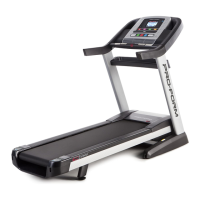
ProForm Pro 2500 PFTL14011.1 - User Manual

ProForm Pro 2500 PFTL14011.1
40 pages
Print Icon
To Next Page IconTo Next Page
Loading...
Serial Number
Decal
Model No. PFTL14011.1
Serial No.
Write the serial number in the space
above for reference.
CAUTION
Read all precautions and instruc-
tions in this manual before using
this equipment. Save this manual
for future reference.
QUESTIONS?
If you have questions, or if parts
are damaged or missing, DO NOT
CONTACT THE STORE; please
contact Customer Care.
IMPORTANT: Please register this
product (see the limited warranty
on the back cover of this manual)
before contacting Customer Care.
CALL TOLL-FREE:
1-888-533-1333
Mon.–Fri. 6 a.m.–6 p.m. MT
Sat. 8 a.m.–4 p.m. MT
ON THE WEB:
www.proformservice.com
www.proform.com
USER’S MANUAL

Questions and Answers

  • A
    Andrew CoxAug 2, 2025
    How to fix ProForm Pro 2500 PFTL14011.1 Treadmill when the power does not turn on?
    • J
      Jimmy HaleAug 2, 2025
      First, ensure the power cord is properly plugged into a surge suppressor, and the surge suppressor is connected to a grounded outlet. Use a surge suppressor meeting the specifications on page 16. Also, verify that the key is inserted into the console after plugging in the power cord. Finally, check the power switch on the treadmill frame near the power cord. If it's tripped (protruding), wait five minutes, then press the switch back in to reset it.
  • A
    angela17Aug 10, 2025
    What to do if the walking belt is off-center or slips on my ProForm Pro 2500 PFTL14011.1 Treadmill?
    • W
      Wendy ThompsonAug 10, 2025
      If the walking belt is off-center, remove the key and unplug the power cord. If the belt has shifted left, turn the left idler roller screw clockwise 1/2 turn using the hex key. If it has shifted right, turn it counterclockwise 1/2 turn. Avoid overtightening. Plug in the power cord, insert the key, and run the treadmill briefly. Repeat until centered. If the belt slips, remove the key and unplug the power cord. Turn both idler roller screws clockwise 1/4 turn. When correctly tightened, you should be able to lift each edge of the belt 2 to 3 inches off the platform. Keep the belt centered. Plug in the power cord, insert the key, and carefully walk on the treadmill for a few minutes. Repeat until the belt is properly tightened.
  • A
    awareAug 17, 2025
    What to do if my ProForm Pro 2500 PFTL14011.1 turns off during use?
    • A
      Andrew ColeAug 17, 2025
      If the power turns off during use, check the power switch. If the switch has tripped, wait five minutes, and then press the switch back in. Also, ensure the power cord is properly plugged in. If it is, unplug it, wait five minutes, and then plug it back in.
  • S
    sara25Nov 22, 2025
    Why does the walking belt slow down when I walk on my ProForm Pro 2500 PFTL14011.1 Treadmill?
    • B
      Bradley FoxNov 23, 2025
      The walking belt might slow down due to several reasons. First, ensure you are using a single-outlet surge suppressor that meets the specifications described on page 16. If the walking belt is overtightened, remove the key and unplug the power cord. Use the hex key to turn both idler roller screws counterclockwise 1/4 of a turn. When properly tightened, you should be able to lift each edge of the walking belt 2 to 3 inches off the walking platform. Keep the walking belt centered. Plug in the power cord, insert the key, and run the treadmill for a few minutes; repeat until properly tightened. Also, check the Reed Switch (59) and the Magnet (58) on the left side of the Pulley (61). Turn the Pulley until the Magnet aligns with the Reed Switch, ensuring a gap of about 1/8 inch. If needed, loos...

Summary

Important Precautions

Assembly

The Chest Heart Rate Monitor

How to Put on the Heart Rate Monitor

Instructions for wearing and attaching the heart rate monitor sensor to the chest strap.

Care and Maintenance

Guidelines for cleaning and storing the heart rate monitor to ensure longevity and proper function.

Troubleshooting

Steps to resolve common issues with the heart rate monitor's functionality and display.

Operation and Adjustment

How to Connect the Power Cord

Detailed steps for safely connecting the treadmill's power cord, emphasizing surge protector use.

How to Turn on the Power

How to Fold and Move the Treadmill

How to Fold the Treadmill

Instructions for folding the treadmill into its storage position, including safety precautions.

How to Move the Treadmill

Steps for safely moving the folded treadmill, emphasizing proper lifting techniques and two-person requirement.

How to Lower the Treadmill for Use

Procedure for safely unfolding the treadmill from storage position to ready-to-use state.

Troubleshooting

Exercise Guidelines

Exercise Intensity

Guidance on finding proper exercise intensity levels using heart rate zones for fat burning and aerobic exercise.

Workout Guidelines

Recommendations for warming up, training zone exercise duration, and cooling down for effective workouts.

Exercise Frequency

Advice on workout frequency to maintain or improve fitness, including rest periods and progression.

Part List

Limited Warranty

ProForm Pro 2500 PFTL14011.1 Specifications

General IconGeneral
BrandProForm
ModelPro 2500 PFTL14011.1
CategoryTreadmill
LanguageEnglish

Related product manuals