EasyManua.ls Logo

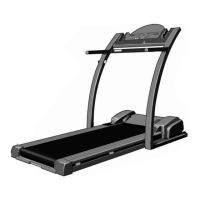
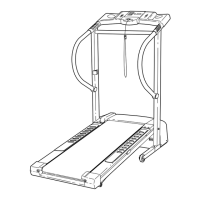
ProForm 7.25q - User Manual

ProForm 7.25q
23 pages
Print Icon
To Next Page IconTo Next Page
Loading...
Serial Number
Decal
USER'S MANUAL
Model No. PETL59021
Serial No.
CAUTION
Read all precautions and instruc-
tions in this manual before using
this equipment. Save this manual
for future reference.
www.iconeurope.com
Visit our website at
QUESTIONS?
As a manufacturer, we are com-
mitted to providing complete
customer satisfaction. If you
have questions, or if there are
missing or damaged parts,
please call:
Or write:
ICON Health & Fitness, Ltd.
Customer Service Department
Unit 4
Revie Road Industrial Estate
Revie Road, Beeston
Leeds, LS118JG
UK
email: csuk@iconeurope.com
08457 089 009

Other manuals for ProForm 7.25q

Questions and Answers

  • P
    Patrick FloydJul 31, 2025
    How to fix ProForm Fitness Equipment that won't turn on?
    • T
      Teresa HouseJul 31, 2025
      If your ProForm Fitness Equipment isn't turning on: 1. Ensure the power cord is plugged into a properly earthed outlet. If using an extension cord, it should be a 3-conductor, 1 mm[2] (14-gauge) cord no longer than 1.5 m (5 ft.). 2. Make sure the key is fully inserted into the console after plugging in the power cord. 3. Check the circuit breaker on the treadmill near the power cord. If the switch protrudes, wait five minutes, then press it back in to reset.
  • M
    melissa35Aug 10, 2025
    What to do if ProForm Fitness Equipment power turns off during use?
    • S
      Shannon PerryAug 10, 2025
      If your ProForm Fitness Equipment turns off during use, try these steps: * Check the circuit breaker located on the treadmill frame near the power cord. If tripped, wait five minutes, then press the switch back in. * Ensure the power cord is securely plugged in. If it is, unplug it, wait five minutes, and plug it back in. * Remove and reinsert the key fully into the console.
  • T
    Tom AlexanderAug 20, 2025
    Why do the displays of the ProForm Fitness Equipment console not function properly?
    • T
      tbrooksAug 20, 2025
      If the console displays on your ProForm Fitness Equipment aren't working correctly: 1. Unplug the power cord and check the console batteries. Replace them if needed, as drained batteries are a common cause. 2. Remove the key and unplug the power cord. Remove the screws from the hood and carefully remove the hood. 3. Locate the Reed Switch and the Magnet on the left side of the Pulley. Turn the Pulley until the Magnet aligns with the Reed Switch, ensuring a 3 mm gap. Retighten the Screw. Re-attach the hood and test the treadmill.

Summary

IMPORTANT PRECAUTIONS

BEFORE YOU BEGIN

ASSEMBLY

OPERATION AND ADJUSTMENT

PLUGGING IN THE POWER CORD

Instructions for connecting the power cord and associated safety warnings.

CHEST PULSE SENSOR OPERATION

SENSOR TROUBLESHOOTING

Steps to resolve common issues encountered with the chest pulse sensor.

FOLDING AND MOVING THE TREADMILL

LOWERING THE TREADMILL FOR USE

TROUBLESHOOTING

POWER ISSUES

Solutions for treadmill power not turning on or turning off.

CONSOLE DISPLAY MALFUNCTIONS

Steps to fix console display issues.

WALKING BELT SLOWS DOWN

Solutions for a treadmill belt that slows during use.

ORDERING REPLACEMENT PARTS

ProForm 7.25q Specifications

General IconGeneral
Display5" High Contrast Display
Weight Capacity325 Lb. User Capacity
FoldingSpaceSaver® Design with EasyLift™ Assist
Speed0 – 12 MPH Digital Speed Control
iFit CompatibilityYes
BluetoothYes
Cooling FanYes
AudioYes
Weight203 lbs

Related product manuals