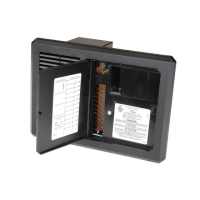
Consult a licensed electrician or RV technician for installation assistance
Installation and Operation Guide for
PD1201 Inverter Remote Display
© 2018 Progressive Dynamics Enterprises, LLC. All rights reserved.
I. LIMITED WARRANTY: Progressive Dynamics Warrants its power inverters to be free from defects in material or workmanship under normal use and ser-
vice; and limits the remedies to repair or replacement.
II. DURATION: This warranty shall extend for a period of two years from the original date of purchase, and is valid only within the continental limits of the
United States and Canada.
III. WARRANTY EXCLUSIONS: This warranty does not apply to:
A. Any product which has been repaired or altered in any way by an unauthorized person or service station
B. Damage caused by excessive input voltage, misuse, negligence, or accident; or an external force
C. Any product which has been connected, installed, or adjusted or used other than in accordance with the instructions furnished, or has had the serial number
altered, defaced, or removed
D. Cost of all services performed in removing and reinstalling the power inverter
E. ANY LOST PROFITS, LOST SAVINGS, LOSS OF USE OF ENJOYMENT OR OTHERINCIDENTAL DAMAGES ARISING OUR OF THE USE OF,
OR INABILITY TO USE, THE PRODUCT. THIS INCLUDES DAMAGES TO PROPERTY AND, TO THE EXTENT PERMITTED BY LAW, DAM-
AGES FOR PERSONAL INJURY. THIS WARRANTY IN IN LIEU OF ALL OTHER WARRANTIES, INCLUDING WARRANTIES OF MER-
CHANTABILITY AND FITNESS FOR A PARTICULAR PURPOSES.
IV. PROOF OF PURCHASE: A warranty claim must be accompanied by proof of the date of purchase.
V. CLAIM PROCEDURE: Upon discovery of a defect, Progressive Dynamics shall be supplied the following information a the address listed below:
A. Name and address of claimant
B. Name, model, and serial number of the product
C. Name year and model of the recreational vehicle in which the product was installed
D. Date of purchase
E. Complete description of the claimed defect
Upon determination that a warranty claim exists (a defect in material or workmanship occurring under normal use and service) the inverter shall be shipped postage
prepaid to Progressive Dynamics together with proof of purchase. The product will be repaired or replaced and returned postage prepaid.
Mail Returns to: Progressive Dynamics
507 Industrial Road
Marshall, MI 49068
For Warranty Service Call: (269) 781-4242
Member
Record the unit’s model and serial number in case you need provide this information in the future. It is
much easier to record this information now, instead of trying to gather it after the unit has been installed.
Model: Serial Number:
PD1201 (Remote Display)
See website www.progressivedyn.com
for more trouble shooting information and return instructions

 Need help?
 General

 To Next Page