EasyManua.ls Logo

Project Source EVERFIELD 21-K822-PS-ORBD - User Manual

Default Icon
18 pages
Print Icon
To Next Page IconTo Next Page
Loading...
SM20747
ATTACH YOUR RECEIPT HERE
Serial Number
___________________________
Purchase Date
__________________________
Questions, problems, missing parts? Before returning to the store, call our customer
service department at 866-439-9800, 8 a.m. - 8 p.m., EST, Monday - Sunday. You could also
contact us at ascs@lowes.com.
06/2023
ITEM # 0865917, 0865918, 2560575
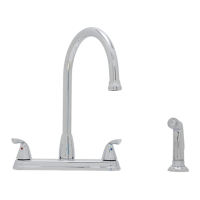
2-HANDLE
KITCHEN FAUCET
MODELS 21-K822-PS-PSD,
21-K822-PS-SSD, 21-K822-PS-ORBD
Español p. 10
PROJECT SOURCE and logo design are trademarks
or registered trademarks of LF, LLC. All rights reserved.
EVERFIELD

Questions and Answers

  • S
    sandrabrownAug 10, 2025
    Why does my Project Source Plumbing Product faucet leak underneath the handle?
    • M
      Mary MathewsAug 10, 2025
      The faucet leaks underneath the handle because the bonnet has come loose or the ceramic cartridge seal is dirty or out of place. To resolve this, move the handle to the OFF position, unscrew the handle screw, and remove the handle. Tighten the bonnet clockwise. If the leak persists, shut off the water supply, remove the bonnet, and lift out the ceramic cartridge. Inspect the seal, remove any debris, and re-seat it if necessary. If the seal is worn, replace the cartridge. Finally, position the cartridge back, screw the bonnet on tightly, and reinstall the handle.
  • J
    joseblackAug 17, 2025
    What to do if the Project Source EVERFIELD 21-K822-PS-ORBD water does not completely shut off?
    • S
      Steven TurnerAug 17, 2025
      If the water does not completely shut off, the ceramic cartridge discs are likely worn or have debris trapped inside. To fix this, shut off the water supply, move the handle to the OFF position, unscrew the handle screw, and remove the handle. Remove the bonnet and lift out the ceramic cartridge. Then, position the new ceramic cartridge into the faucet body, tightly screw the bonnet back onto the faucet body, and reinstall the handle.
  • R
    Ronald FreemanAug 25, 2025
    How to fix a Project Source Plumbing Product faucet that leaks around the aerator?
    • M
      michaelbensonAug 26, 2025
      If your faucet leaks around the aerator, it's likely that the aerator is incorrectly fitted, dirty, or the small parts inside are improperly installed. To address this, remove the aerator cover from the spout by turning it clockwise, and then remove the aerator and gasket. Inspect the black rubber gasket inside the aerator to ensure it is flat. Reinstall the gasket and aerator, then replace and tighten the aerator cover on the spout.
  • D
    David JensenSep 1, 2025
    Why does my Project Source Plumbing Product faucet have an improper water pattern?
    • T
      Tina KingSep 1, 2025
      An improper water pattern from your faucet is often due to a dirty aerator or small parts inside the aerator that are improperly installed. You can fix this by removing the aerator cover from the spout by turning it clockwise, and then remove the aerator and gasket. Gently flush the small parts inside the aerator to clear away any debris. Reinstall the gasket and aerator, then replace and tighten the aerator cover on the spout, ensuring all parts are straight and flat.

Summary

Safety Information and Preparation

Safety Precautions and Warnings

Follow safety advice like wearing eye protection and handling parts carefully.

Preparation and Tools

Check parts, gather required tools for assembly before starting installation.

Installation Instructions

Shut off water and remove old faucet

Turn off water supply, disconnect lines, remove existing faucet, and clean mounting surface.

Mount faucet body and secure

Apply sealant, position faucet, and hand-tighten mounting nuts from beneath the sink.

Install side spray

Insert sprayer support and mount nut for the optional side spray assembly.

Connect spray hose and supply lines

Connect spray hose quick connector and water supply lines to faucet body.

Final checks and aerator installation

Check for leaks, flush system, reinsert gasket, and screw aerator back onto spout.

Operating and Maintenance

Operating Instructions

Use lever handles to control hot/cold water and flow volume; return handle to stop flow.

Care and Cleaning

Clean periodically with a soft cloth; avoid abrasive cleaners to prevent finish damage.

Troubleshooting Guide

Faucet Leaks

Address leaks under handle or around aerator by checking/tightening parts or seals.

Water Flow Issues

Resolve problems with water not shutting off or improper water pattern by checking aerator/cartridge.

Product Specifications and Parts

Rough-In Dimensions

Technical drawing with dimensions for faucet installation.

Replacement Parts Identification

List of parts with corresponding part numbers for different model finishes.

Limited Lifetime Warranty

Warranty Coverage and Exclusions

Details on material/workmanship warranty, finish warranty, and exclusions like misuse or non-genuine parts.

Warranty Claim Inquiries

Contact information for warranty claims and customer service.

Project Source EVERFIELD 21-K822-PS-ORBD Specifications

General IconGeneral
BrandProject Source
ModelEVERFIELD 21-K822-PS-ORBD
CategoryPlumbing Product
LanguageEnglish

Related product manuals