EasyManua.ls Logo

Project Source EVERFIELD 21-K822-PS-PSD - User Manual

Project Source EVERFIELD 21-K822-PS-PSD
18 pages
Print Icon
To Next Page IconTo Next Page
Loading...
SM20747
ATTACH YOUR RECEIPT HERE
Serial Number
___________________________
Purchase Date
__________________________
Questions, problems, missing parts? Before returning to the store, call our customer
service department at 866-439-9800, 8 a.m. - 8 p.m., EST, Monday - Sunday. You could also
contact us at ascs@lowes.com.
06/2023
ITEM # 0865917, 0865918, 2560575
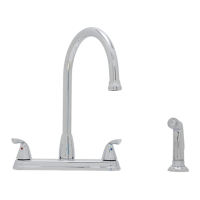
2-HANDLE
KITCHEN FAUCET
MODELS 21-K822-PS-PSD,
21-K822-PS-SSD, 21-K822-PS-ORBD
Español p. 10
PROJECT SOURCE and logo design are trademarks
or registered trademarks of LF, LLC. All rights reserved.
EVERFIELD

Questions and Answers

  • G
    Glenn GalvanAug 8, 2025
    Why does my Project Source Plumbing Product faucet leak underneath the handle?
    • S
      Stephanie McdonaldAug 8, 2025
      The faucet leaks underneath the handle because the bonnet has come loose or the ceramic cartridge seal is dirty or out of place. To resolve this, move the handle to the OFF position, unscrew the handle screw, and remove the handle. Tighten the bonnet clockwise. If the leak persists, shut off the water supply, remove the bonnet, and lift out the ceramic cartridge. Inspect the seal, remove any debris, and re-seat it if necessary. If the seal is worn, replace the cartridge. Finally, position the cartridge back, screw the bonnet on tightly, and reinstall the handle.
  • L
    llopezAug 15, 2025
    What to do if the Project Source EVERFIELD 21-K822-PS-PSD Plumbing Product water does not completely shut off?
    • S
      Stephanie RuizAug 15, 2025
      If the water does not completely shut off, the ceramic cartridge discs are likely worn or have debris trapped inside. To fix this, shut off the water supply, move the handle to the OFF position, unscrew the handle screw, and remove the handle. Remove the bonnet and lift out the ceramic cartridge. Then, position the new ceramic cartridge into the faucet body, tightly screw the bonnet back onto the faucet body, and reinstall the handle.
  • A
    Antonio CollinsAug 22, 2025
    How to fix a Project Source EVERFIELD 21-K822-PS-PSD Plumbing Product faucet that leaks around the aerator?
    • K
      Kathleen DoyleAug 23, 2025
      If your faucet leaks around the aerator, it's likely that the aerator is incorrectly fitted, dirty, or the small parts inside are improperly installed. To address this, remove the aerator cover from the spout by turning it clockwise, and then remove the aerator and gasket. Inspect the black rubber gasket inside the aerator to ensure it is flat. Reinstall the gasket and aerator, then replace and tighten the aerator cover on the spout.
  • R
    robertwarrenAug 30, 2025
    Why does my Project Source EVERFIELD 21-K822-PS-PSD Plumbing Product faucet have an improper water pattern?
    • J
      Jennifer WebbAug 30, 2025
      An improper water pattern from your faucet is often due to a dirty aerator or small parts inside the aerator that are improperly installed. You can fix this by removing the aerator cover from the spout by turning it clockwise, and then remove the aerator and gasket. Gently flush the small parts inside the aerator to clear away any debris. Reinstall the gasket and aerator, then replace and tighten the aerator cover on the spout, ensuring all parts are straight and flat.

Summary

Package Contents

Hardware Contents

Lists mounting nuts and side spray mounting nut for installation.

Safety, Preparation, and Specifications

Safety Information and Precautions

Manual review, soldering cautions, eye protection warning.

Preparation and Tools Required

Verify parts, contact service for issues, assembly time, and necessary tools.

Product Specifications Overview

Details on flow rate, certifications, and available finishes for the faucet models.

Installation Instructions

Shut Off Water and Remove Old Faucet

Turn off water supply, disconnect lines, remove old faucet, and clean the mounting surface.

Mount Faucet Body with Putty Plate

Apply sealant to putty plate, slide shanks through sink, tighten mounting nuts from underneath.

Install Optional Side Spray

Insert sprayer support and mounting nut through the sink and hand tighten.

Connect Side Spray Hose

Insert hose through support, connect quick connector to faucet body, and tug to ensure connection.

Install Hose Connection Cap

Securely attach hose connection cap to the faucet body if side spray is not installed.

Connect Water Supply Lines to Faucet

Attach supply lines to faucet shanks (hot left, cold right) and tighten connections.

Connect Supply Lines to Shut-off Valves

Attach remaining supply line ends to shut-off valves and tighten with a wrench.

Flush Lines and Check for Leaks

Remove aerator, turn on water to flush debris, check for leaks, reinsert gasket and aerator.

Operating Instructions

Care and Cleaning

Troubleshooting Common Issues

Faucet Leaks Under Handle

Check bonnet, cartridge seal for tightness, dirt, or damage; re-seat or replace cartridge.

Water Not Shutting Off Completely

Inspect ceramic cartridge discs for wear or debris, re-seat or replace cartridge.

Faucet Leaks Around Aerator

Check aerator gasket and installation; ensure gasket is flat and aerator is properly tightened.

Faucet Has Improper Water Pattern

Clean aerator by flushing small parts to remove debris and ensure proper alignment.

Rough-In Dimensions

Replacement Parts

Limited Lifetime Warranty

Project Source EVERFIELD 21-K822-PS-PSD Specifications

General IconGeneral
BrandProject Source
ModelEVERFIELD 21-K822-PS-PSD
CategoryPlumbing Product
Handle TypeLever
Number of Handles2
Valve TypeCeramic Disc

Related product manuals