10
F02 - BATTERY CAPACITY SETTING
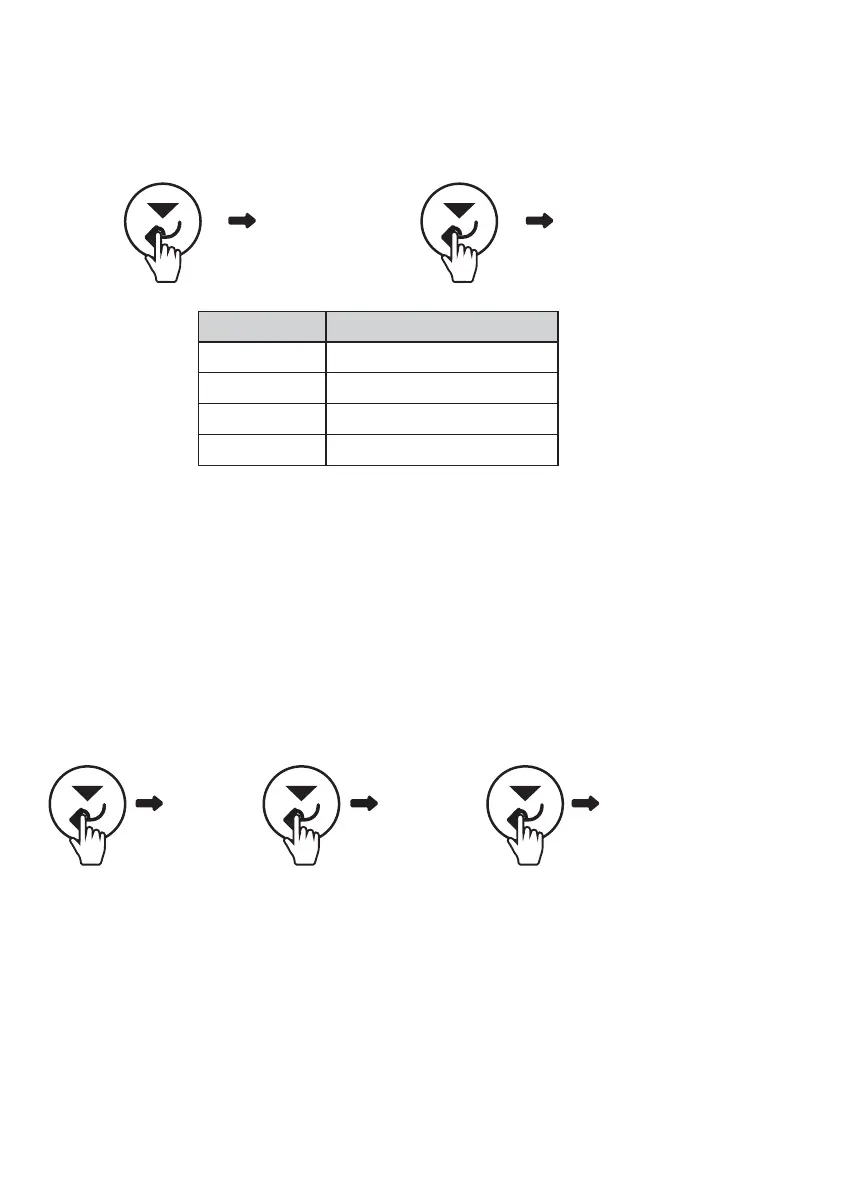
Press the Scroll down button (Confirm button) for 2 seconds to confirm the selection.
Note: LFP is the default setting
The user can choose the chemistry type of their battery by setting this menu. It can be accessed
by using the following sequence:
F01 – BATTERY TYPE SETTING
Table 7:
Battery type
in F01
Number Battery type
0
1
2
3
AGM
GEL
WET
LITHIUM
(2 sec) (2 sec)
-
F01 0
(2 sec) (1x)
-
F01 F02
(2 sec)
-
300
The user can choose their auxiliary battery’s capacity by setting this menu. It can be
accessed using the following sequence:
Press the Scroll down button (Confirm button) to move the cursor in hundreds, tens and single
digits; press the Scroll up button (Return button) to change the number from 0-9; Press the Scroll
down button (Confirm button) for 2 seconds to confirm the selection.
Note: 200Ah is default setting


 To Next Page