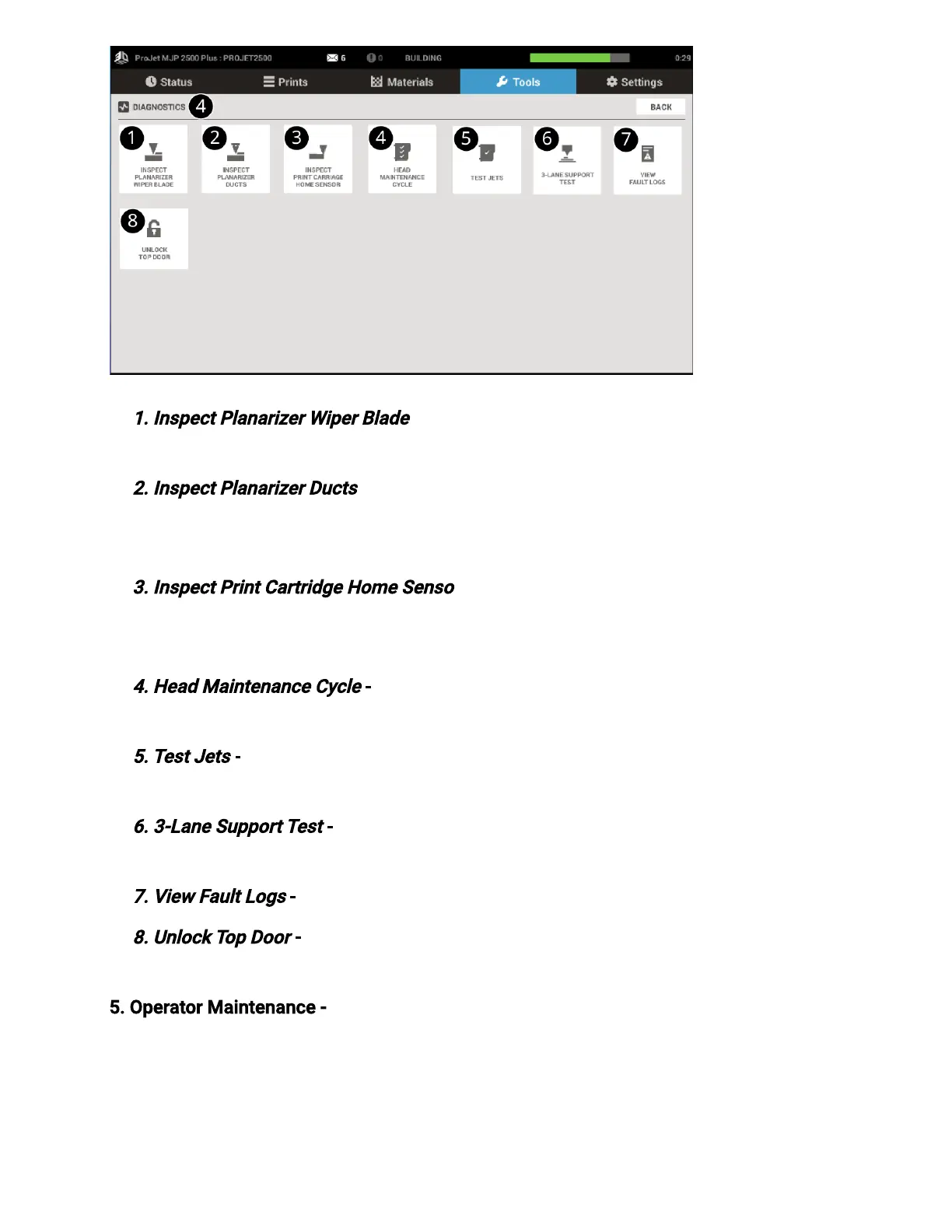
1. Inspect PlanarizerWiper Blade
- Select this routine toinspect the planarizer blade for
excess buildup. See Inspect PlanarizerBlade procedure in theMaintenance section.
2. Inspect PlanarizerDucts
- This is a routine that will allow the user to inspect and clean
the ducts in the planarizer. See Inspecting and Cleaning Planarizer Ducts procedure in
theMaintenance section.
3. Inspect Print Cartridge Home Sensor
- This routine will allow the user to access the
optical home sensors for cleaning. See Clean Print Carriage Optical Home Sensor
procedure in the Maintenance section.
4. Head Maintenance Cycle
- This is the routine that will be used to periodically clean the
printhead.
5. Test Jets
- This is the routine that is used to verify that the jets are all jetting material
properly. See Conrm Jets procedure in theMaintenance section.
6. 3-Lane Support Test
- Diagnostic test routine. Run this test as requested by your
service representative
7. View Fault Logs
- A history of fault codes is stored under the Fault History.
8. Unlock Top Door
- This button will allow the top door to unlock if the printer is in a
Ready or Error State.
5. Operator Maintenance - Selecting Operator Maintenance will bring up a maintenance
schedule. Be sure to click on a maintenance item and Reset the counter once the cleaning
has been completed, otherwise a message will appear that the maintenance is over due.
Before performing any maintenance routines the printer must be in a Ready state and a
clean print platform must be installed.


 To Next Page
 Loading...

