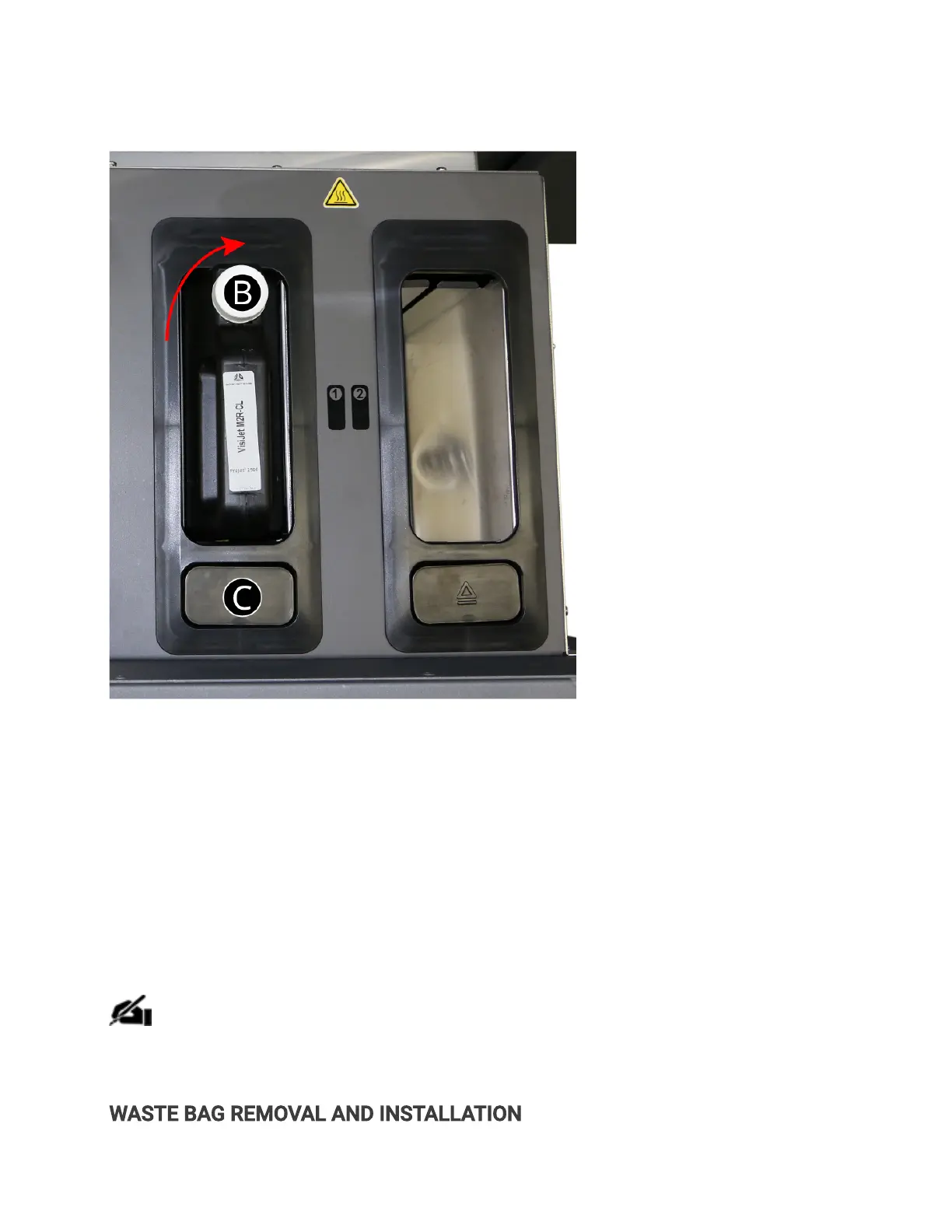
2. Pull the MDM drawer open.
3. Turn the material cap (B) a 1/2 turn to clockwise to tighten the vent cap.
4. Press the release button (C) on the front. You will hear the cartridge release. Pull the cartridge
out of the slot.
5. Dispose of the empty cartridge according to local regulations.
. Wearing nitrile gloves and eitherprotective sleeves or a lab coat to protect arms, use a
disposable paper towel and wipe all material from the container seal assembly, if necessary
you can use some isopropyl alcohol on the paper towel to wipe up the excess material.
NOTE: It is important to always wear nitrile gloves and either protective sleeves or a
labcoat to protect arms when coming in contact with materials to avoid getting
materials on skin. Contact with skin may cause an allergic reaction.
WASTE BAG REMOVAL AND INSTALLATION



 To Next Page