EN 17
c) Click the “Network Scanner” button. Then you can see that the ShareHub Device Servers Control Center
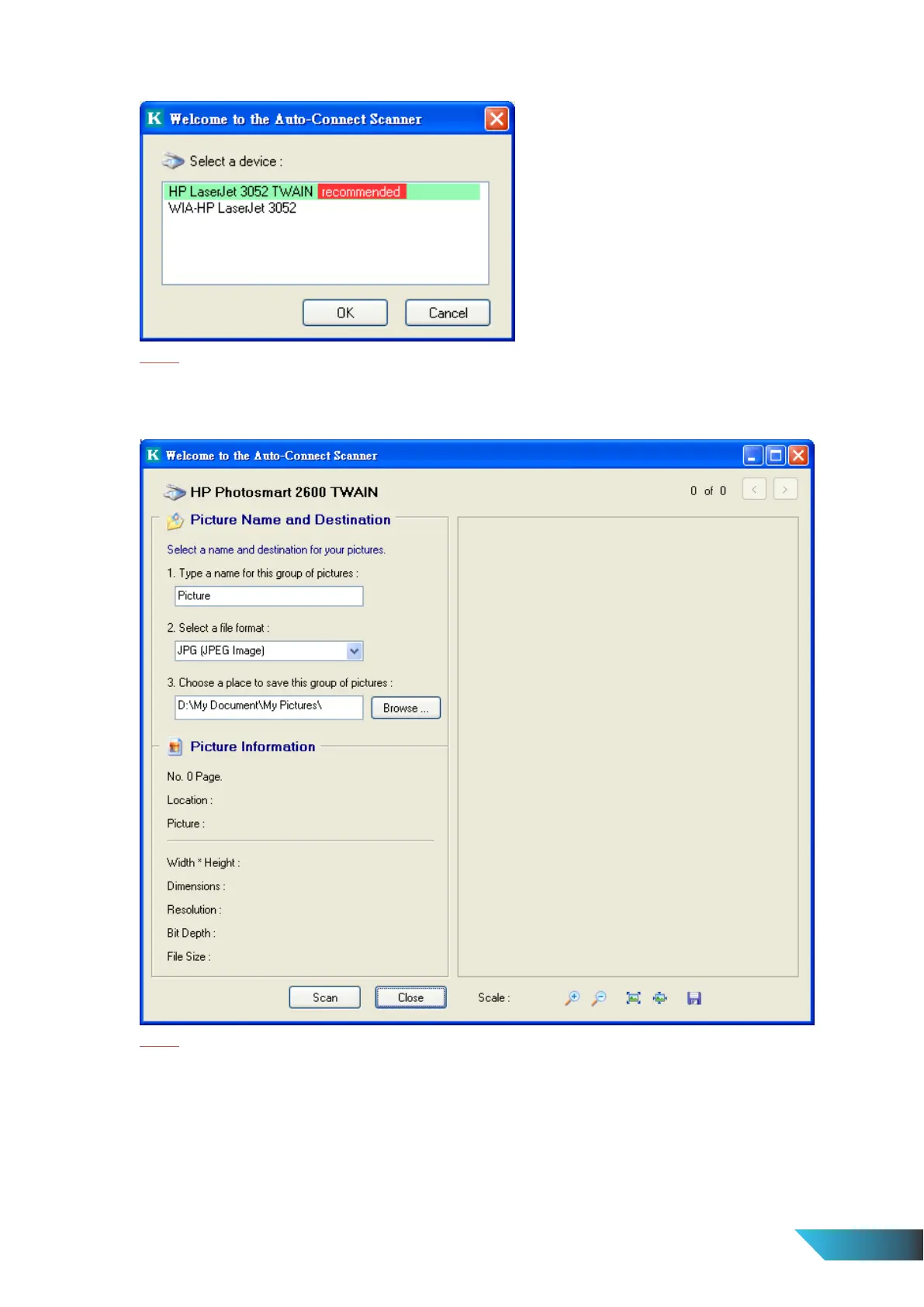
will automatically do a “connect” operation. The following window will appear.
Note:
Only applicable to Windows XP.
d) Choose one of TWAIN or WIA item. Click “OK”. The following window will appear.
Note:
Only applicable to Windows XP.
e) Follow the usual steps to do scanning.
f) After the scanning, close the “Auto-Connect Scanner” window. At this moment, ShareHub Device Servers
Control Center will automatically disconnect.


 To Next Page