EN 21
5.3.4. Configuring the Server’s Codepages
Users can use the following methods to set the Server’s codepage.
a) Start ShareHub Device Servers Control Center and Auto-searching Server window will appear.
b) If the tool finds the Servers in your local area network, select the Server from the Server List and
click “Configure Server” button.
c) The Web manager will show, click the “Config” button and enter the Server’s administrator
(default: admin) and password (default: admin).
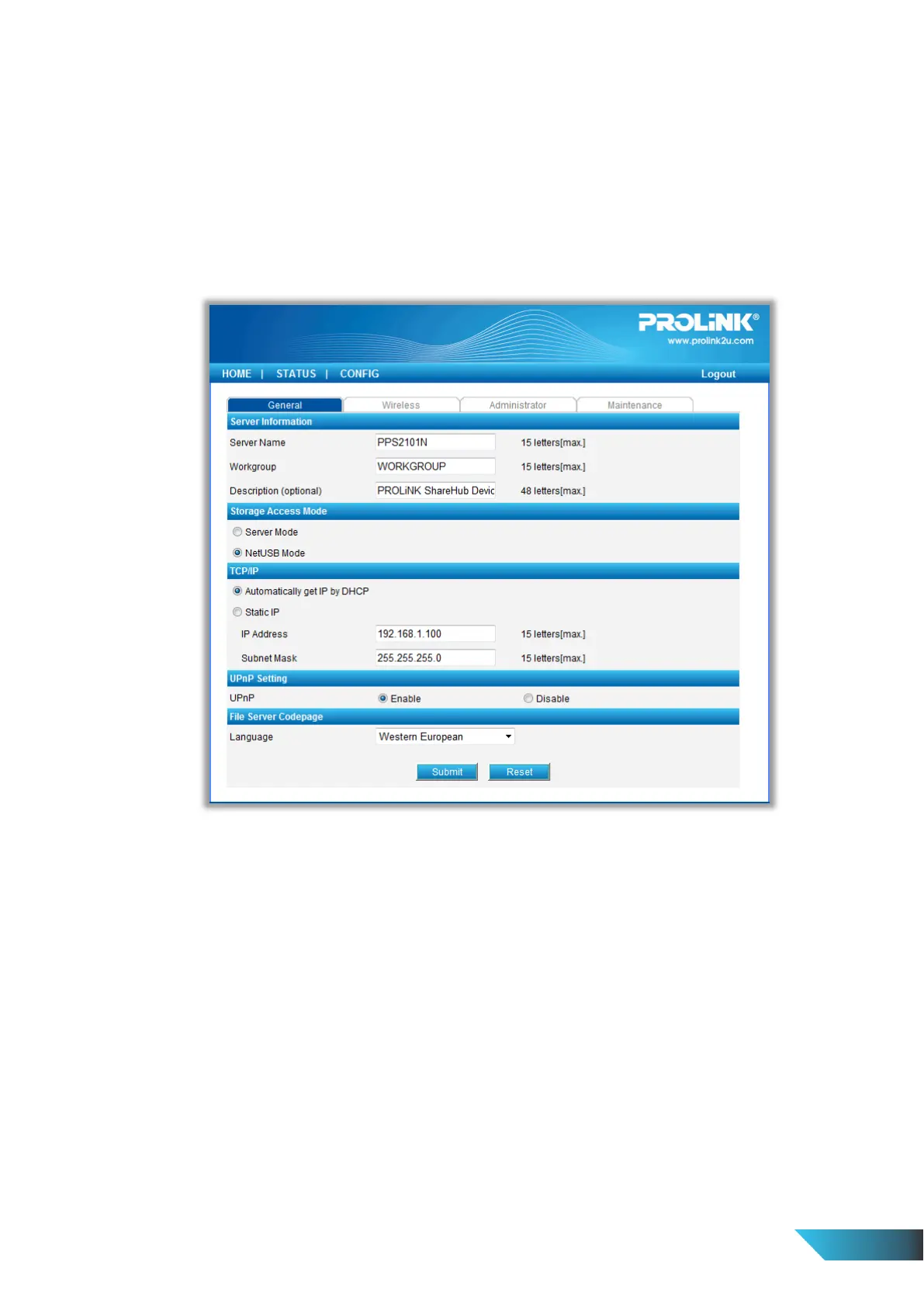
d) After you have logged in successfully, setting General configuration dialog appears.
e) Select your codepage form File Server Codepage box and click Apply.
5.4. Using Shared Storages by SMB/CIFS Method for Windows
a) Connect a USB storage device to this product.
b) Select My Network Places.
c) Click Display the Computers of Workgroup.
d) Double click Microsoft Windows Network icon.
e) Double click the Workgroup that the Server belongs to. The default Workgroup name is “WORKGROUP”.
You can refer to ShareHub Device Servers Control Center or the Server’s web pages to get it. You will see
that the Server is displayed as its server name.
f) If you cannot find Workgroup name of the Server in Microsoft Windows Network, you can select Search
for Computer… in My Network Places and enter the Server Name of the Server to find it.
g) Double click this Server Name icon.


 To Next Page