EN 23
6. The Servers’ Web Pages
6.1. Introduction
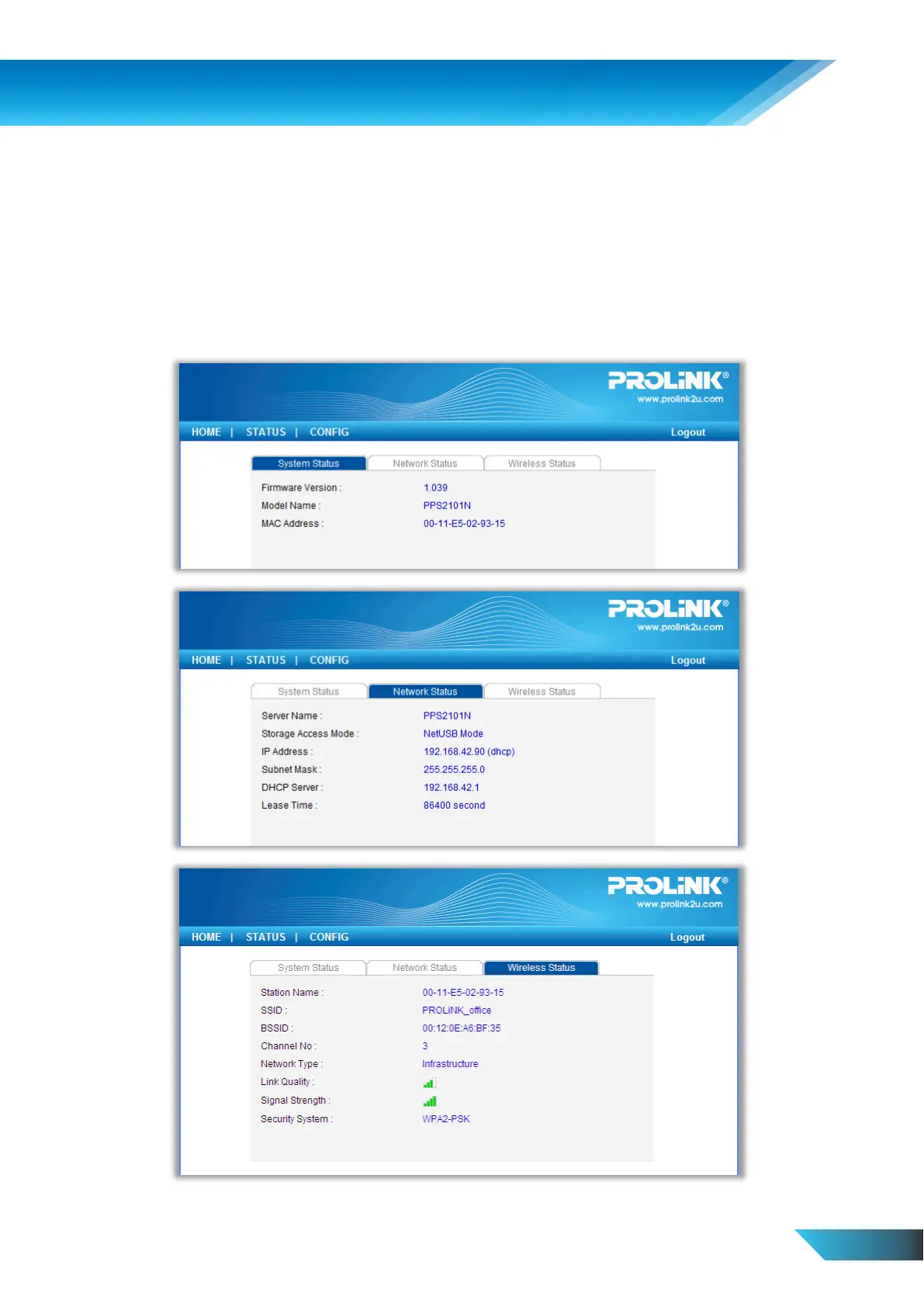
The Server runs the http server, httpd on TCP port: 80. Users may use the web pages to see the Server’s system status
and configure the Server.
6.2. Using the Server’s Web Pages
6.2.1. Displaying Server Status
Click on the “STATUS” icon to see system status, network status and Wireless Status (only for
PPS2101N/PPS2104N).


 To Next Page