EN 25
o Administrator: enter your desired administrator name.
o New Password: enter your desired password.
o Re-type Password: re-confirm the password.
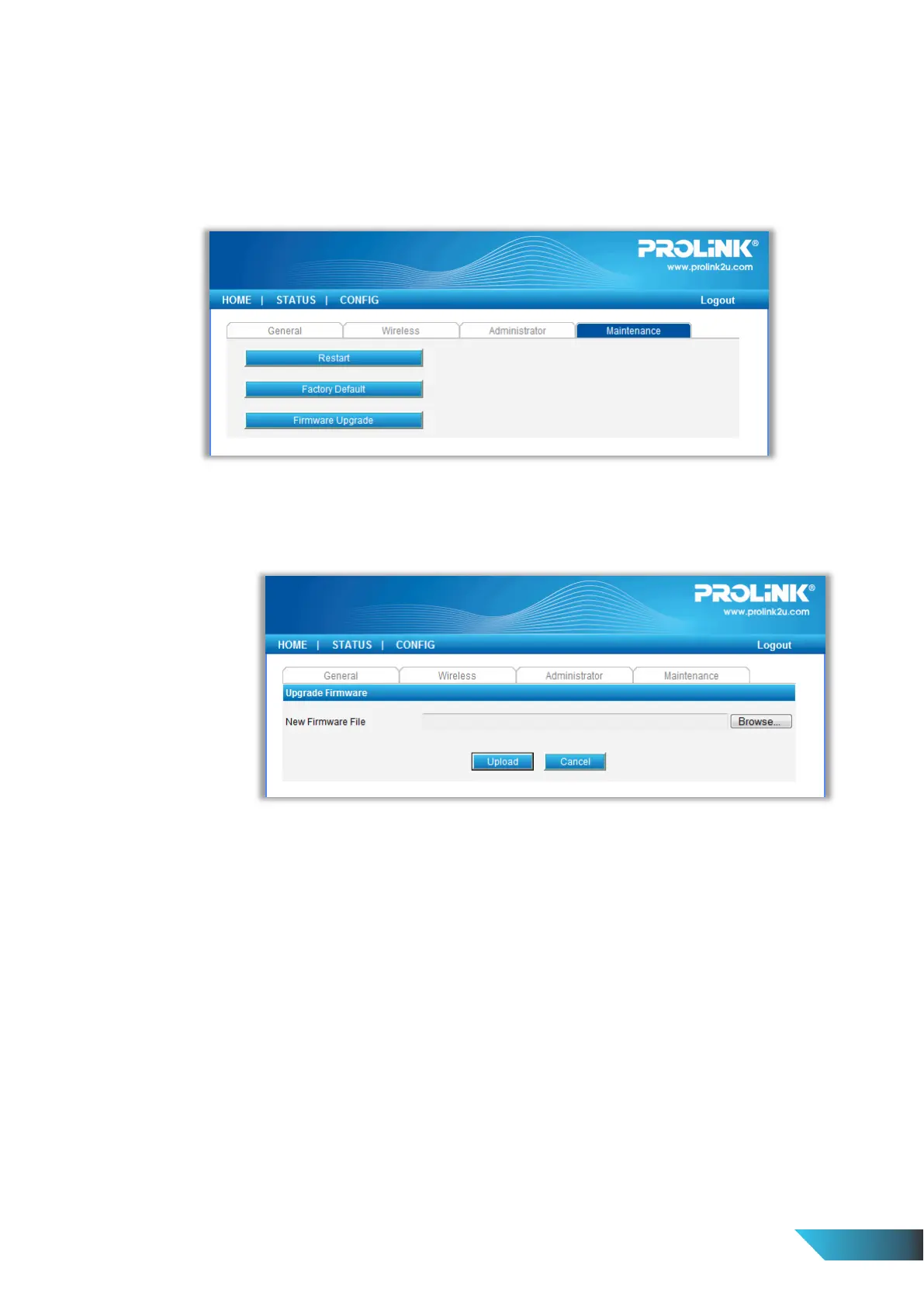
Maintenance If you want to restore factory default values of the Server or upgrade new firmware,
you can use the Maintenance tool.
o Restart: click this button to restart (reboot) the Server.
o Factory Default: click this button, the Server will restore factory default values.
o Firmware Upgrade: click Browse to find the firmware file to be upgraded. Click Upload to
upload the firmware into the Server.


 To Next Page