FEB
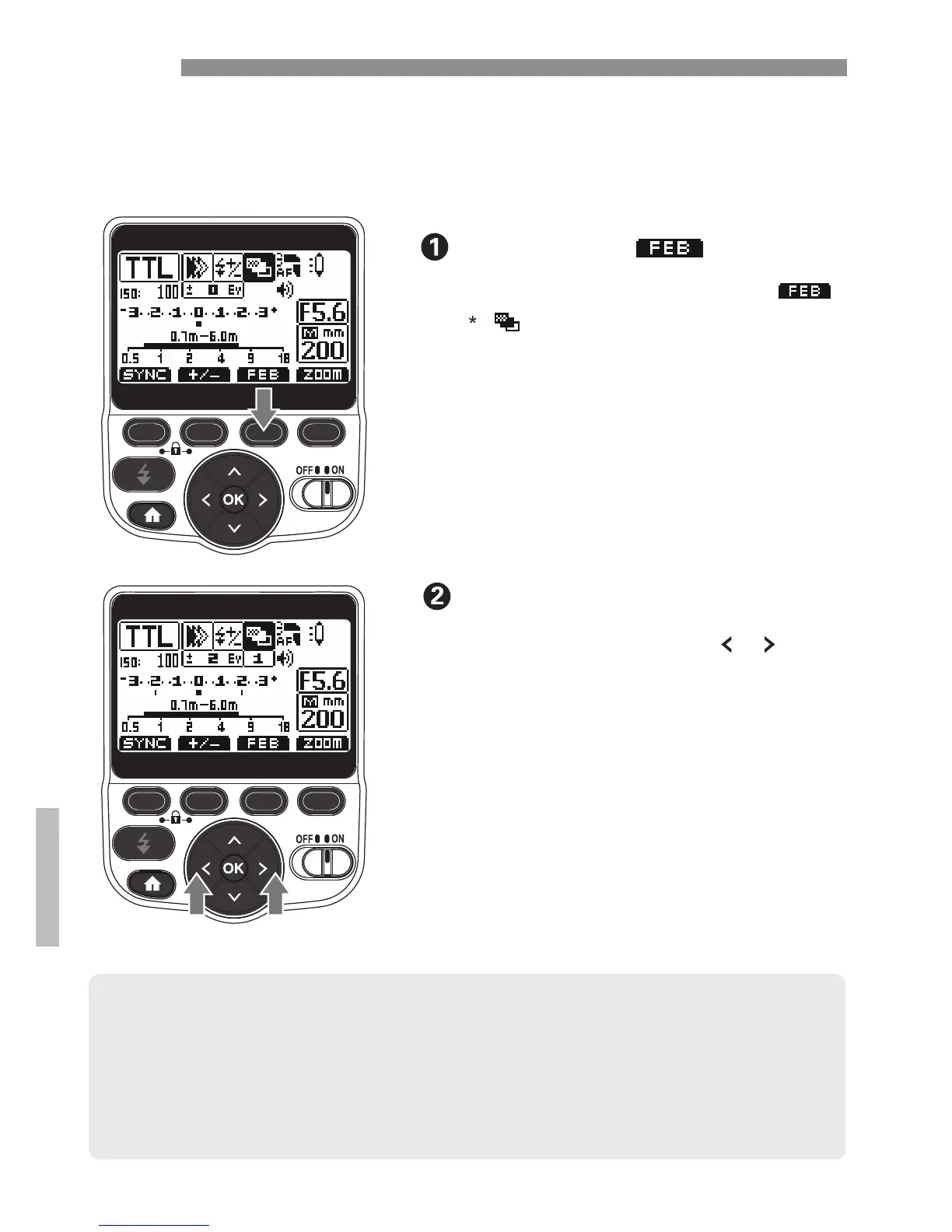
You can take three shots while automatically changing the flash
output. This is called FEB (Flash Exposure Bracketing). The
settable range is up to ±3 stops in 1/3-stop increments.
Press the [ ] button
● After the three shots are taken, FEB is canceled automatically.
● Before shooting with FEB, it is recommend to set the camera’s drive mode
to single shooting and check that the flash is recycled.
● You can use FEB together with flash exposure compensation or FE lock.
● You can set FEB to remain enabled after shooting the three shots(C.Fn-03).
● You can change the FEB shooting sequence(C.FN-04).
22
● Press the Function 3 button [ ].
Set the FEB level.
● “0.3” indicates 1/3 stops and “0.7”
indicates 2/3 stops.
● When used together with flash
exposure compensation, FEB
shooting is performed based on the
flash exposure compensation amount.
When the FEB range exceeds ±3
stops, the end of the flash exposure
level shows.
[ ] [ ]
● Use the arrow buttons to set
the FEB level.
[ ]is displayed and the FEB level
display is highlighted.
/


 To Next Page