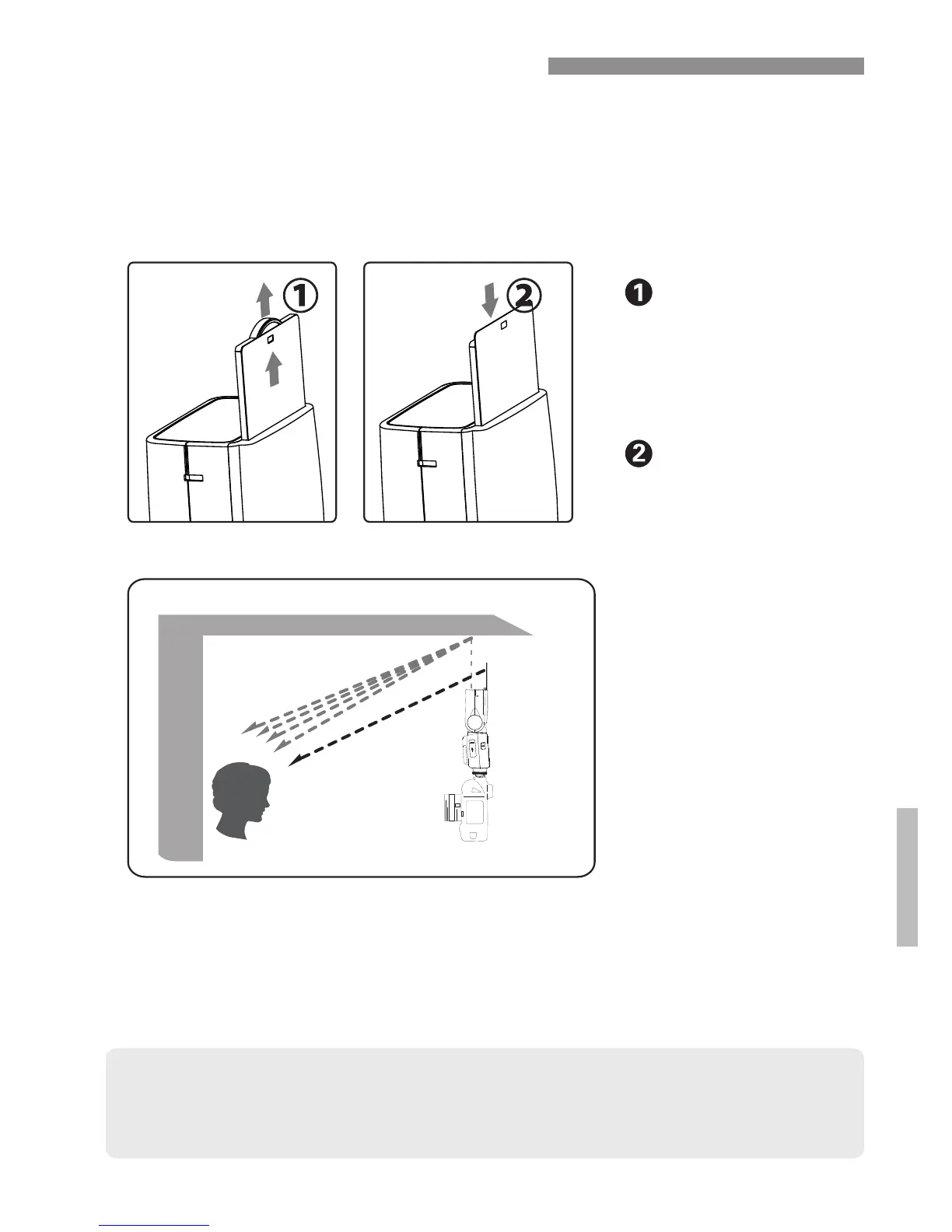
● Before pushing in bounce panel, you should slide out the wide panel
and push both in together. This is easier and will protect the bounce
panel from damage.
● Direct the flash head forward and straight up by 90°. The bounce
card will not work properly if you swing the flash head left or right.
● For maximum effect, stay within 1.5m (4.9ft) of your subject.
Using the Bounce Card
You can use the 200ST-R’s built-in bounce card to create a
highlight in the subject’s eyes, soften the light output, and
reduce the chance of red-eye (by creating more distance
between the light and the lens).
Pull the round tab.
The bounce panel
will slide out at the
same time as the
wide panel.
Push in only the
wide panel leaving
the bounce panel
exposed.
29


 To Next Page