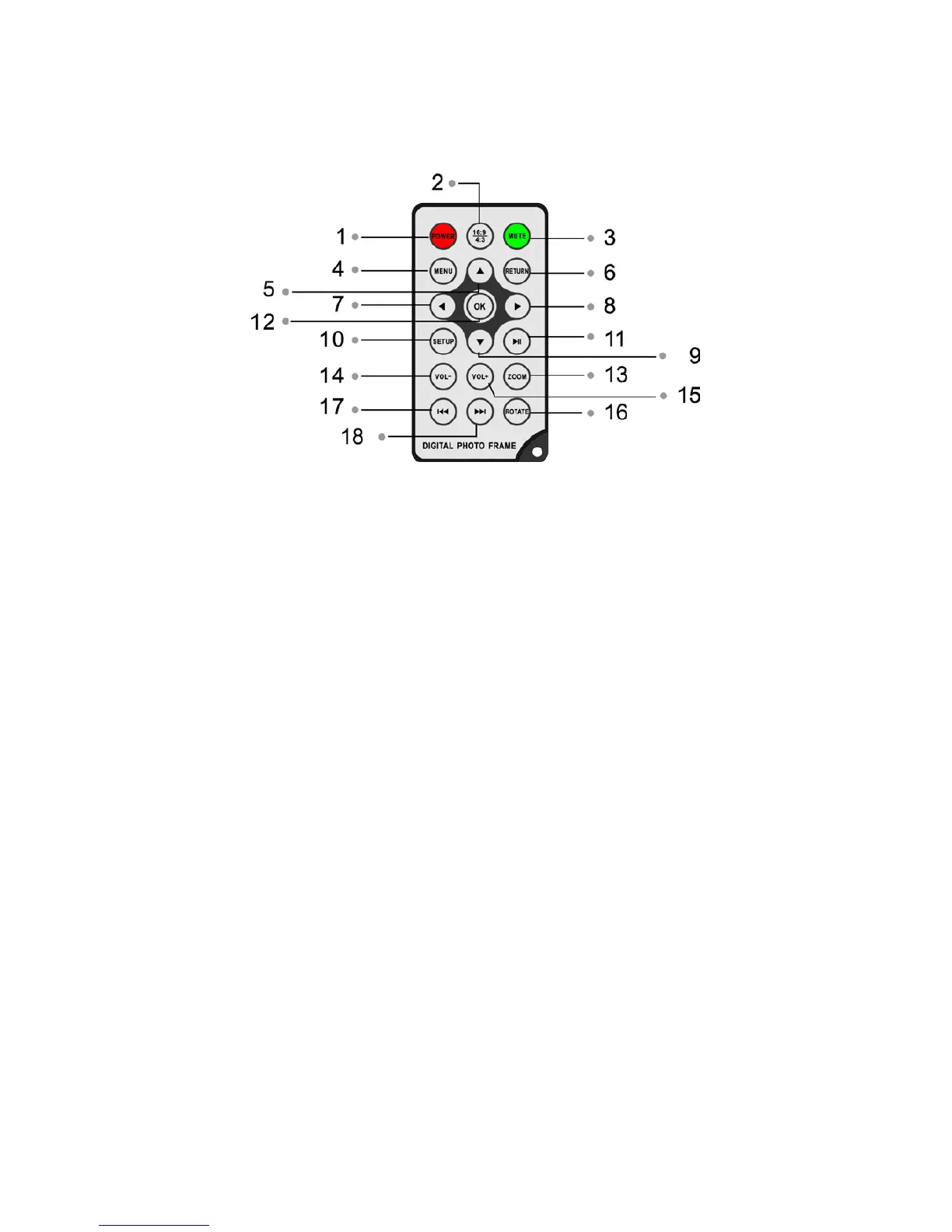
1.1 Remote Control
1 ) Power On/Off
2 ) 16:9/4:3 ─ Changes picture display ratio between these two values.
3 ) MUTE ─Cancels music during music playing function.
4 ) MENU ─During music/picture/video playing mode, press to access the "Info Bar".
5) UP arrow ─Scrolls pictures in up/down mode. Also used for making menu selections
during programming and setup.
6) RETURN ─Browse through pictures in Combo or Photo mode. Also reverts to
previous menu in Music and Video modes. When in the main menu, press this button
to choose the card or USB flash.
7) LEFT arrow ─Use for menu selections in Startup, Setup, Thumbnail, Music and Video
modes. Reverts to previous page when displaying folders.
8) RIGHT arrow ─ Use for menu selections in Startup, Setup, Thumbnail, M usic and
Video modes. Advances to next page when displaying folders.
9) DOWN arrow ─ Used for menu selection in Startup, Setup, Thumbnail, Calendar,
Music and Video modes.
1 0) SETUP ─Go directly to Setup mode.
11 ) Play/Pause
12 ) OK ─ Press to confirm selection.
13 ) Zoom ─In single picture mode, changes magnification +/- 4 stops.
14 /15) Volume +/-─ Vo l u m e a d j u st .
16 ) Rotate ─Counterclockwise 90°.
17/18) Previous/Next ─ M ove back or forward for picture and video files.
1.2 Touch Buttons



 To Next Page