5. Troubleshooting
For questions not addressed here, please contact your local Promega Branch Office or Distributor.
Contact information available at: www.promega.com. E-mail: techserv@promega.com
5.A. Common Problems
Symptoms Causes and Comments
Low or no fluorescence reading Reagents were not prepared correctly. Ensure
that reagents, blank and standard samples are
prepared as described in Section 3.A. Check
that the reagents have not expired. Check that
the reagents and standard were stored correctly.
Fluorometer was not calibrated correctly. Be
sure to calibrate any protocol being used for the
first time (see Sections 3.A and 3.C). We
recommend recalibrating the instrument with
each new lot of reagent. Calibration with each
use will reduce experimental variation (e.g., due
to pipetting).
The wrong standard concentration was used to
calibrate the Quantus™ Fluorometer. Check
that the fluorescence is within the range of the
standard curve used (e.g., if the unknown
samples are of low concentration, then use the
low concentration standard), and that the
standard used is similar to the sample (i.e., if
the unknown sample is plasmid DNA, then use
a plasmid DNA standard).
Sample concentration was too low. Redilute
sample, and repeat measurement.
A PCR tube with poor optical clarity was used.
Thin-walled PCR tubes have the best optical
clarity. Ensure a thin-walled PCR tube was
used. We recommend using thin-walled 0.5ml
PCR tubes (Cat.# E4942 or Axygen
Cat.# PCR-05-C, available from Fisher or VWR)
for proper optical clarity.
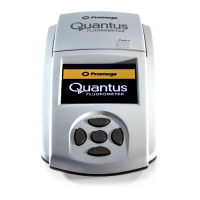
Quantus™ Fluorometer will not Instrument was not plugged in. Make sure that
power on the instrument is plugged into the USB Power
Supply or a computer that is turned on.
Use an alternative power source. If the
fluorometer was plugged into the USB power
supply, switch to a computer or vice versa. If
switching power sources does not power on the
Quantus™ Fluorometer, contact Promega
Technical Services.
Promega Corporation · 2800 Woods Hollow Road · Madison, WI 53711-5399 USA
Toll Free in USA 800-356-9526 · Phone 608-274-4330 · Fax 608-277-2516 · www.promega.com
Printed in USA. Part# TM396
Revised 1/20 Page 15
TM396.0120_EIVD_TM.qxd 1/27/2020 2:50 PM Page 15


 To Next Page