12 ActivTable Quick Start Guide
Expanding the Activities Ring
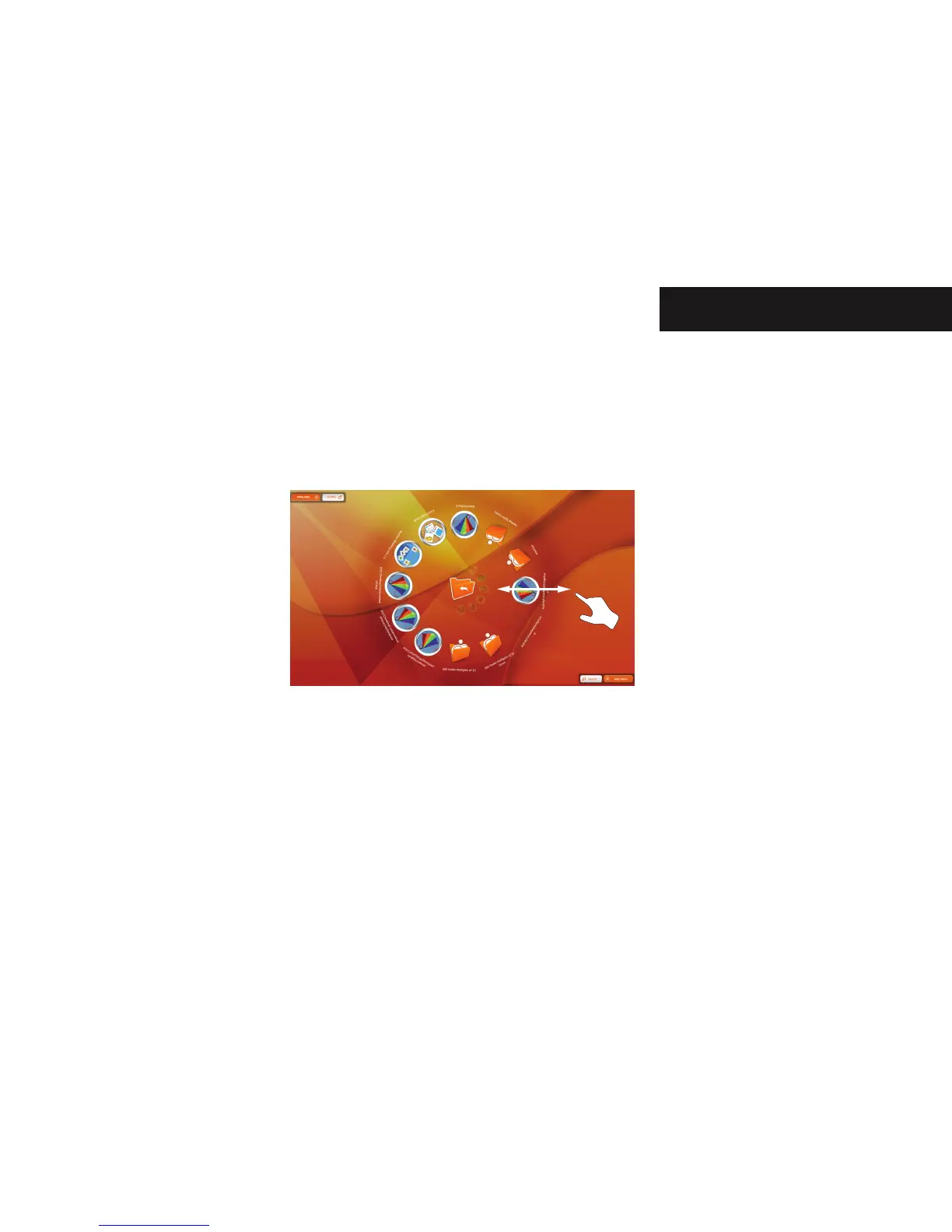
The Activities and Applications screen displays the installed activities as a ring of buttons. If more activities are installed they
are stored as further rings ‘below’ the current ring. To access the other rings touch the screen and drag towards the edge
of the screen in a straight line. The current ring expands. The ring below the current layer appears and becomes the active
layer of buttons. To return to a previous ring of activities touch the screen and drag towards the centre of the screen. The
current ring shrinks and the previous ring of activities appears and becomes the active layer.
Controlling the ActivTable


 To Next Page