15
2. BT/USB player/recorder
Basics and USB playback
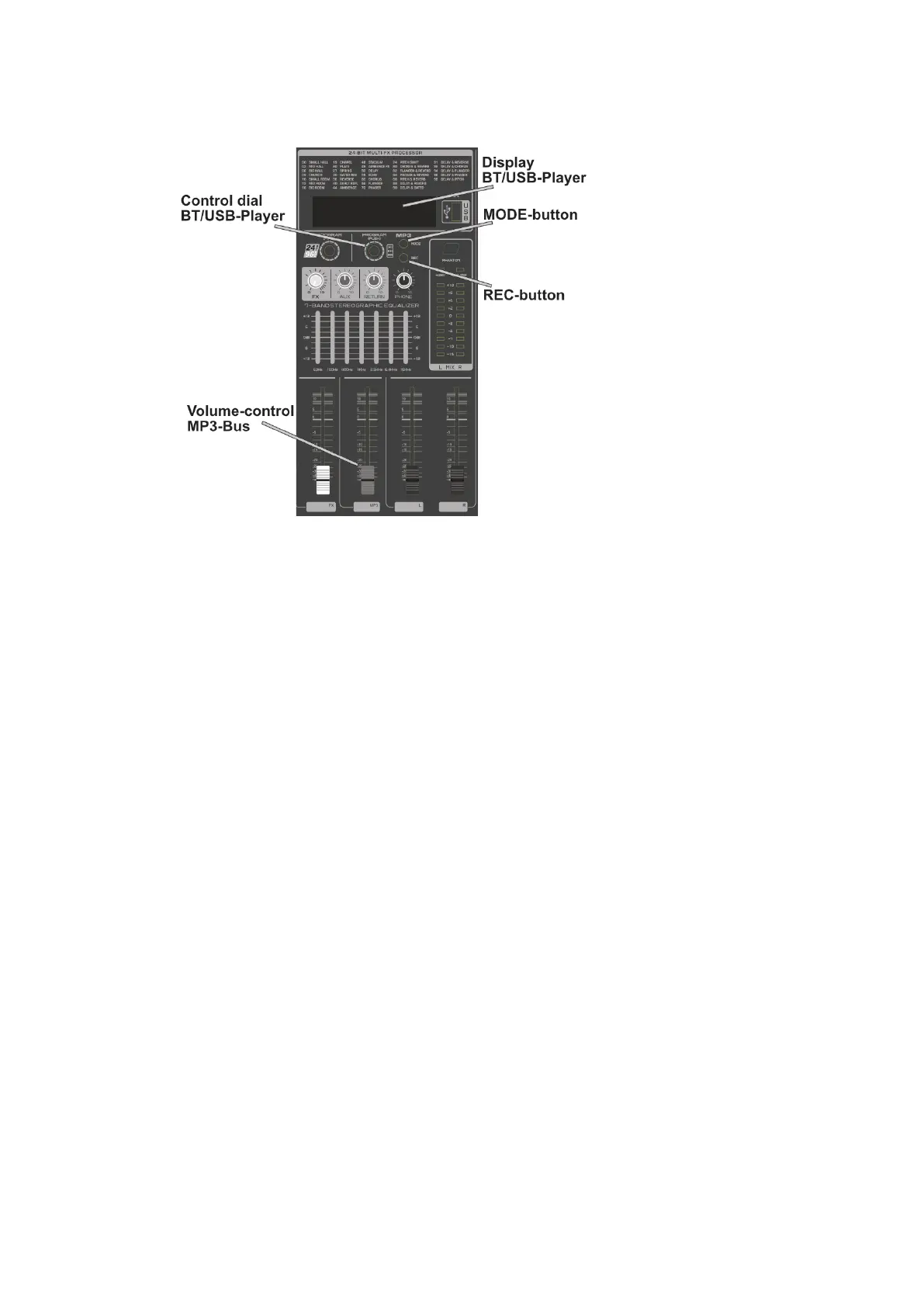
The output signal of the BT/USB player is routed to the MP3 bus of the mixer. The
playback volume depends on the volume control of the MP3 bus and the stereo
sum.
When a USB flash drive is inserted, playback starts automatically.
Bluetooth
To establish a Bluetooth connection, press the MODE button repeatedly until BLUE
appears on the display. The Bluetooth name is "POWERMAKE". When the audio
connection is successful, the playback icon appears on the display.
Title selection and pause
Turning the control dial clockwise switches to the next track.
Turning the control dial counterclockwise switches to the previous track.
Press the control dial briefly to pause playback. Press again to resume playback.
Recording function
Press the MODE button repeatedly until REC appears in the display to activate
recording standby with the USB stick inserted. Alternatively, the recording mode can
also be activated by briefly pressing the REC button and exited by pressing and
holding the Rec button.
Start the recording by briefly pressing the rotary control. Each additional short press
pauses or continues the recording. Press and hold the control dial to complete the
recording.
Recording format: MP3 128Kbs bit rate



 To Next Page