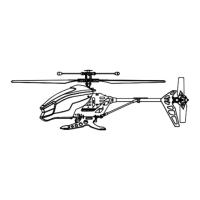
EXECUHELI II PROPELLER SYSTEM
Your Execuheli II propeller system is a precision instrument that may need repair or replacement from time to
time for optimal ight function. Crash landing from high-speed aerial ights may cause damage to your
Execuheli II propeller or propeller connecting rods.
TROUBLESHOOTING:
If your helicopter loses its ability to y correctly, please inspect the propeller system carefully for the following
two common issues:
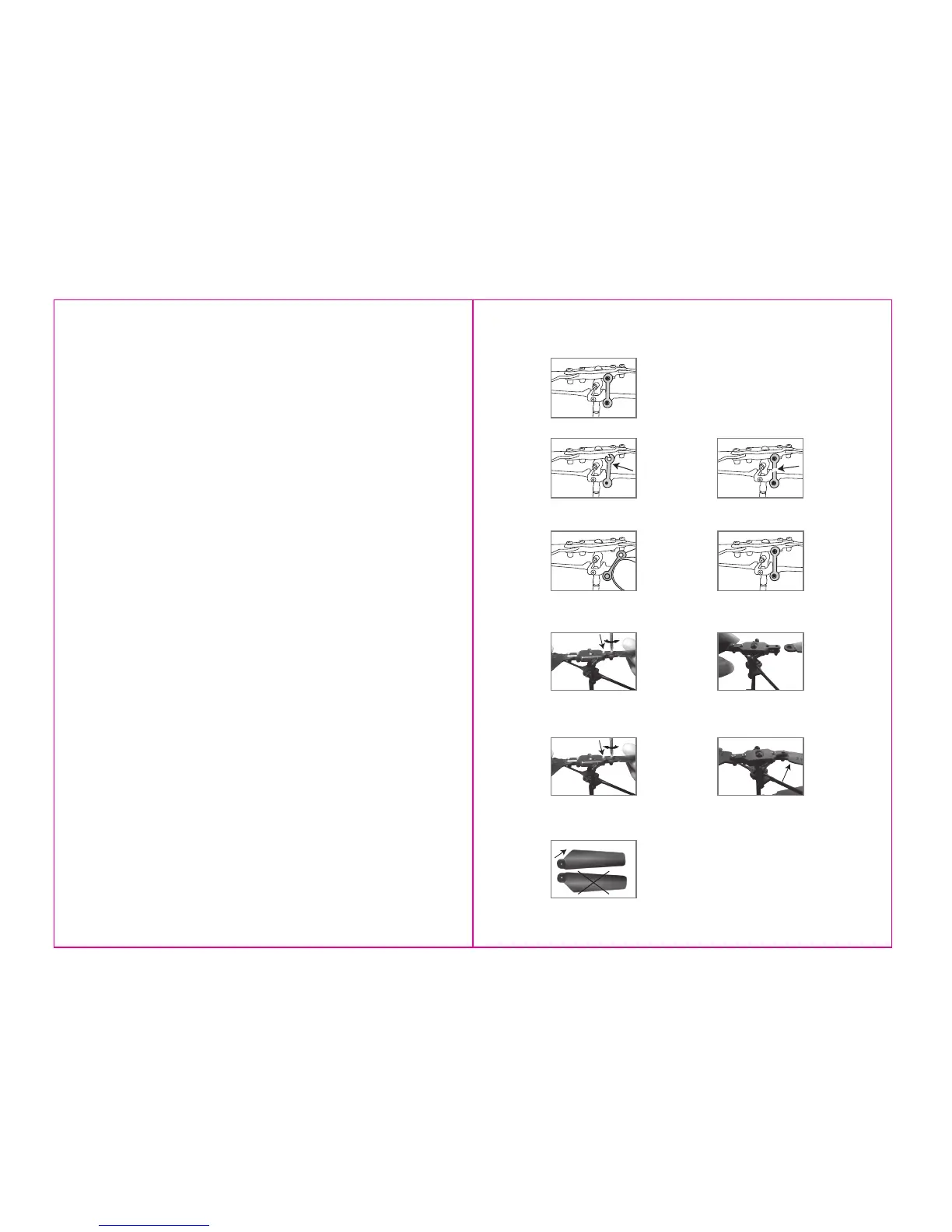
1. Replacing Connecting Rod: The connecting rod is a small “handcu” style device that stabilizes the “upper”
singular. There is one connecting rod on the upper propeller. Please see Diagram 1.
If a connecting rod is broken or missing simply replace it by removing the existing broken unit and replacing it
with a new one. You may have to use slight pressure when reattaching both ends of the new connecting rod.
Make sure that the new connecting rod is secured and locked in place. See Diagram 2. For changing
connecting rod, make sure there is no damage to the actual blade or arm that holds the connecting rod in
place. If there is you must replace the entire blade system.
2. Replacing Upper and Lower Propellers: The propeller is subject to damage as you learn to properly y and
control your Execuheli II. If after a crash your helicopter has loss of control or ies erratically you should carefully
inspect your entire propeller system for any sign of damage. Most common are cracked or chipped blade,
broken connecting rod, frozen balance bar (this is when the balancing bar and blade are jammed and can not
move freely up and down). To replace the propeller blades follow diagrams 3 through 12.
KEY POINTS:
Always be careful when using your Execuheli II. To avoid future damage follow these simple key points:
1. Make sure you have a large room with high ceilings and open space with no obstructions like furniture,
lamps, chandeliers etc.
2. When learning to y try to keep your helicopter in the center of the room, away from walls and ceilings.
3. Don’t go full speed ahead! The Stealth Flyer accelerates quickly. Learn how to adjust the throttle and keep the
helicopter at a stable level; slightly above eye level is best for stable ight. Try to be smooth and consistent on
the throttle.
4. Attempt your early landings on couches, beds or other soft objects or simply catch it in your hand. Also it is
advisable for beginners to use the Execuheli II over carpeted oors while learning how to successfully y your
helicopter.
5. Close all open windows and doors, turn o air conditioners and fans. Remember the Stealth Flyer is an
extremely light ight toy and is susceptible to even the mildest draft. REMEMBER NEVER FLY YOUR
HELICOPTER OUTDOORS AS THIS WILL LEAD TO CERTAIN DAMAGE!
6. IMPORTANT! When the Stealth Flyer begins to lose control make sure to immediately let go of the throttle
stick. This will drastically reduce damage to the Stealth Flyer blade system.
7. If the helicopter is lying sideways on the ground due to poor or crash landing, never try to stand the
helicopter up using the throttle and spinning the propeller (this may damage your blade system). Always walk
over to the helicopter and pick it up. The helicopter should only be launched from a level “upright position”, on
either a at surface or from your hand (always use parental supervision).
Diagram
3
Diagram
4
Diagram
5
Diagram
6
Replacing the Upper Propeller Blade
When you tighten the screw you should
test the blade to make sure that it still has
free movement. If the blade cannot move
freely, slightly loosen the screw.
Remove the broken blade and
carefully replace with a new one.
Unscrew the top two propeller safety
screws on the broken blade side.
Using a screwdriver turn
counterclockwise.
Carefully tighten the two upper
safety screws using the screwdriver.
Diagram
7
Please note the design of the
upper blade.
Upper Blade
Diagram 1
Replacing Connecting Rods
Broken connecting rod
There is one propeller connecting
rod on the upper propeller.
Broken connecting rod
Diagram 2
Proper connection
Replacing connecting rod
7 8



 To Next Page
 Loading...