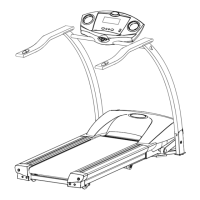
PRO RUN 300 MOTORIZED TREADMILL
19
COMPUTER OPERATION
SPEED SLOW –
a. Press to decrease the belt speed by 0.1 KPH (0.1 MPH).
b. Hold the button to decrease the belt speed by 0.5 KPH (0.5 MPH) each second and release the
button to stop the function.
c. Press to select programs and preset related function values.
NOTE:
1. The console display will turn itself off automatically five minutes after the belt stops moving.
2. The pulse function is for reference only, and not to be used for medial purposes.
SAFETY KEY –
The safety key must be inserted into the slot on the console in order to operate the treadmill. Always insert
the safety key and attach the clip to your clothing at your waist before beginning your workout. If you should
encounter problems and need to stop the motor quickly, simply pull on the cord to disengage the safety key
from the console. To continue operation first turn the power switch to off and set the speed controller to stop.
Next turn the power switch to on and reinsert the safety key into the console.
COMPUTER OPERATION:
After turning on the power the computer will show a full display for 2 seconds. The “P1” (manual program)
will then begin blinking in the upper right corner of the LCD window. Press the SPEED FAST/SLOW buttons
to select the desired program. Press the STOP/ENTER button to confirm the selected program or press the
START button to start exercising without a selecting a program. Please refer to the following instructions for
the different program options.
PROGRAM 1 – MANUAL
Press the STOP/ENTER button to select the program, then press the START key to start exercising.
While the “P1” is blinking press the STOP/ENTER button to run the preset procedure, before starting to
exercise.
TIME: Accumulates and displays the workout time from the start of the exercise.
DISTANCE: Accumulates and displays the workout distance from the start of the exercise.
CALORIES: Accumulates and displays (approximate) calories burned during the exercise.
SPEED: Displays the current speed in KPH or MPH (which ever your computer is set to).
PROGRAM 2 – DISTANCE
Press the STOP/ENTER button to confirm the program.
DISTANCE (Under the setting mode): Press the SPEED SLOW/FAST buttons to preset the target distance
values and then press the START button to start exercising.
While the “P2” is blinking press the STOP/ENTER button to run the preset procedure, before starting to
exercise.
DISTANCE (Out of the setting mode): Counts down from the preset target value when the exercise starts.
While the distance counts down to zero the speed will go down to zero by 0.5 KPH or MPH each second.
TIME: Accumulates and displays the workout time from the start of the exercise.
CALORIES: Accumulates and displays (approximate) calories burned during the exercise.
SPEED: Displays the current speed in KPH or MPH (which ever your computer is set to).
PROGRAM 3 – TIME
Press the STOP/ENTER button to confirm the program.
TIME (Under the setting mode): Press the SPEED SLOW/FAST buttons to preset the time value and then
press the START button to start exercising.
While the “P3” is blinking press the STOP/ENTER button to run the preset procedure, before starting to
exercise.
TIME (Out of setting mode): Counts down from the preset target value when the exercise starts. While the
time counts down to zero the speed will go down to zero by 0.5 KPH or MPH each second.
DISTANCE: Accumulates and displays the workout distance from the start of the exercise.
CALORIES: Accumulates and displays (approximate) calories burned during the exercise.


 To Next Page
 Loading...