Movie Rating
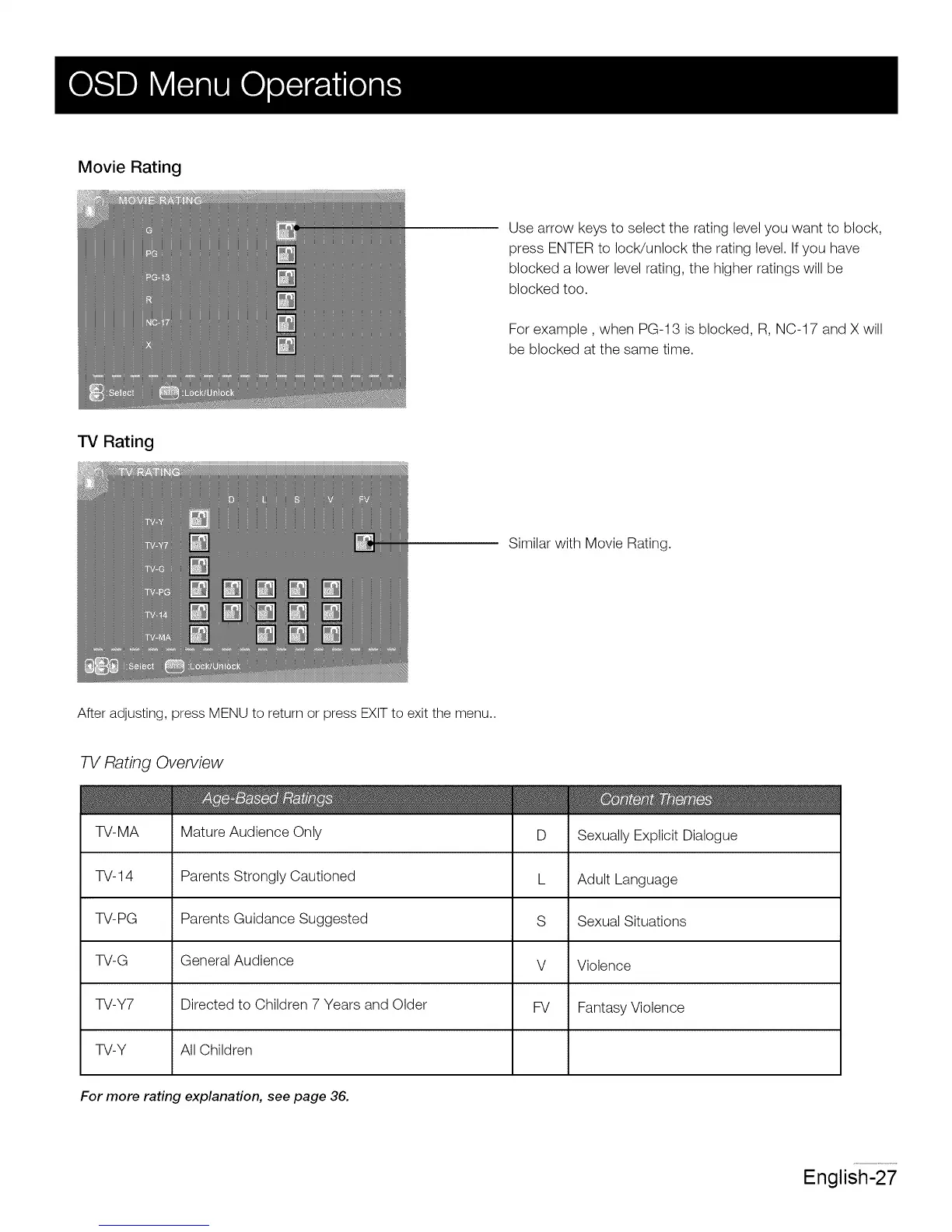
Use arrow keys to select the rating level you want to block,
press ENTER to IocWunlock the rating level. If you have
blocked a lower level rating, the higher ratings will be
blocked too.
For example, when PG-13 is blocked, R, NC-17 and X will
be blocked at the same time.
TV Rating
Similar with Movie Rating.
After adjusting, press MENU to return or press EXIT to exit the menu..
TV Rating Overview
TV-MA
TV-14
-R/-PG
TV-G
TV-Y7
TV-Y
Mature Audience Only
Parents Strongly Cautioned
Parents Guidance Suggested
General Audience
Directed to Children 7 Years and Older
All Children
D Sexually Explicit Dialogue
L Adult Language
S Sexual Situations
V Violence
FV Fantasy Violence
For more rating explanation, see page 36.
English-27














 To Next Page