Setup Menu
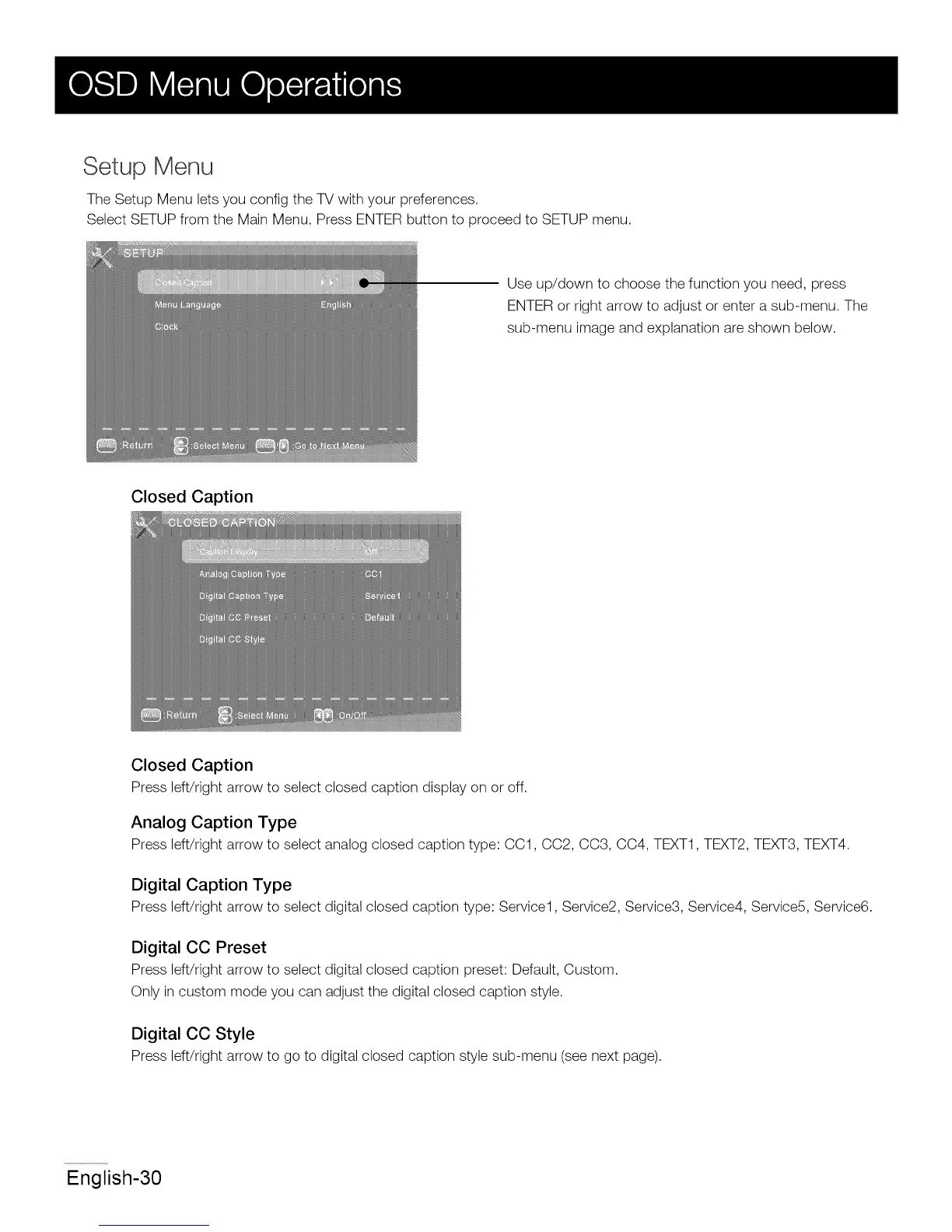
The Setup Menu lets you config the TV with your preferences.
Select SETUP from the Main Menu. Press ENTER button to proceed to SETUP menu.
Use up/down to choose the function you need, press
ENTER or right arrow to adjust or enter a sub-menu. The
sub-menu image and explanation are shown below.
Closed Caption
Closed Caption
Press left/right arrow to select closed caption display on or off.
Analog Caption Type
Press left/right arrow to select analog closed caption type: CC1, CC2, CC3, CC4, TEXT1, TEXT2, TEXT3, TEXT4.
Digital Caption Type
Press left/right arrow to select digital closed caption type: Service1, Service2, Service3, Service4, Service5, Service6.
Digital CO Preset
Press left/right arrow to select digital closed caption preset: Default, Custom.
Only in custom mode you can adjust the digital closed caption style.
Digital CO Style
Press left/right arrow to go to digital closed caption style sub-menu (see next page).
English-30














 To Next Page