Setup menu operation
Audio Language
Press ENTER to one of the audio language such as English/French and Spain, but the condition is that the program system
has included the language code.
Bass
Press ENTER button to seiect it and then use ,_ / J,-to increase or decrease the level of the lower-pitched sounds.
Treble
Press ENTER button to seiect it and then use _ / i,, toincreaseordecreasethelevelofthe higher-pitchedsounds.
Balance
Press ENTER button to select it and then use _ / b to adjust the audio output between left and right speakers.
Digital Audio Output
Press ENTER button to select the one of mode of the digital audio output such as PCM and RCW.
Auto Volume Adjust
Press ENTER button to adjust the voIume automatically.(TV and HDMI input only)
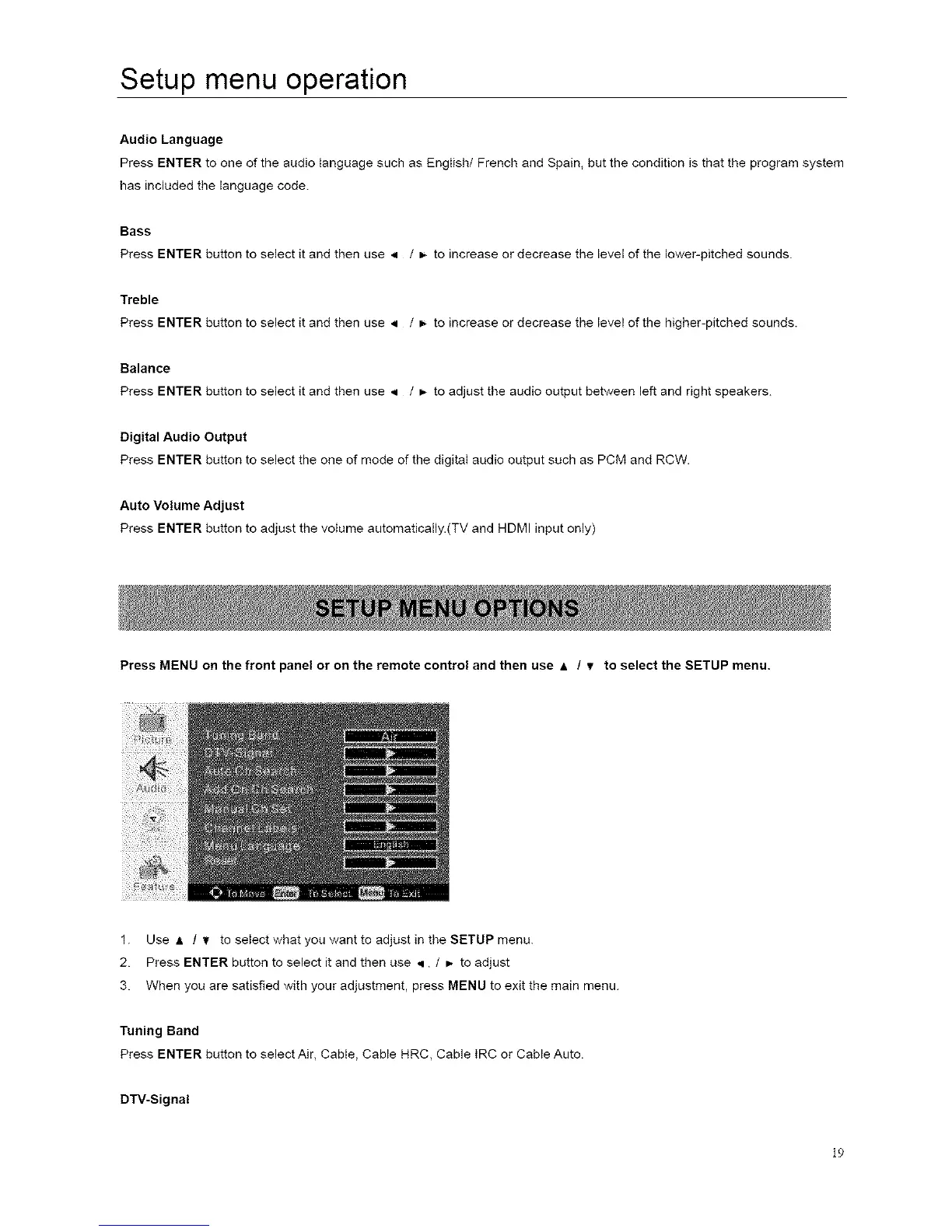
Press MENU on the front panel or on the remote control and then use & / Y to select the SETUP menu.
1. Use A / Y to seIect what you want to adjust in the SETUP menu.
2. Press ENTER button to select it and then use q / _- to adjust
3. When you are satisfied with your adjustment, press MENU to exit the main menu.
Tuning Band
Press ENTER button to select Air, Cable, Cable HRC, Cable IRC or Cable Auto.
DTV-Signal
19














 To Next Page