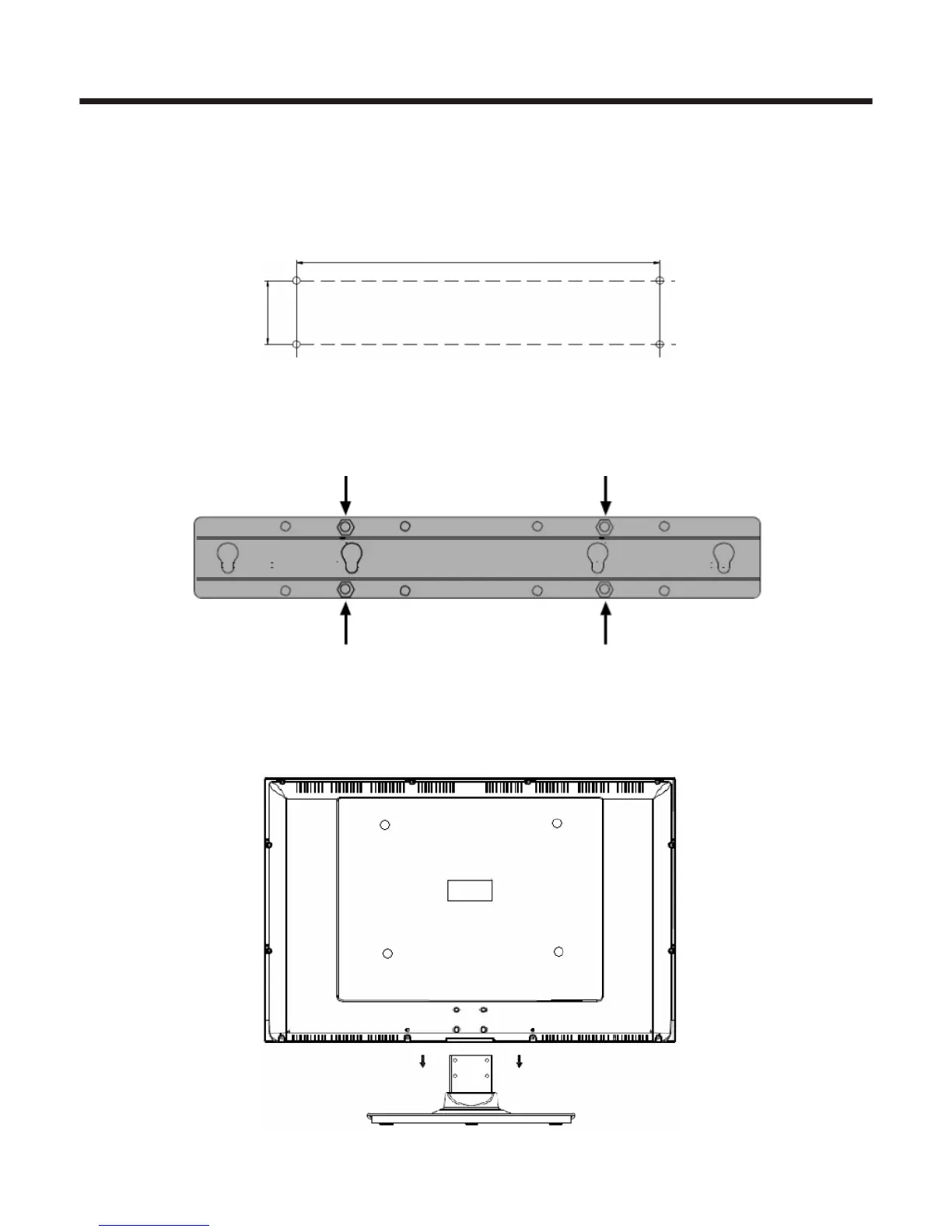
Wall-mounting Bracket Installation
1. Drill four holes according to the illustrated dimension and insert expanding bolts(4pcs of M8, bolt hole
diameter-8mm, length -70mm) into the holes.
Appendix
-19 -
220mm or 320mm
65
mm
2.Mount two fixture disks onto the wall-mounting bracket using bolts. Fix the wall-mounting bracket to the
expanding bolts.
3.Lay the TV on a plane table which could bear enough weight, and cover the surface of the table with soft
cloth to avoid damage to LCD panel. Remove the four bolts fixing the stand and remove the stand from TV.















 To Next Page