-20 -
Appendix
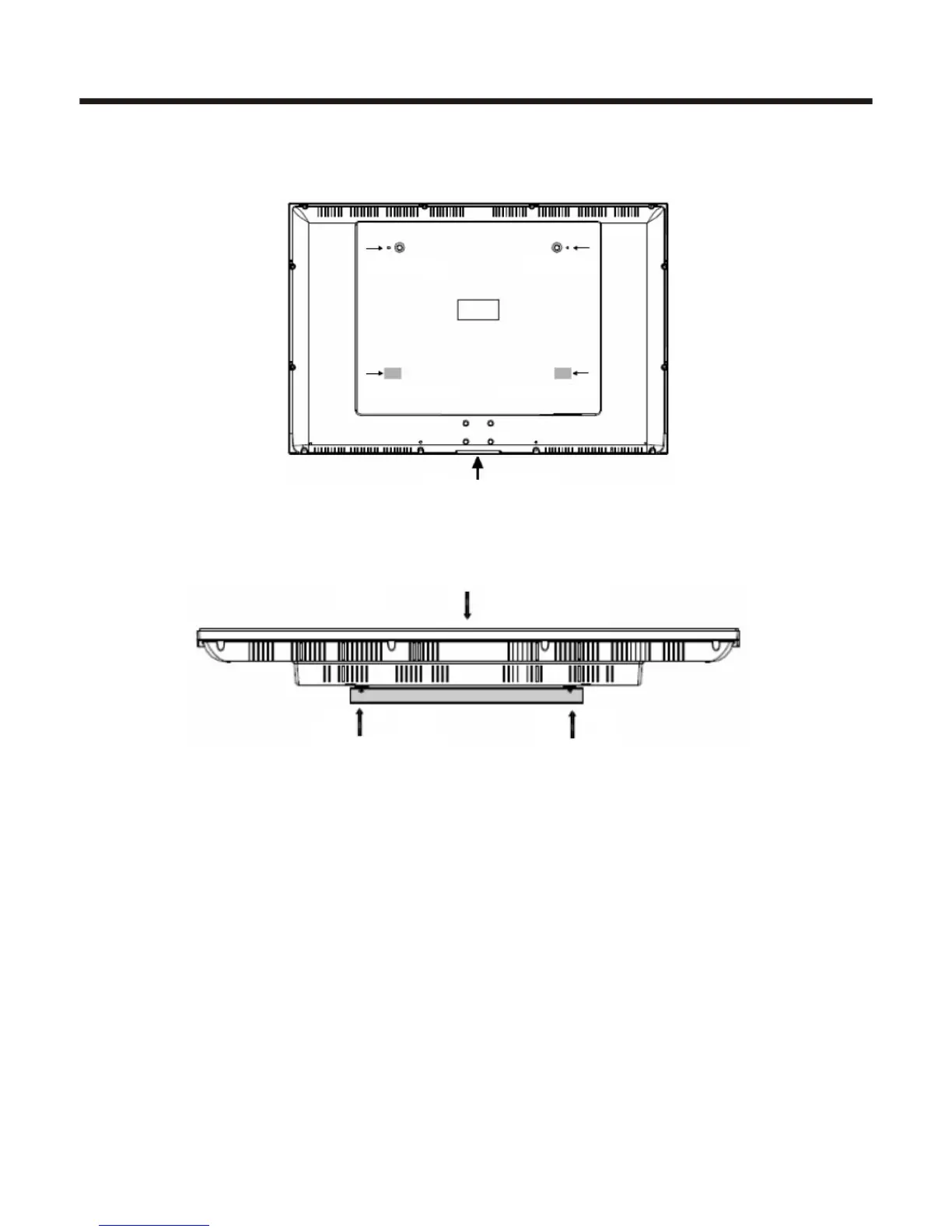
4.Fix two round pegs to back cover of TV with bolts. Then attach two plain washers to the back cover as
shown in the illustration. Insert cover board as the arrow shows.
5.Meet the mounting holes of the back panel with the fixture disks in the brackets and fix the TV to the
wall-mounting bracket. Be cautious of the TV from falling.
NOTE:
Wall mount bracket is not included with TV and mounting of wall mount bracket
to wall may vary depending on brand and size of bracket. Customer should
consult bracket mounting instructions that came with wall mount for specific
information on how to mount bracket to wall.
TV Front view
Round Peg
Round Peg
Plain washers
Plain washers
Insert cover board















 To Next Page