Preparation for using your new TV
Caution: Do not plug the TV in until you have finished connecting all of your equipment.
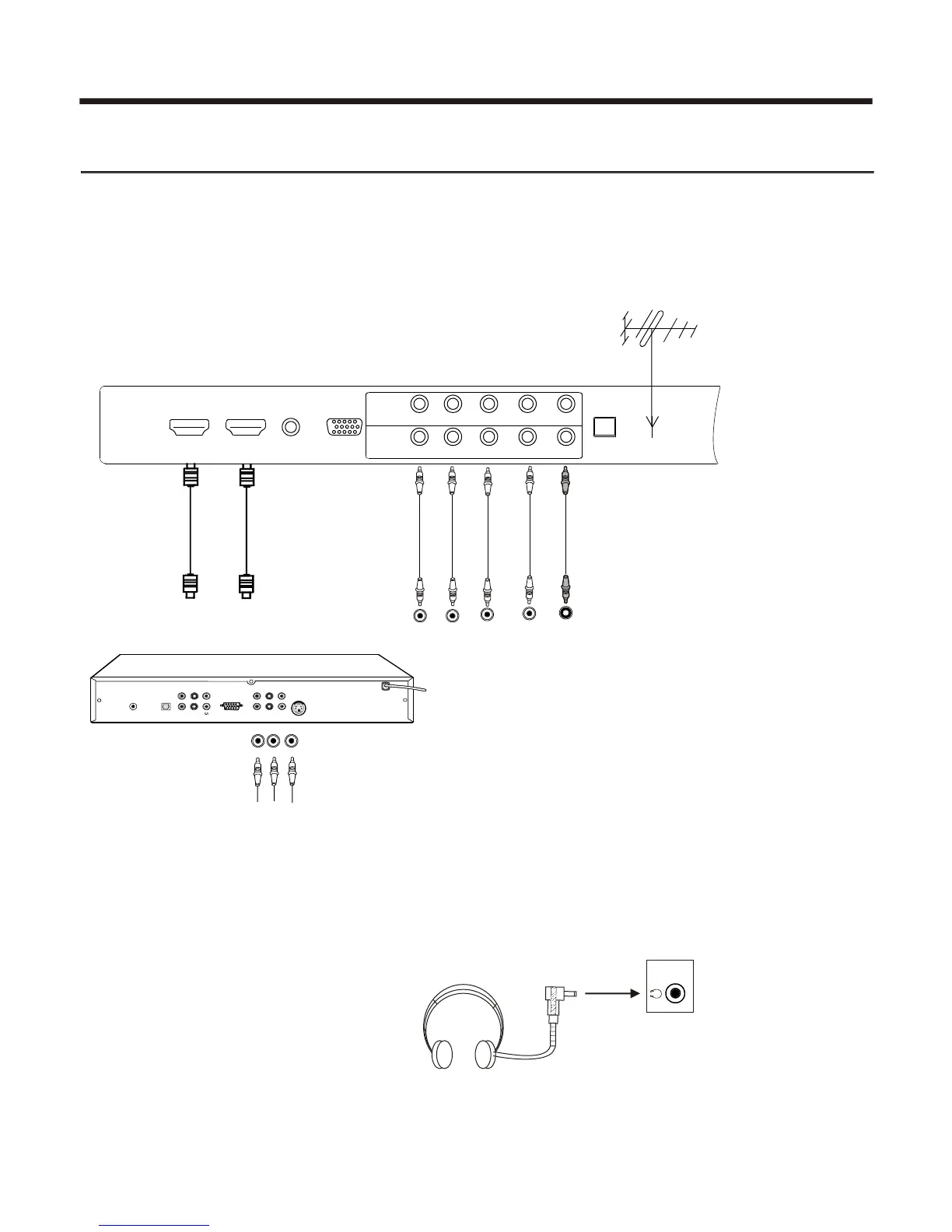
Connecting your TV
To enjoy its multimedia features, you can connect your TV to A/V equipments such as VCD, DVD, STB, Satellite
receiver, Camcorder, Audio amplifier etc., and select signal sources using your remote control. Connect the
devices as shown below.
Connecting to A/V equipments
- 6-
NOTE: 1) Headphones are not included.
2) No sound will be heard from the
main unit speakers when a
headphone mini-plug is connected
into the headphone jack.
Headphone
HEADPHONE OUTPUT
1
Y
L
e
Whit e
S-VID EO
PR
CV
PB
Y
VGA
S.L
CENTER
LEFT
ANT
RIGH T
S/PDIF
SLBW OOFER
Right
Red
f t
Y
Y
C
B
B
B
CR
R
R
P
P
P
P
HDTV STB
HDMI
HDMI
H D M I 2
H D M I 1
V G A
A U D I O I N
V G A
PB
PR
Y
R
C O M P O N E N T 1
C O M P O N E N T 2
O P T I C A L A N T 7 5
PB
PR
Y
L / M O N O
R
L / M O N O















 To Next Page