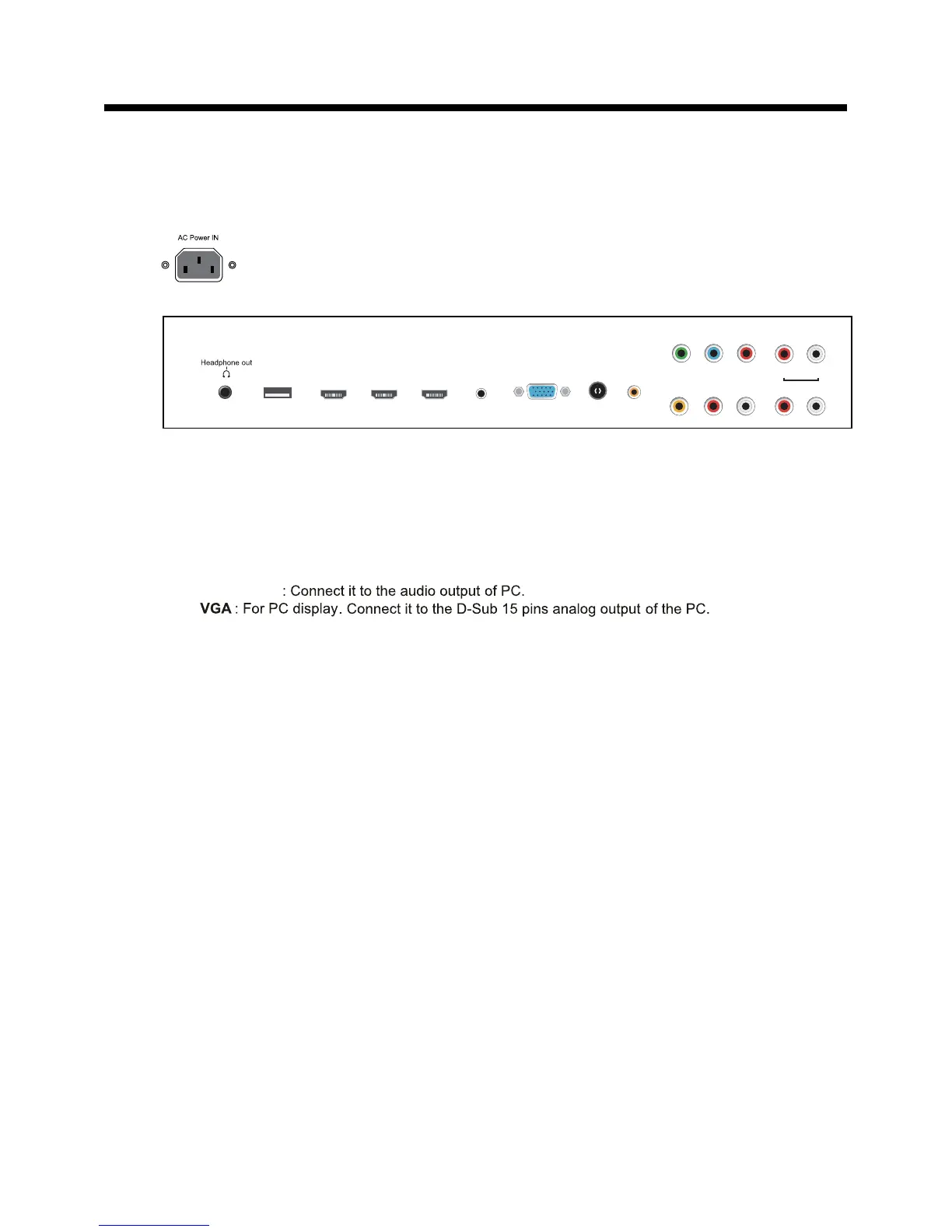
Headphone out
: Connect it to your headphone or audio equipments.
RF
: Connect antenna or cable 75 Ohm coaxial to receive TV signal.
COAX : Digital audio output.
: Connect it to the HDMI output of video device.
HDMI1/2/3
L/R in
: Connect them to audio output of video device.
AUDIO L/R out
: Connect them to audio equipments.
VIDEO : Connect it to video output of video device.
USB for Service
: For service use only.
YPbPr : Connect them to the video output terminal of DVD.
L/R : Connect them to the audio output terminal of DVD
AC POWER IN:
PC Audio in::::;
Connect it to AC100-240V~ 50/60Hz power supply with the mains cable.
Coax
RF
VGA
PC Audio in
HDMI1 HDMI2 HDMI3
USB
( for Service)
L i n R inVideo
L
AUDIO OUT
R
YPb Pr
LR
6
Introduction
2. Rear View














 To Next Page