6
Introduction
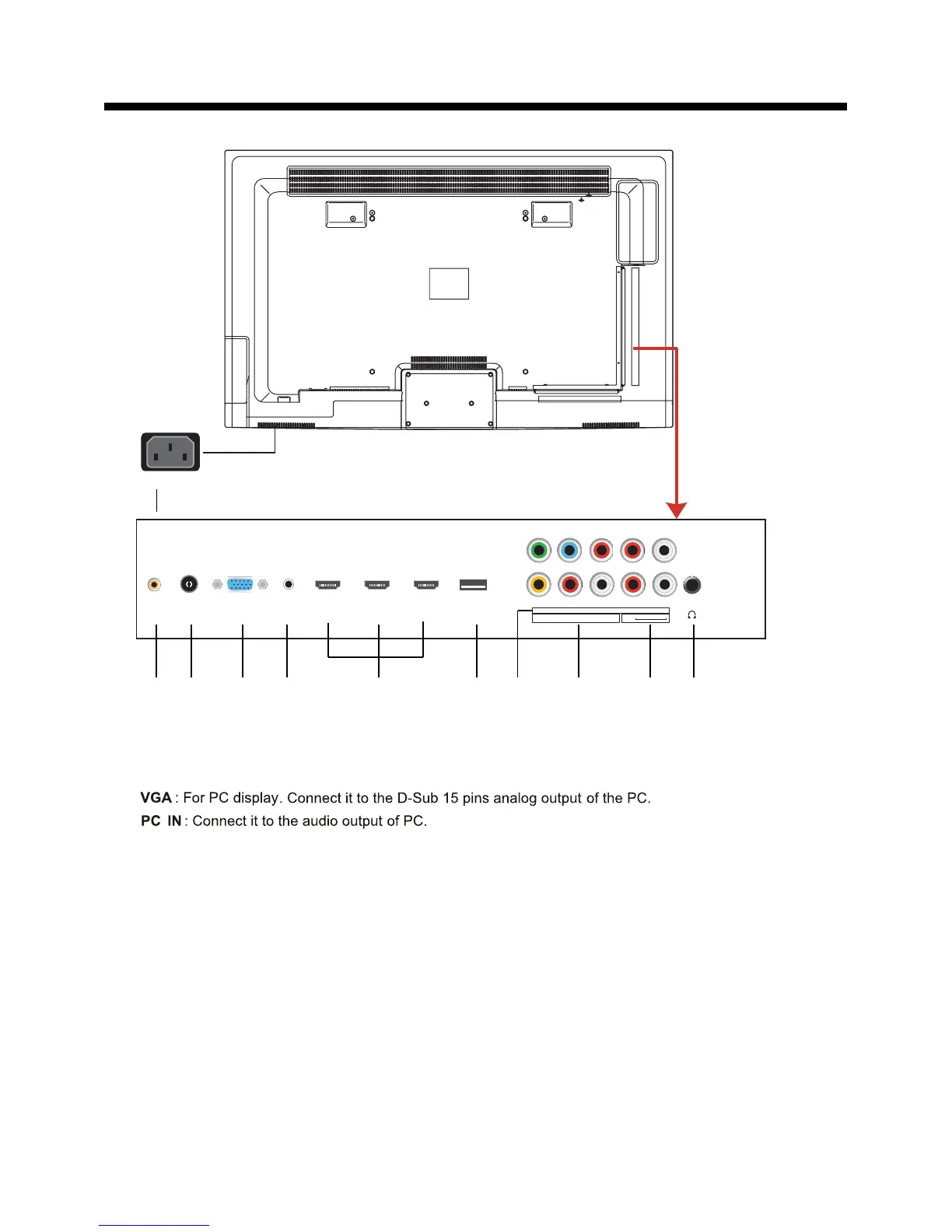
2. Rear View
10). Headphone out
: Connect it to your headphone or audio equipments.
3).
2).
RF
: Connect antenna or cable 75 Ohm coaxial to receive TV signal.
1).
COAX : Digital audio output.
7).
YPbPr : Connect them to the component video output of video device.
: Connect it to the HDMI output of video device.
5).
HDMI1/2/3
L/R in
: Connect them to audio output of video device.
L/R in
: Connect them to audio output of video device.
9).
L/R out
: Connect them to audio equipments.
VIDEO : Connect it to video output of video device.
8).
6). Service
: For service use only.
AC POWER IN:
Connect to an earth 100-240V~ 50/60Hz outlet with the power cable.
11).
4).
AC POWER IN
COAX RF VGA HDMI 1 HDMI 2 HDMI 3
USB
(SERVICE)
PC-IN
YPbPr R L
RL
VIDEO R in L in
AUDIO OUT
HEADPHONE OUT
1 2 3 4 5 6 8 97 10 11



 To Next Page