User Manual
17
Uninstall APK file
1. Go to application page and click“ApkInstaller”。
2. Select “Manage”
3. Click APK file to uninstall.
Shut down running application
1. Go to application page, click“ES Task Manager”。
2. Shut down certain application or shut down all running applications.
Connecting to a PC:
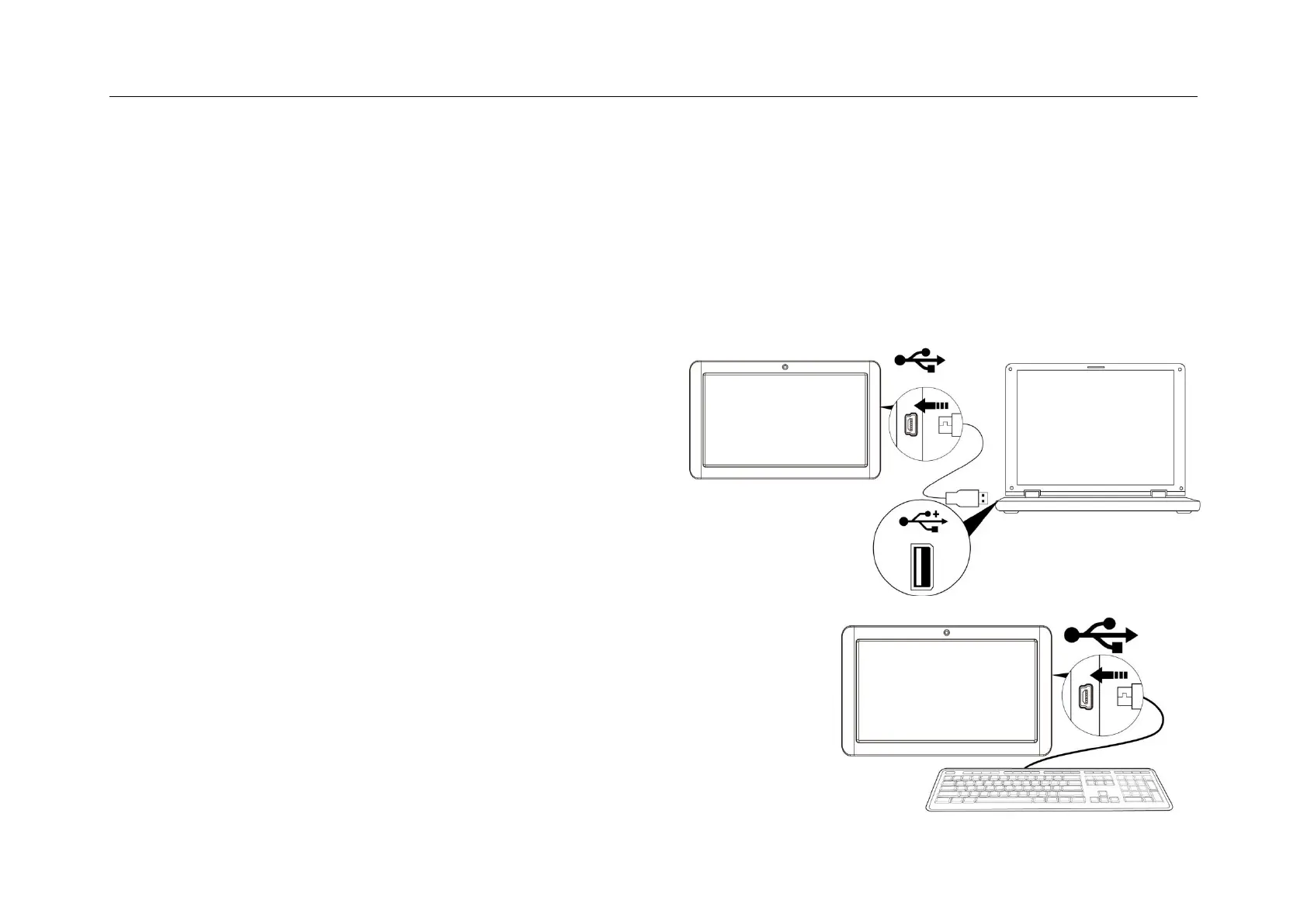
• You can connect with PC by USB cable attached with the device.
You can transfer your personal data to the PC.
• Connect the PC and the device, it will change to the USB mode,
in this state, realize the files transfer function between the PC and
the device.
Connecting a USB device:
• USB devices are supported, such as a keyboard, mouse through the USB port.
• View media files on USB storage with installed photo, music or video applications.
【Caution】: Before removing this USB storage,
make sure your device is not accessing data from the USB storage.


 To Next Page