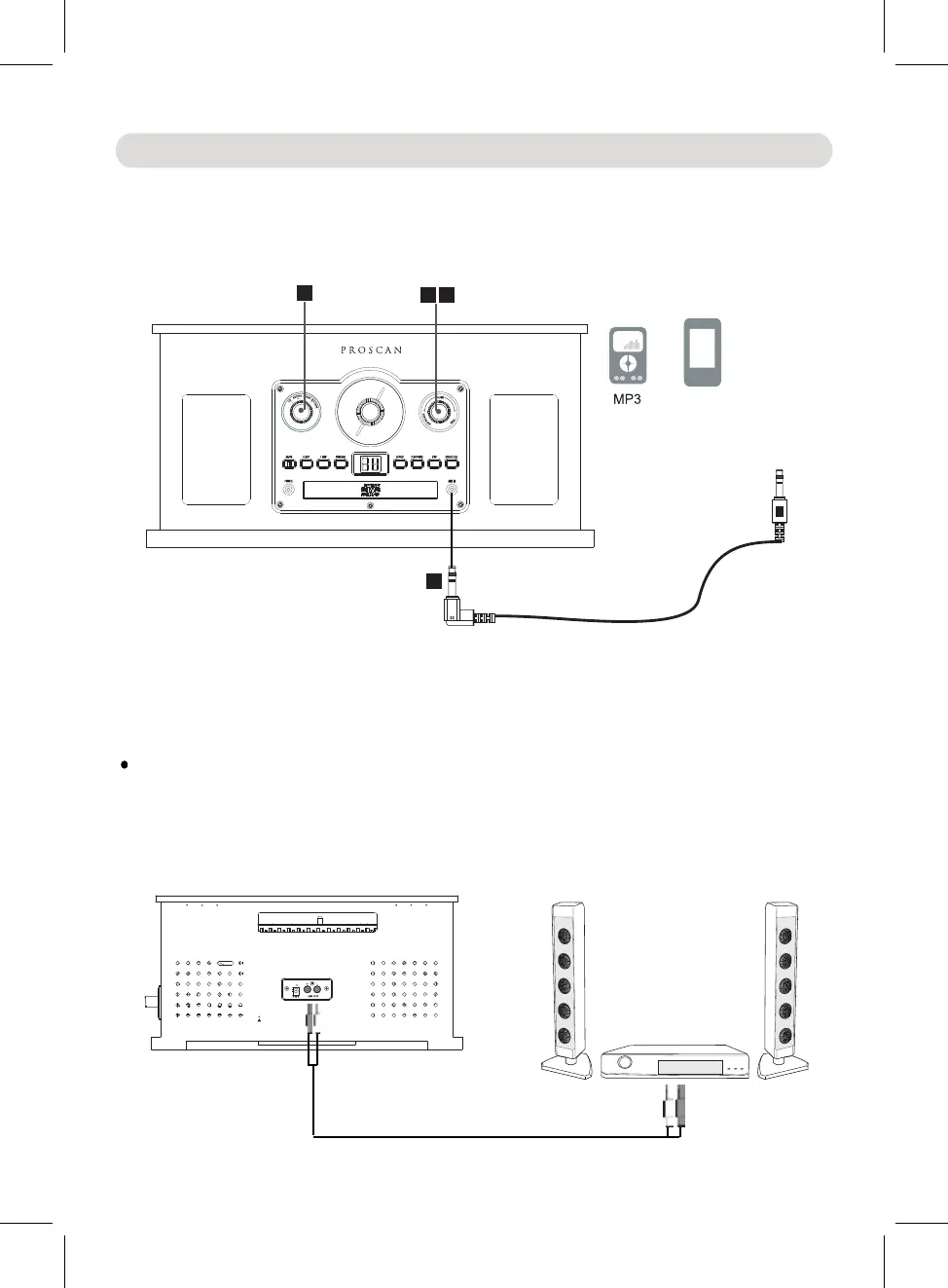
~ Insert the other end to the AUX IN jack on the front of unit.
3.
Turn the Function sele
ctor to the AUX/PH position.
4. Play the music on the connected external audio device as usual.
Notes:
AUX IN:
1. Connected the external audio device to the unit by an audio
~ Insert one end to the Phone; Line Out or AUX Out Jack on
the external audio device.
2. Turn the Power ON/OFF - VOLUME knob clockwise until a
"click" sound was heard to turn on the unit.
5. When finished listening, turn the Power ON/OFF - VOLUME knob
Make sure the sound output level of the connected external audio
device is in high level.
Others Connection
connection cable with 3.5mm stereo mini jacks
15
counterclockwise until a "click" sound was
heard to power off the unit.
To the Line In/AUX In
jacks on the external
audio Amplifier
(Connection Cable not included)
~ Insert the other end to the LINE OUT jacks on the rear of unit.
LINE OUT:
1. Connected the external audio device by an audio connection
~ Insert one end to the Line IN or AUX IN jacks on the external
audio Amplifier.
cable with RCA plugs
2
5
3
1
To AUX IN Jac
on the unit
k
Mobile Phone
Connect to the Phones;
AUX Out; Line Out Jack
of external audio devices
(Such like MP3 Player;
cell phone; iPod/iPad ... etc)
......................................
.................................
......................................
.................................
FM ANTENNA
DC 9V 1.3A


 To Next Page