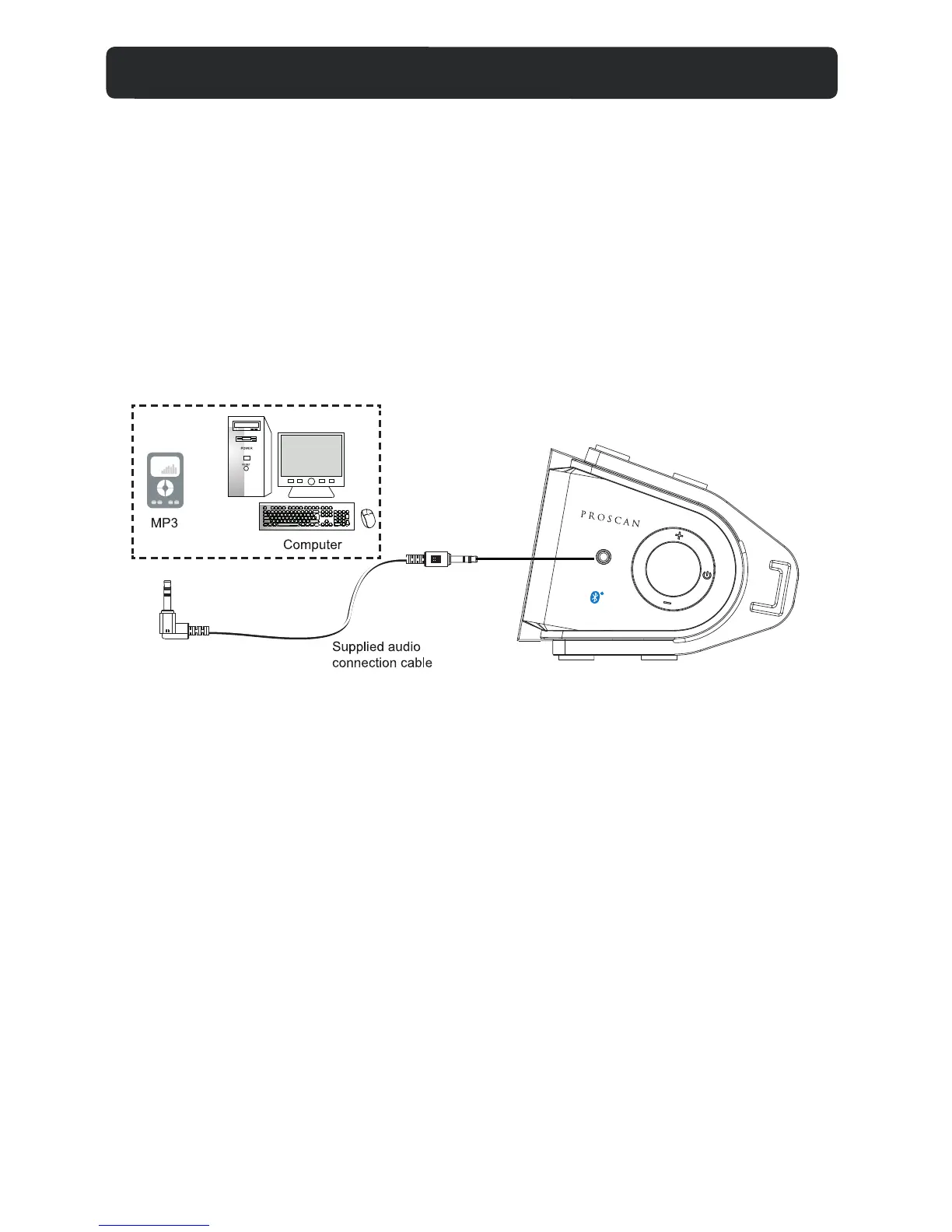
- AUX IN source may include:
•Personal audio players
•Personal computers or laptops
- AUX IN connection:
1. Connect a stereo 3.5mm jack cable (supplied) between the headphone or
L
2. Power on the unit and press SOURCE button repeatedly un
Set your personal audio player/computer to play.
NOTE: If there is no sound or if the volume is not loud enough, you may
increase the setting on the source.
-During playback
•Press MUTE button to turn off the sound. Press again to resume the sound.
•Press VOLUME+/- buttons to adjust the volume level.
•Press BASS+/- buttons to adjust bass level.
•Press TREBLE+/-buttons to adjust treble level.
•Press EQ button to switch between POP/JAZZ/CLAS/ROCK/NORM.
Connect to the output
socket of external
audio devices (Mp3,
Computer, ext.)
To AUX IN Jac
on the unit
AUX-IN 2 CONNECTION
til the indicator
turns orange.
INE/Audio output of the personal audio player and the AUX-IN 2 jack on the
side of the unit.
A
U
X
-
IN 2
V
OL
U
M
E
FM SCAN
V
O
L
U
M
E
SOURCE
9


 To Next Page