- RCA AUX IN sources may include
•TV/DVD/VCR
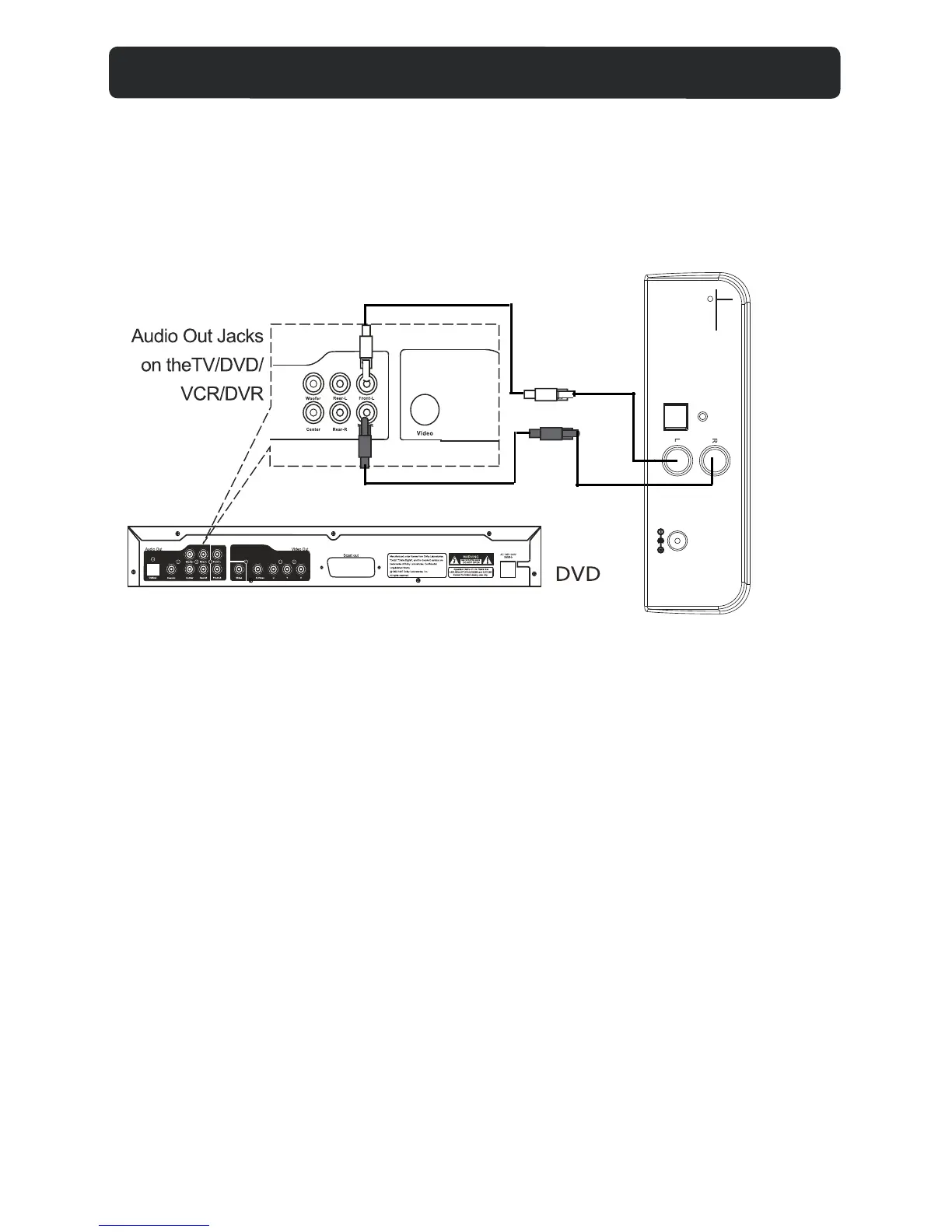
- RCA AUX IN connection
1. Connect the RCA audio cable (supplied) to the audio output jack on DVD
player and AUX 1 or AUX 2 jack on the rear of DVD.
2. Press SOURCE button repeatedly until the indictaor turns green.
-During playback
•Press MUTE button to turn off the sound. Press again to resume the sound.
•Press VOLUME+/- buttons to adjust the volume level.
•Press BASS+/- buttons to adjust bass level.
•Press TREBLE+/-buttons to adjust treble level.
•Press EQ button to switch between POP/JAZZ/CLASSIC/ROCK/NORMAL.
White
Red
AUX-IN 1 CONNECTION
DC IN 16V
OPTICAL IN
FM ANT
AUX-IN 1
8


 To Next Page