EasyManua.ls Logo

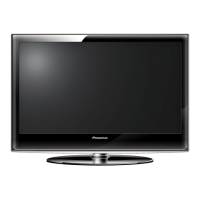
Prosonic 32LED5023 - User Manual

Default Icon
50 pages
Go to English
Print Icon
To Next Page IconTo Next Page
Loading...

Table of Contents

Question and Answer IconNeed help?

Do you have a question about the Prosonic 32LED5023 and is the answer not in the manual?

Summary

Safety Information

General Safety Precautions

General warnings and precautions for safe operation, placement, and handling of the TV.

Product Markings

Explains symbols indicating safety restrictions and precautions on the product itself.

Wall Mounting Warnings

Environmental Information

Product Features

TV Control Button & Operation

Control Button Operation

Step-by-step guide on using the TV's single control button for menu navigation and function activation.

Remote Control Operation

Instructions on navigating menus and controlling the TV using the provided remote control.

Input Selection

Using Main TV Menu

Home Menu Customization

Instructions on adding, deleting, or repositioning items within the TV's Home menu.

Timers and Recording Management

Setting timers for future events and managing recorded content, including recording settings.

Settings, Sources, and Connections

System Settings and Source Management

Managing system settings including language, parental controls, and other preferences.

Remote Control and Power Connections

Instructions for inserting batteries, power connection, and antenna connection.

Disposal Information

Product Specifications

Remote Control Overview

Power and Navigation Buttons

Buttons for powering on/off, channel selection, menu navigation, and exiting screens.

Media Playback and Special Function Buttons

Buttons for controlling media playback, recording, teletext, and selecting sources.

Connecting External Devices

Audio and Video Inputs

Connecting audio, video, and PC sources via specific input ports on the TV.

Digital and Common Interface Connections

Information on connecting devices via HDMI, SPDIF, USB ports, and CI modules.

Initial Setup and Broadcast Tuning

Powering the TV On and Off

Instructions for switching the TV on from standby and turning it off completely.

First Time Installation Wizard

Configuring language, country, and initial broadcast search during the first TV setup.

Broadcast Type Selection

Options for selecting Digital Aerial, Digital Cable, Satellite, and Analogue broadcasts for scanning.

USB Media Playback and Recording

USB Media Playback

Connecting USB storage devices and browsing/playing media content via the Media Browser.

Programme Recording Options

Recording programmes instantly, via timers, timeshifting, and managing recording settings.

Managing Recorded Content

Viewing Recorded Programmes

Steps to watch previously recorded content from the Recordings menu.

Recording Configuration and USB Formatting

Configuring recording preferences and formatting USB drives for optimal performance.

Media Browser and CEC Control

Media Browser Usage

Accessing and playing music, videos, and photos stored on a USB device.

Picture Settings

Basic Picture Adjustments

Adjusting fundamental picture elements like mode, contrast, brightness, sharpness, colour, and energy saving.

Advanced Picture Settings

Fine-tuning picture quality with advanced options like dynamic contrast, noise reduction, and colour temperature.

PC Input Picture Settings

Adjusting image position, dot clock, phase, and resetting picture settings for PC input.

Sound Settings

Audio Output and Mode

Configuring volume, sound modes, AVL, dynamic bass, surround sound, and digital audio output.

Headphone and Lineout Settings

Managing headphone volume and selecting output mode for audio devices.

Installation and Channel Management

Automatic and Manual Channel Scanning

Performing automatic channel scans (retune), manual tuning, and network scans.

Satellite and Installation Settings

Setting up satellite connections, antenna types, and optional installation features like standby search.

System Settings and Options

General System Preferences

Configuring language, date/time, input sources, and accessibility options for enhanced usability.

Advanced System Controls

Managing system timeouts, software updates, standby modes, CEC functionality, and store mode.

General TV Operation

Channel List and Favorites

Using the channel list, filtering, and creating favorite channel lists.

Parental Control Settings

Setting up parental locks, maturity levels, child lock, and PIN management.

Electronic Programme Guide (EPG)

EPG Navigation and Features

Using EPG for schedules, event options, timers, and recording.

Teletext and Software Updates

Teletext Services

Using standard and digital Teletext services, including mix mode.

Software Upgrade Process

Steps to search for, download, and install firmware updates for the TV.

PC Input Display Modes

AV and HDMI Signal Compatibility

Supported File Formats for USB Mode

Supported DVI Resolutions

DVB Functionality Information

VESA Wall Mount Measurements

EU Declaration of Conformity

Summary

Safety Information

General Safety Precautions

General warnings and precautions for safe operation, placement, and handling of the TV.

Product Markings

Explains symbols indicating safety restrictions and precautions on the product itself.

Wall Mounting Warnings

Environmental Information

Product Features

TV Control Button & Operation

Control Button Operation

Step-by-step guide on using the TV's single control button for menu navigation and function activation.

Remote Control Operation

Instructions on navigating menus and controlling the TV using the provided remote control.

Input Selection

Using Main TV Menu

Home Menu Customization

Instructions on adding, deleting, or repositioning items within the TV's Home menu.

Timers and Recording Management

Setting timers for future events and managing recorded content, including recording settings.

Settings, Sources, and Connections

System Settings and Source Management

Managing system settings including language, parental controls, and other preferences.

Remote Control and Power Connections

Instructions for inserting batteries, power connection, and antenna connection.

Disposal Information

Product Specifications

Remote Control Overview

Power and Navigation Buttons

Buttons for powering on/off, channel selection, menu navigation, and exiting screens.

Media Playback and Special Function Buttons

Buttons for controlling media playback, recording, teletext, and selecting sources.

Connecting External Devices

Audio and Video Inputs

Connecting audio, video, and PC sources via specific input ports on the TV.

Digital and Common Interface Connections

Information on connecting devices via HDMI, SPDIF, USB ports, and CI modules.

Initial Setup and Broadcast Tuning

Powering the TV On and Off

Instructions for switching the TV on from standby and turning it off completely.

First Time Installation Wizard

Configuring language, country, and initial broadcast search during the first TV setup.

Broadcast Type Selection

Options for selecting Digital Aerial, Digital Cable, Satellite, and Analogue broadcasts for scanning.

USB Media Playback and Recording

USB Media Playback

Connecting USB storage devices and browsing/playing media content via the Media Browser.

Programme Recording Options

Recording programmes instantly, via timers, timeshifting, and managing recording settings.

Managing Recorded Content

Viewing Recorded Programmes

Steps to watch previously recorded content from the Recordings menu.

Recording Configuration and USB Formatting

Configuring recording preferences and formatting USB drives for optimal performance.

Media Browser and CEC Control

Media Browser Usage

Accessing and playing music, videos, and photos stored on a USB device.

Picture Settings

Basic Picture Adjustments

Adjusting fundamental picture elements like mode, contrast, brightness, sharpness, colour, and energy saving.

Advanced Picture Settings

Fine-tuning picture quality with advanced options like dynamic contrast, noise reduction, and colour temperature.

PC Input Picture Settings

Adjusting image position, dot clock, phase, and resetting picture settings for PC input.

Sound Settings

Audio Output and Mode

Configuring volume, sound modes, AVL, dynamic bass, surround sound, and digital audio output.

Headphone and Lineout Settings

Managing headphone volume and selecting output mode for audio devices.

Installation and Channel Management

Automatic and Manual Channel Scanning

Performing automatic channel scans (retune), manual tuning, and network scans.

Satellite and Installation Settings

Setting up satellite connections, antenna types, and optional installation features like standby search.

System Settings and Options

General System Preferences

Configuring language, date/time, input sources, and accessibility options for enhanced usability.

Advanced System Controls

Managing system timeouts, software updates, standby modes, CEC functionality, and store mode.

General TV Operation

Channel List and Favorites

Using the channel list, filtering, and creating favorite channel lists.

Parental Control Settings

Setting up parental locks, maturity levels, child lock, and PIN management.

Electronic Programme Guide (EPG)

EPG Navigation and Features

Using EPG for schedules, event options, timers, and recording.

Teletext and Software Updates

Teletext Services

Using standard and digital Teletext services, including mix mode.

Software Upgrade Process

Steps to search for, download, and install firmware updates for the TV.

PC Input Display Modes

AV and HDMI Signal Compatibility

Supported File Formats for USB Mode

Supported DVI Resolutions

DVB Functionality Information

VESA Wall Mount Measurements

EU Declaration of Conformity

Prosonic 32LED5023 Specifications

General IconGeneral
Screen Size32 inches
Display TechnologyLED
Display TypeLCD
Resolution1366 x 768
Aspect Ratio16:9
HDMI Ports3
USB Ports1
Built-in TunerDVB-T/C

Related product manuals