English - 6 -
and press OK to start formatting the USB storage
device. Select No and press OK to cancel.
(*) Default PIN could have been set to 0000 or 1234. If you
have dened the PIN(is requested depending on the country
selection) during the First Time Installation use the PIN
that you have dened.
3. Settings
You can manage the settings of your TV using the op
-
tions of this menu. Refer to Settings Menu Contents
section for more information.
4. Sources
You can manage your input source references using
the options of this menu. To change the current source
highlight one of the options and press OK.
4.1. Source Settings
Inserting the Batteries into the Remote
Remove the back cover to reveal the battery compart
-
ment. Insert two size AAA batteries. Make sure the (+)
and (-) signs match (observe correct polarity). Do not
mix old and new batteries. Replace only with same or
equivalent type. Place the cover back on.
A message will be displayed on the screen when the
batteries are low and must be replaced. Note that when
the batteries are low, the performance of the remote
control may be impaired.
Batteries should not be exposed to excessive heat
Power Connection
IMPORTANT: The TV set is designed to operate on a
supply. After unpacking, allow the
TV set to reach the ambient room temperature before
you connect the set to the mains. Plug the power cable
to the mains socket outlet.
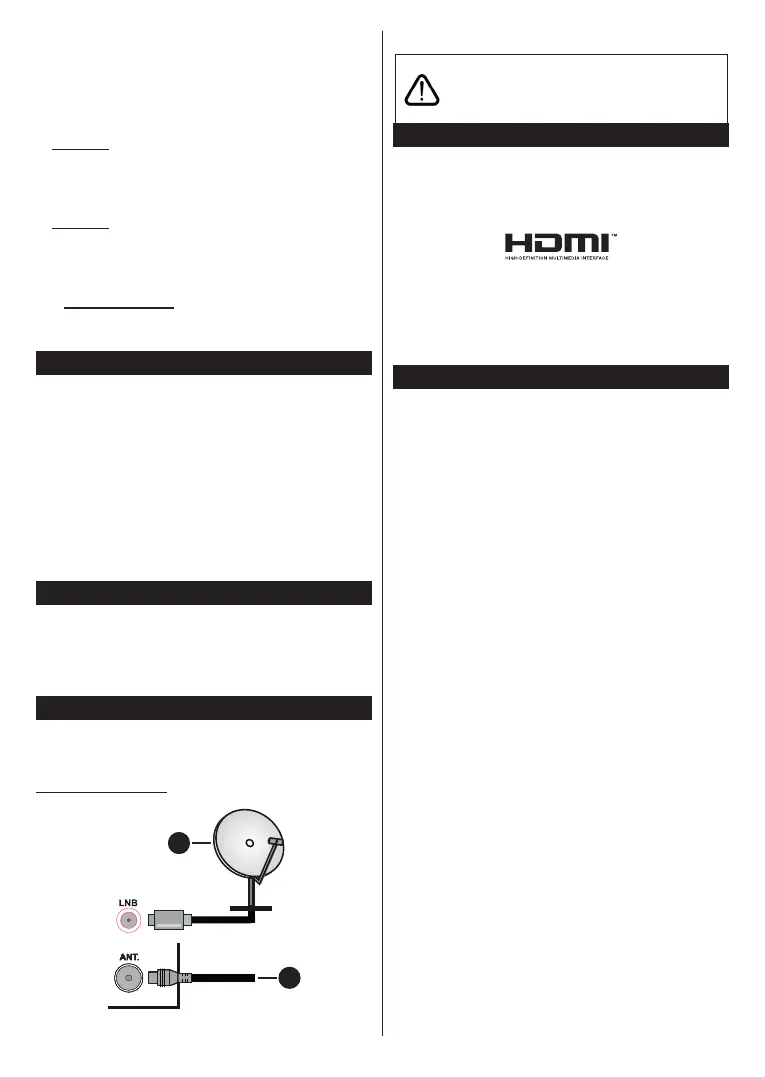
Antenna Connection
Connect the aerial or cable TV plug to the AERIAL
INPUT (ANT.) socket or satellite plug to the SATELLITE
INPUT (LNB) socket located on the rear side of the TV.
Rear side of the TV
1
2
1. Satellite
2. Aerial or cable
If you want to connect a device to the TV, make
before making any connection. After the connection
is done, you can turn on the units and use them.
Interface, and the HDMI Logo are trademarks or
registered trademarks of HDMI Licensing Administrator,
Inc.
Manufactured under license from Dolby Laboratories.
Dolby, Dolby Audio, and the double-D symbol
are trademarks of Dolby Laboratories Licensing
Corporation.
The “CI Plus” Logo is a trademark of CI Plus LLP.
Disposal Information
[European Union]
These symbols indicate that the electrical and
electronic equipment and the battery with this symbol
should not be disposed of as general household
waste at its end-of-life. Instead, the products should
be handed over to the applicable collection points for
the recycling of electrical and electronic equipment as
well as batteries for proper treatment, recovery and
recycling in accordance with your national legislation
and the Directive 2012/19/EU and 2013/56/EU.
By disposing of these products correctly, you will help
to conserve natural resources and will help to prevent
human health which could otherwise be caused by
inappropriate waste handling of these products.
For more information about collection points and
recycling of these products, please contact your
service or the shop where you purchased the product.
Penalties may be applicable for incorrect disposal of
this waste, in accordance with national legislation.
[Business users]
If you wish to dispose of this product, please contact
your supplier and check the terms and conditions of
the purchase contract.
[Other Countries outside the European
Union]
These symbols are only valid in the European Union.
Contact your local authority to learn about disposal
and recycling.
The product and packaging should be taken to your
local collection point for recycling.
Some collection points accept products free of charge.



 To Next Page