EasyManua.ls Logo

Prospec millenia PRV16 - System Setup and Configuration; Clock Display and Adjustment; Installation and Dimensions

Prospec millenia PRV16
9 pages
Print Icon
To Next Page IconTo Next Page
To Previous Page IconTo Previous Page
Loading...
C._
To
enter
a
specific
equalizer
setting, long press
the
MODE
button until
BAS
appears,
then
quickly
press
the
MODE
button
until
EQ
appears.
Use
the
VOL+
or
VOL-
button
to
adjust
(options
include
FLAT,
CLASSIC,
POP,
ROCK,
or
EQ OFF).
D._
To
enter
AREA
tuning
mode, long
press
the
MODE button
until
BAS
appears,
then
quickly
press
the
MODE
button
until
AREA
appears.
Use
the
VOL+
or
VOL-
to
designate
between
U.S
and
European
frequency.
VI"'
Clock
Adjustment
J)
Clock
display
and
adjustment:
Long
press
the
BAND
button
until
the
time
displays.
While
time
is
displayed,
long
press
the
BAND
button
again
until
hour
is
flashing.
Then
adjust
hour
with
volume
buttons.
Once
hour
is
set,
quick
press
BAND
until
the
minutes
are
flashing
then
adjust
with
volume
buttons.
New
time
setting
will
be
accepted
automatically.
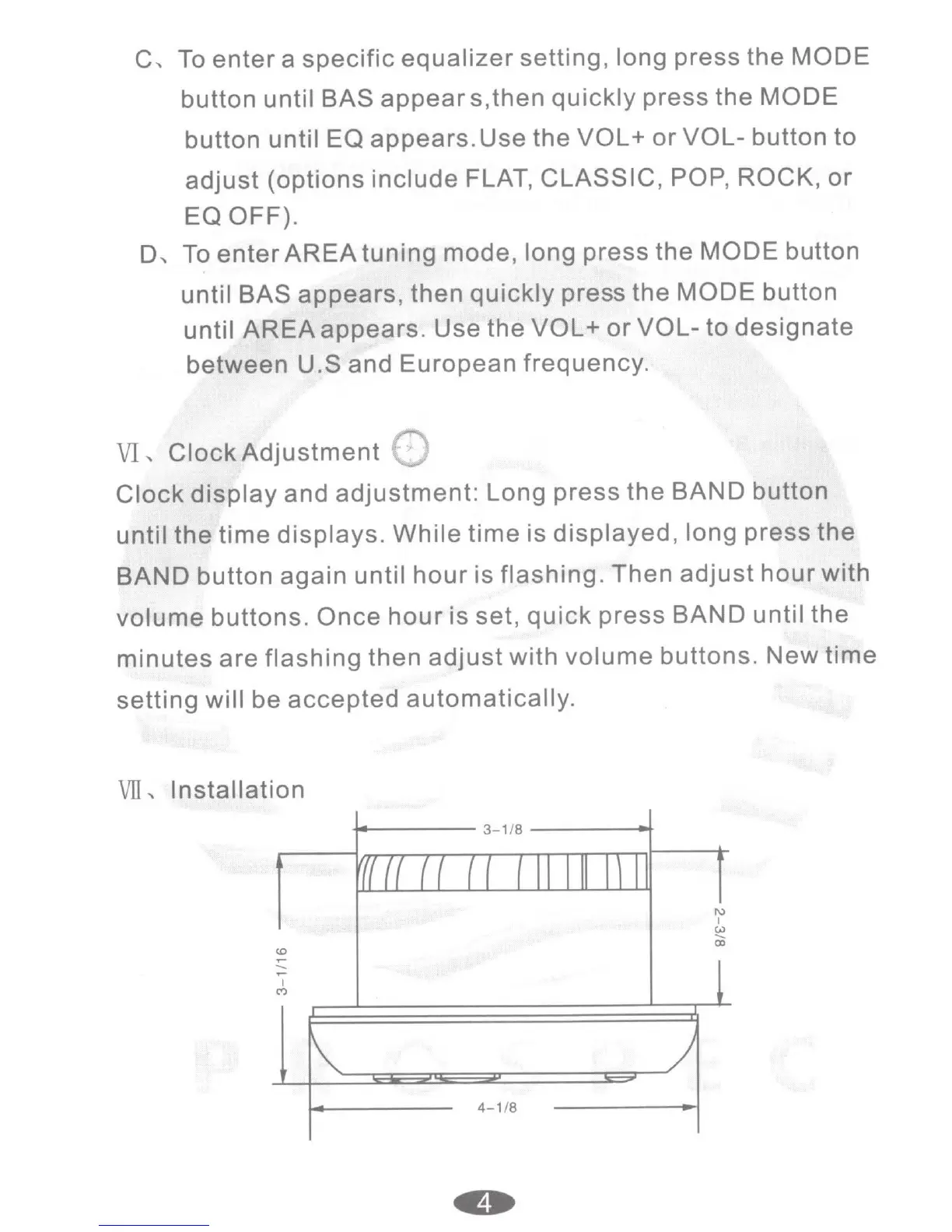
VII,
Installation
<0
,....
......
,....
I
C"')
-+------
3-1/8
___
__...
4-1
/8
1\)
I
(.U
......
CD