EasyManua.ls Logo

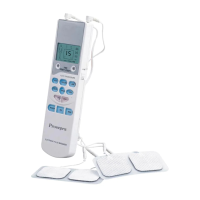
Prospera PL009 - Quality Assurance Tests; Key Function Testing; LCD Display Checks

Prospera PL009
12 pages
Print Icon
To Next Page IconTo Next Page
To Previous Page IconTo Previous Page
Loading...
Trouble shooting
If your device is not operating properly, please check it for the following problems or
conditions. If the recommended action does not solve
the problem,
please return it to the
authorized dealer for
repair
of the device.
MALFUNCTION
CAUSE
SOLUTION
Stimulation is weak or not
existent
Are the electrode heads in
close contact with
the skin?
Do the electrode heads
touch each other?
Are the wires connected
to
the electrode heads and the
main device properly?
Are the batteries dead?
Remove, clean and place
back on the skin
.
If so then separate.
Disconnect, clean and
reconnect all the parts.
Replace the dead batteries.
Skin turns red
Is treatment time
to long?
Treat another area.
Skin feels numb
Are electrode heads dirty?
Do the electrode heads
touch the skin closely?
Clean with damp cloth.
Remove and place again on
the skin
Device does not turn on
Batteries installed
correctly?
Are batteries dead
?
Remove and install
batteries.
Replace the dead batteries.

Other manuals for Prospera PL009

Related product manuals