18
Rev. D / January 2015
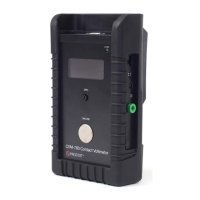
CVM-780 Contact Voltmeter
you are grounded your capacitance will cause voltage measurement variance as your hand approaches,
and then leaves the CPM’s immediate vicinity. If you are ungrounded, your combined body charge, eld
and capacitance will have a signicant impact on the plate’s measurement. Repeat the measurement
while measuring the approximate voltage of the CPM oang plate with the CVM-780. You will see a simi-
lar shi in voltage as someone else’s hand approaches, and then leaves the vicinity of CPM’s surface.
The relaonship of Charge (Q), Capacitance (C) and Voltage (V) is the essence of electrostac measure-
ment and analysis. Prostat uses this relaonship to assess CVM-780 accuracy and performance.
Insulators are very dicult to measure accurately as almost every charge combinaon may be on the
material’s surface in immediate proximity to each other. When using a eld meter, one typically sees the
strongest eld polarity although both posive and negave charges may reside on the surface.
The CVM-780 is not designed to provide accurate and repeatable measurements of insulators. It will mea-
sure the voltage at the point of contact with an insulator. One might consider this an indicaon of voltage,
but not an exact material measurement. Unfortunately once the p makes contact and separates from the
surface aer the measurement, a new charge is triboelectrically generated at that point, and that spot’s
voltage will be changed. Thus, the measurement is only an approximate indicaon of surface voltage at a
point and is not repeatable.
The CVM-780 may be used to record indicated voltage with the PGA-710 and PGA-710B Autoanalysis
System™, or similar recording device. Be sure to zero both the CVM-780 and the recording device at the
same me.
When using the PGA-710 or PGA-710B, follow these steps:
A. Start the Autoanalysis Soware on your computer, connect the PGA-710 or PGA-710B and ener-
gize the operang system
B. In the Autoanalysis Soware:
1. Select the dropdown menu
2. Open the window
C. Connect the supplied analog cable to the CVM-780 and PGA-710 or PGA-710B
D. Setup, ground and energize the CVM-780
E. Place the CVM probe assembly p against the front panel ground plate and adjust its approximate
zero point.
F. Click the Preview buon to start the graph display operaon.
G. Compare the CVM-780’s LED displayed voltage with the voltage displayed in the Current Measures
window of the Autoanalysis screen.


 To Next Page