19 Installer Guide
Heat or Cool
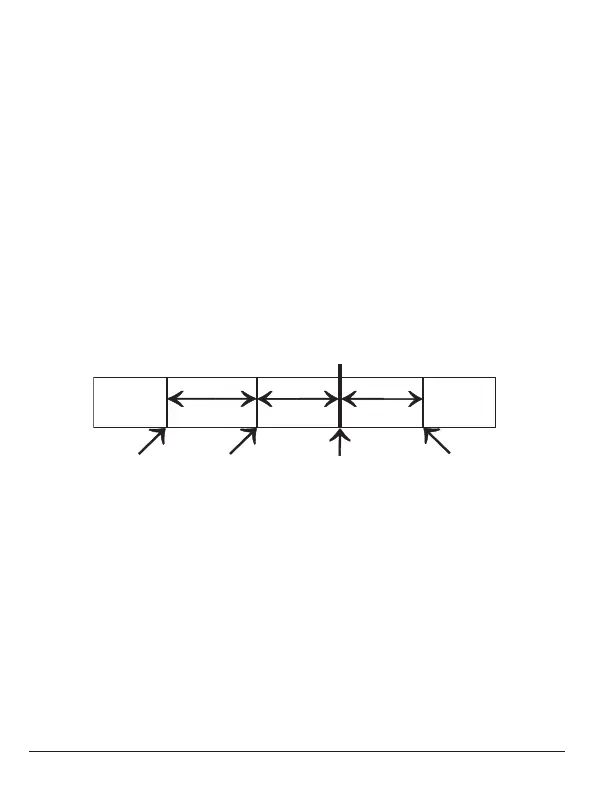
Deadband Deadband
db 1db 2
1st Stage
2nd Stage
(non-adj. 2˚)
Deadband
db 1
1st Stag
(non-adj. 1˚) (non-adj. 1˚)
For the PSP2100
• TWO STAGE OPERATION - The 2nd stage of heat (auxiliary heat) is turned
on when the room temperature is equal to or less than: the setpoint minus
the 1st stage deadband (one degree, non-adjustable), minus the 2nd stage
deadband (two degrees, non-adjustable).
• On the thermostat, slide the Aux Heat Switch to the NORMAL position.
Press the COOLER or WARMER button until the set temperature is 10 degrees
above room temperature. The Aux Heat icon will appear indicating that the
thermostat has energized Aux Heat (page 8).



 To Next Page