Maintenance Requirements
Replacing the Filter Cartridge
The filter cartridge will eventually become exhausted or consumed and
will need to be replaced. ProSystems replacement filter cartridges, order
number 38675, are available through your local ProSystems Dealer. If
you are unable to order replacement parts from your local ProSystems
Dealer, please contact ProSystems at 1-800-811-3489 for assistance.
Testing Your Water
If you are relying on this system to reduce contaminants, we recommend
testing your water periodically (2 times a year minimum) to ensure that
the system is performing properly. Your local ProSystems Dealer can
arrange this testing for a nominal fee.
How to Change the Filter Cartridge
1. Turn off the cold water supply and open the cold water faucet to
relieve any line pressure.
2. Disconnect the filter housing from the the mounting bracket.
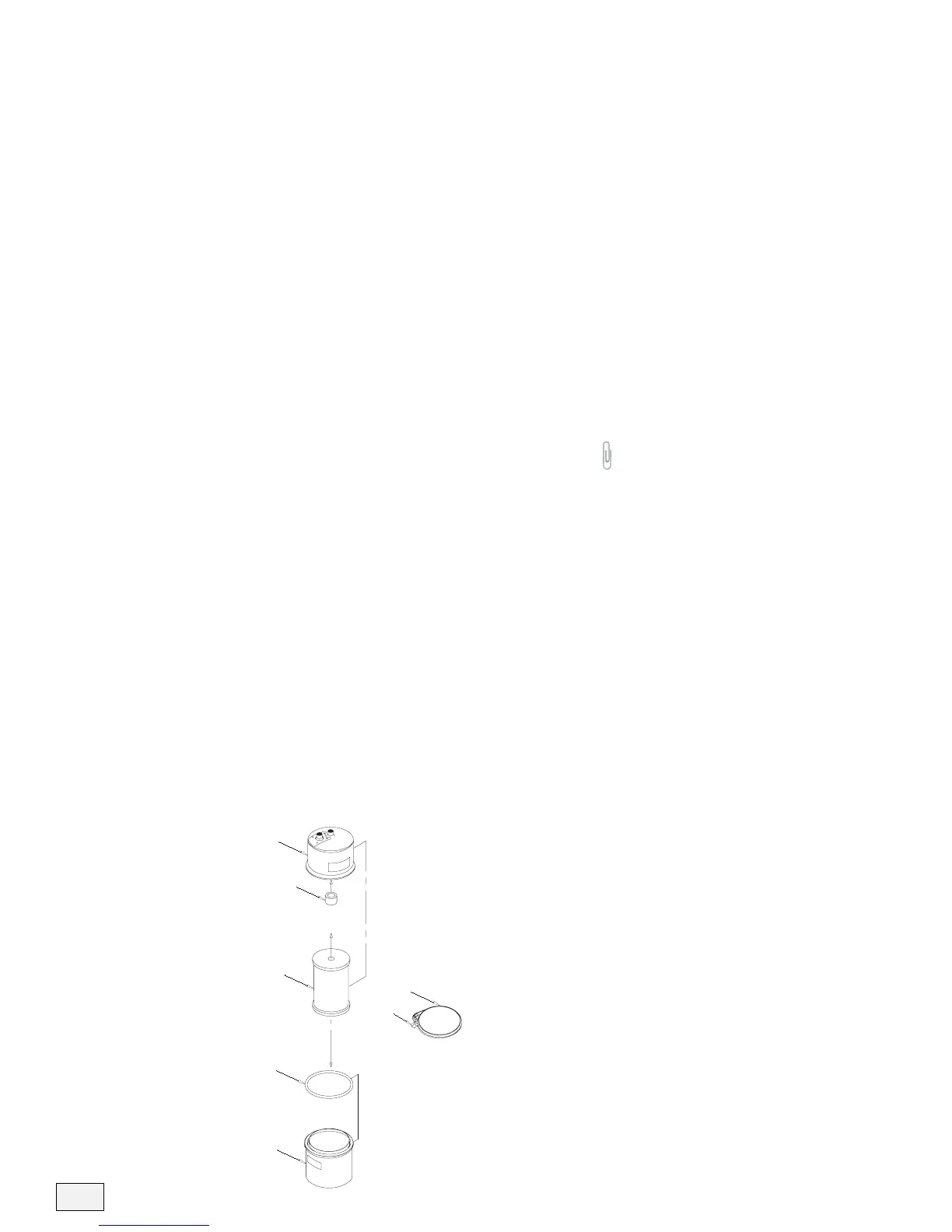
3. Unscrew the hand knob and remove the retainer band. Separate the
filter housing and unscrew the filter cartridge (see figure 5).
4. Add 1 tablespoon of 5.25% household bleach (unscented) to a bucket
of water. Soak the filter housing, rubber spacer, and o-ring in the
bleach water for 5 minutes.
5. Push the rubber spacer onto the threaded stud located inside the top
half of the filter housing (see figure 5).
6. Wearing sterile gloves, remove the new filter cartridge from the
sterile packaging and screw it onto the threaded stud (see figure 5).
DO NOT OVER-TIGHTEN!
7. Lubricate the o-ring with a non-petroleum lubricant and place it on
the bottom filter housing flange (see figure 5).
8. Put the top and bottom filter housings together and place the retainer
band on the flanges. Tighten the hand knob until it feels tight.
9 . Turn on the cold water supply and check for leaks. Flush the new
filter cartridge for 30 minutes or until the water is clear.
6



 To Next Page