N 93-585-83 Issue 2 AB Page 13 of 25 © Protec Fire Detection PLC 2015
13.5 Resetting the 3500 after an Alarm
After the cause of the alarm has been determined (and entered in the fire alarm log book) the 3500
can be reset if required. Manual Call Points, if triggered, must first be reset locally. In access level 2
press ‘Silence Alarms’ then press ‘Reset Panel’. The 3500 will reset any devices on its zones.
13.6 New Zone in Alarm
If a new zone goes into alarm, the 3500 will re-activate the alarms and re-sound the internal buzzer.
13.7 Activating the Alarms Manually
Press ‘Sound Alarms’ when in access level 2 to evacuate the building. Alarm outputs will be
activated as programmed but the Global Fire Contacts and the Fire Link Interface WILL NOT be
activated.
14.0 3500 Fire Brigade Panel Operation
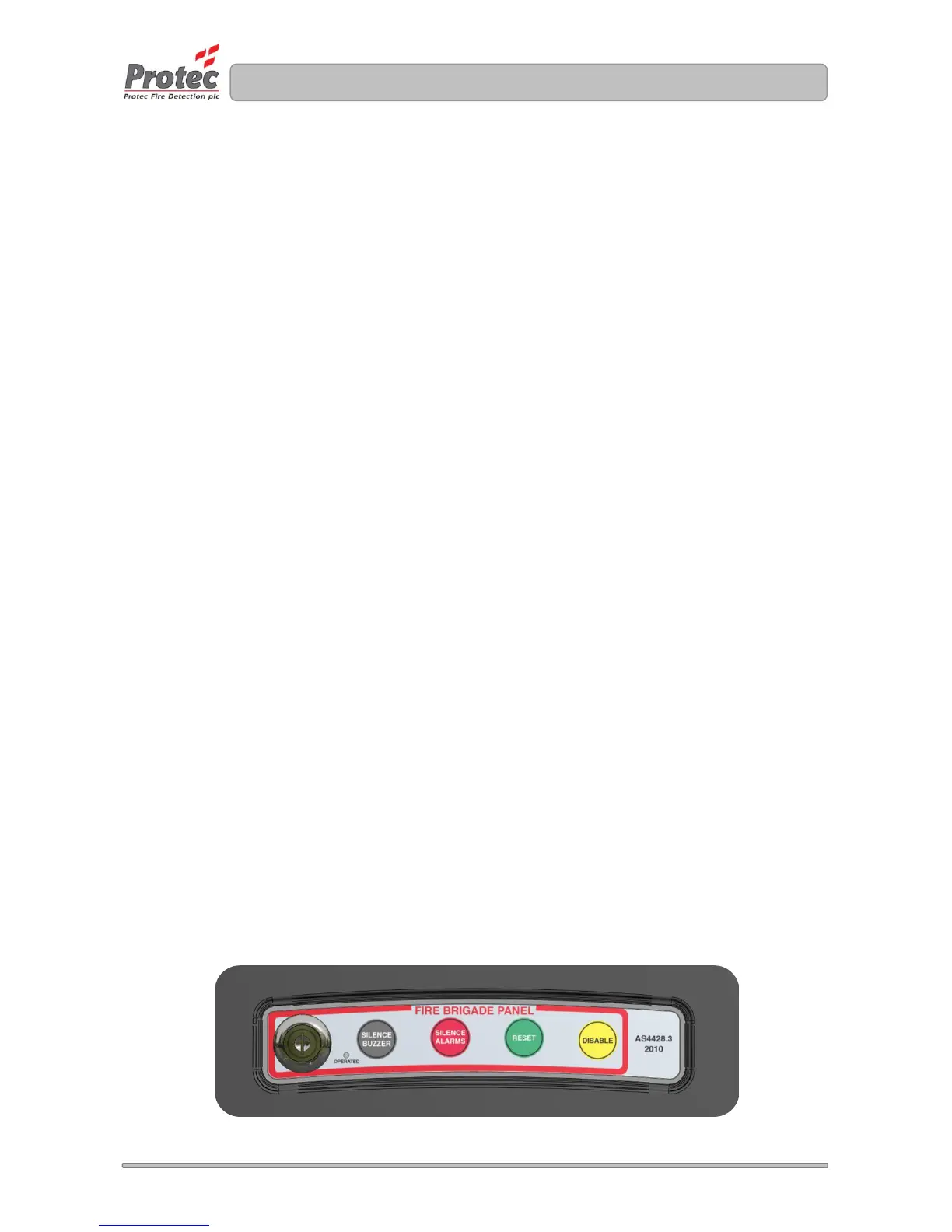
If the 3500 is equipped with the optional fire brigade controller, shown in figure 14.0, the following operations
can be carried out.
Whilst the key-switch is in the off position the controller will not carry out any functions and the operated LED
will be extinguished. When the key-switch is activated the operated LED will illuminate and the following
button functions will be enabled.
14.1 Silence Buzzer Button
The silence buzzer button, when enabled, will allow the user to silence the audible indication of a
fault or a fire condition.
14.2 Silence Alarms Button
The silence alarms button, when enabled, will allow the user to silence any active alarms outputs.
Following the alarms outputs being silenced this button can be pressed to resound the alarm
outputs.
14.3 Reset Button
The reset button, when enabled, allows the user to reset the panel from a fire condition. A panel
reset will only occur following a silence of the alarm outputs and should only be reset after the cause
of the alarm has been determined (and entered in the fire alarm log book).
14.4 Disable Button
The disable button, when enabled, allows the user to disable any zones that are currently in a fire
condition. A zone disable will only occur following a silence of the alarm outputs.
Following a panel reset the zones will require re-enabling using the panel menus (refer to section
15.1)
Figure 14.0 Fire Brigade Panel Controller



 To Next Page