N 93-602-00 Issue 1 Page 6 of 10 © Protec Fire Detection PLC 2015
4.2 Fault
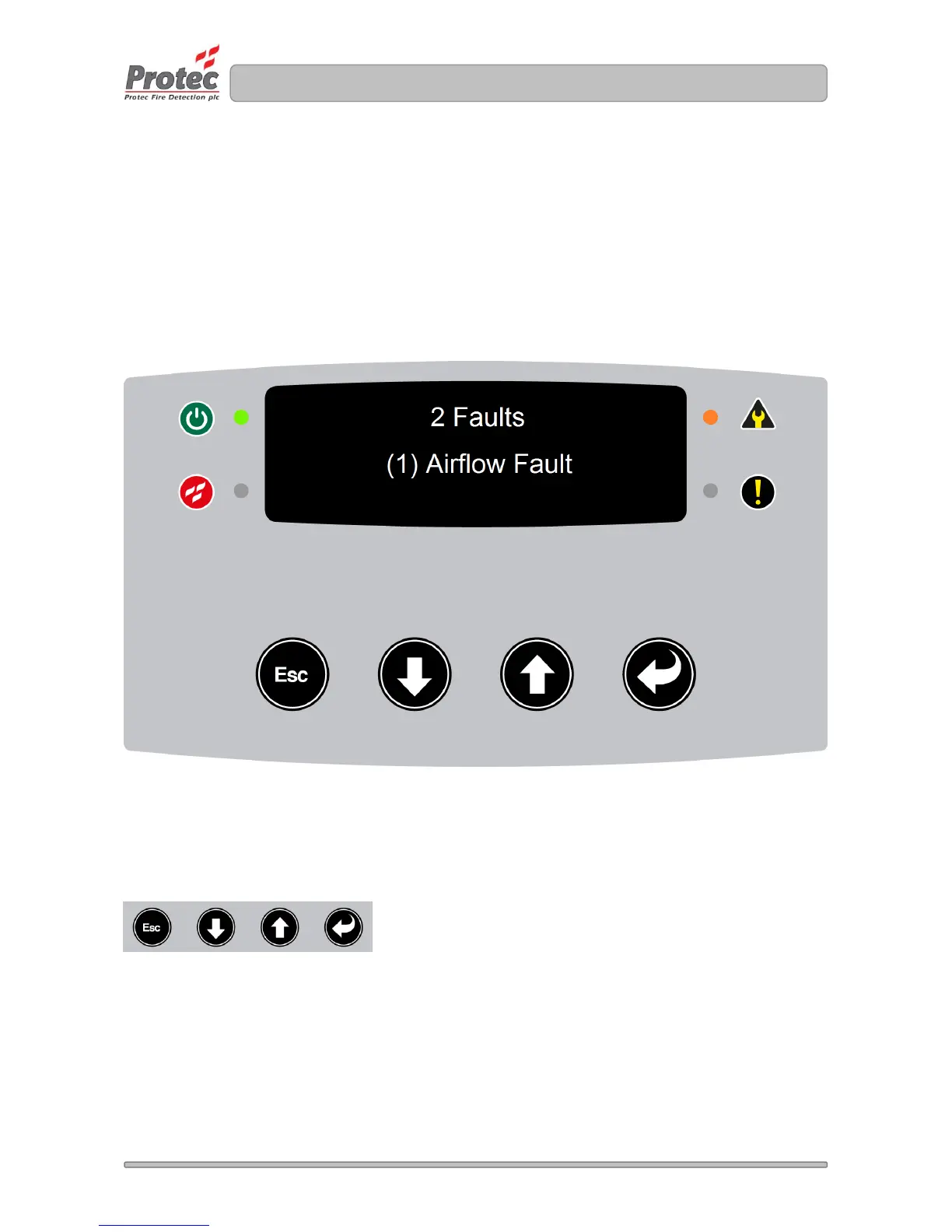
The ProPointPlus displays all faults on the OLED display. Providing no pre-alarms or fires are active the
text ‘Fault’ or ‘Faults’ will be displayed; including the number of faults indicated in front of the text. A brief
description of the device fault is displayed in the centre of the display. When more than one faults is
reported; the faults are automatically scrolled though each fault on the display. The fault LED will be
illuminated.
If the fault is pipe specific; the pipe number is displayed in brackets next to the fault for example below
shows ‘(1) Airflow Fault’ describes an airflow fault on pipe 1.
Figure 4.2 ProPointPlus displaying a fault condition
Refer to section 4.1 which lists all fault including a description and action.
Muting the buzzer
The buzzer can be muted by pressing any button.


 To Next Page