N 93-602-00 Issue 1 Page 9 of 10 © Protec Fire Detection PLC 2015
5.0 Faults
The ProPointPlus monitors various aspects of the unit to ensure the unit is fully operational. During faults the
fault LED will illuminate and the buzzer will sound a slow pulse tone. Listed below are the diagnosed faults
indicated on the unit.
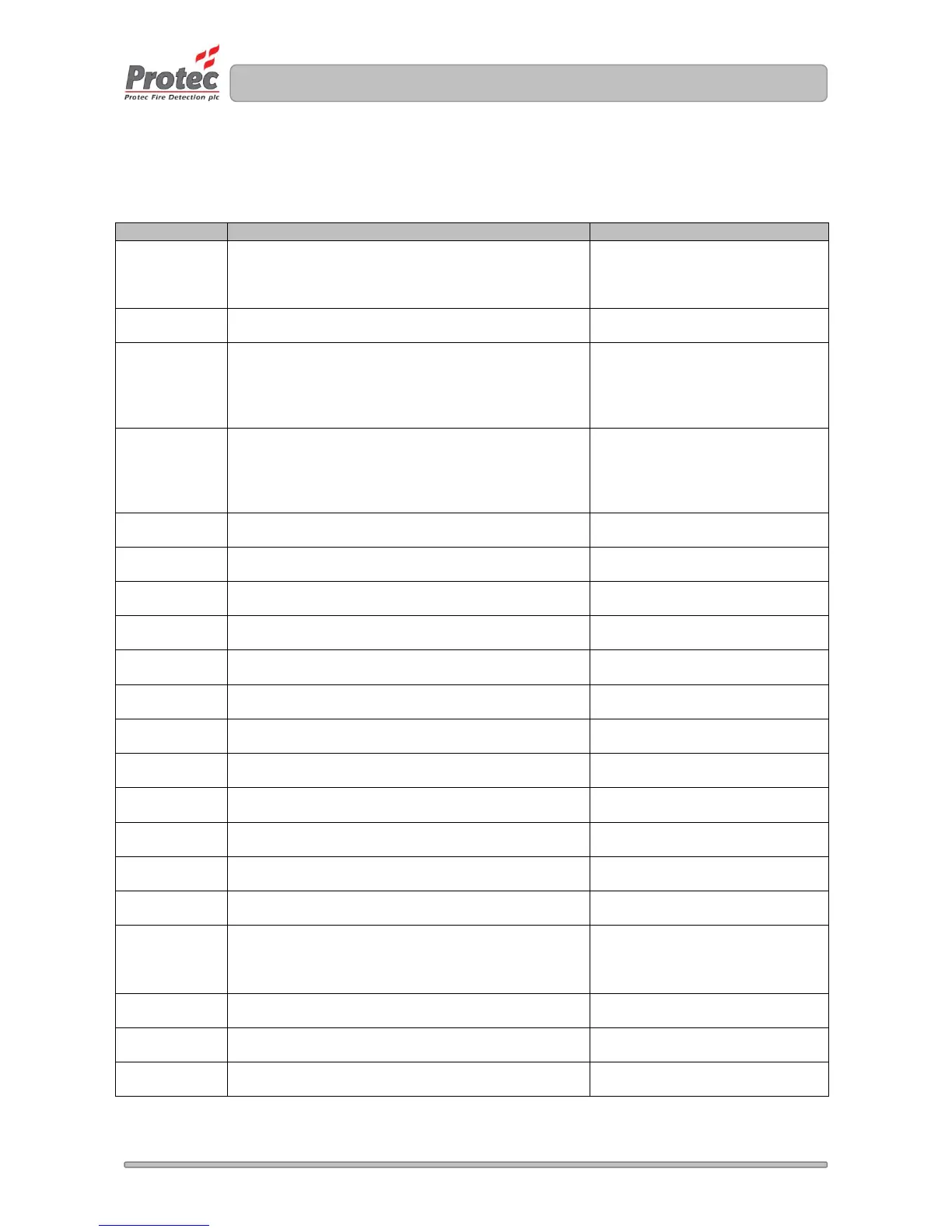
Table 1 System Faults
A communication problem to a device within the unit
has been detected or a device has been removed
from the unit.
Check the device in fault is fitted
correctly otherwise contact a
Protec operative or a Protec
distributor.
A new device has been added to the unit but the
device has not been commissioned.
Contact a Protec operative or a
Protec distributor.
The airflow measurement has moved outside the
acceptable tolerance range either by an increase or
decrease in normalised airflow.
Check sampling pipe installation
is correct as per commissioning,
ensure no pipes are blocked.
If fault persists contact a Protec
operative or a Protec distributor.
The supply fault monitoring input is reading low.
Typically connected to the external power supply
charger unit.
It may be necessary to look at the
power supply charger unit to
determine the cause of the fault.
If fault persists contact a Protec
operative or a Protec distributor.
The optical value has increased outside the normal
operation range.
Contact a Protec operative or a
Protec distributor.
The optical value has decreased outside the normal
operation range.
Contact a Protec operative or a
Protec distributor.
The data (RS485) path has failed.
Contact a Protec operative or a
Protec distributor.
The inputs ‘check to test’ option is active, activated
using the ProView.exe PC software.
Contact a Protec operative or a
Protec distributor.
Internal settings are outside the expected values.
Unit will default to factory settings.
Contact a Protec operative or a
Protec distributor.
The supply voltage to the unit is below the operating
value (<19V
DC
).
Contact a Protec operative or a
Protec distributor.
Web server file is corrupt.
Contact a Protec operative or a
Protec distributor.
The SCD calibration offset value is out of limits.
Contact a Protec operative or a
Protec distributor.
The SCD optical LED is damaged.
Contact a Protec operative or a
Protec distributor.
A pipe airflow is set to be ignored, activated using the
ProView.exe PC software.
Contact a Protec operative or a
Protec distributor.
The SCD Carbon Monoxide (CO) cell has expired its
life capacity or is missing.
Contact a Protec operative or a
Protec distributor.
The fan is damage or under/over performing.
Contact a Protec operative or a
Protec distributor.
Either the SCD(s) have been individually disabled or
the isolate input is active.
If used check external input
isolation equipment. Otherwise
contact a Protec operative or a
Protec distributor.
The heat thermistor reading is out of range.
Contact a Protec operative or a
Protec distributor.
The manufacturing details have not been stored in
the unit.
Contact a Protec operative or a
Protec distributor.
An incorrect SCD device fitted in the unit.
Contact a Protec operative or a
Protec distributor.


 To Next Page
 Loading...