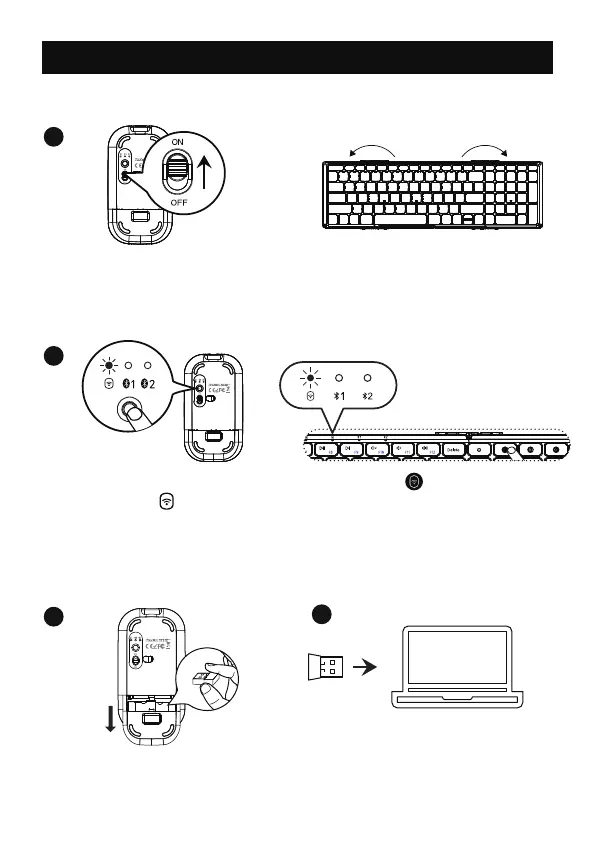
Single press channel button,
and the indicator light flashes
slowly, enter into 2.4G USB
channel.
3
1
2
4
Press the channel switch
button until the light is on,
the mouse enters into 2.4G USB
channel.
2.4G Connection
Turn the power switch to ON.
Take out the USB receiver.
Plug into the computer USB port.
Keyboard and mouse share only
ONE USB receiver.
Unfold the keyboard
automatically turns on.
- 4 -



 To Next Page