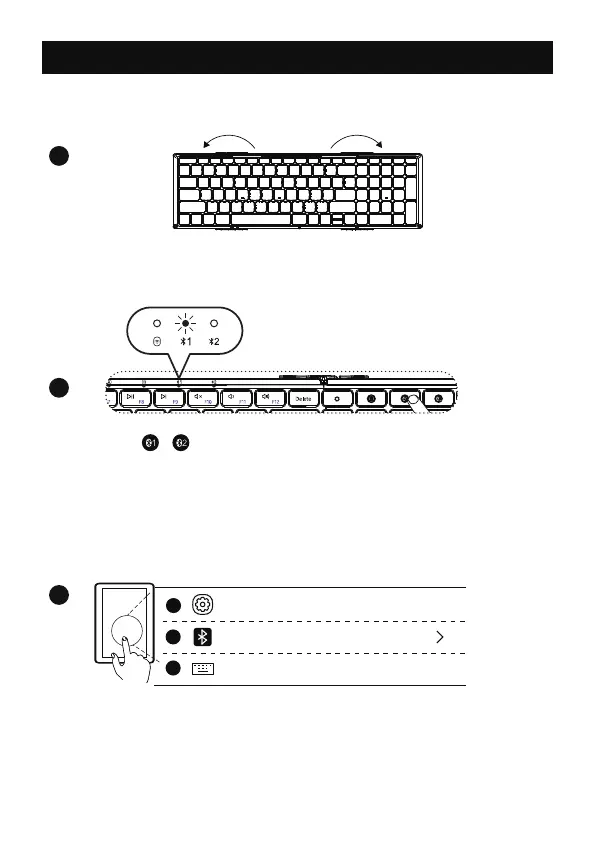
Single press / channel button, and the indicator light flashes
once to enter the Bluetooth channel.
Long press this Bluetooth channel button for 3–5 seconds again, the
indicator light flashes quickly, then the keyboard enters into the
Bluetooth pairing mode.
1
Keyboard Bluetooth Connection
Unfold the keyboard automatically turns on.
2
3
Turn on the Bluetooth settings on your device, search or select
"XKM01 CaseUp" and start Bluetooth pairing until the connection is
completed.
Bluetooth
Settings
XKM01 CaseUp
Connected
On
1
2
3
- 5 -



 To Next Page