For Mac OS 12.0 and Above
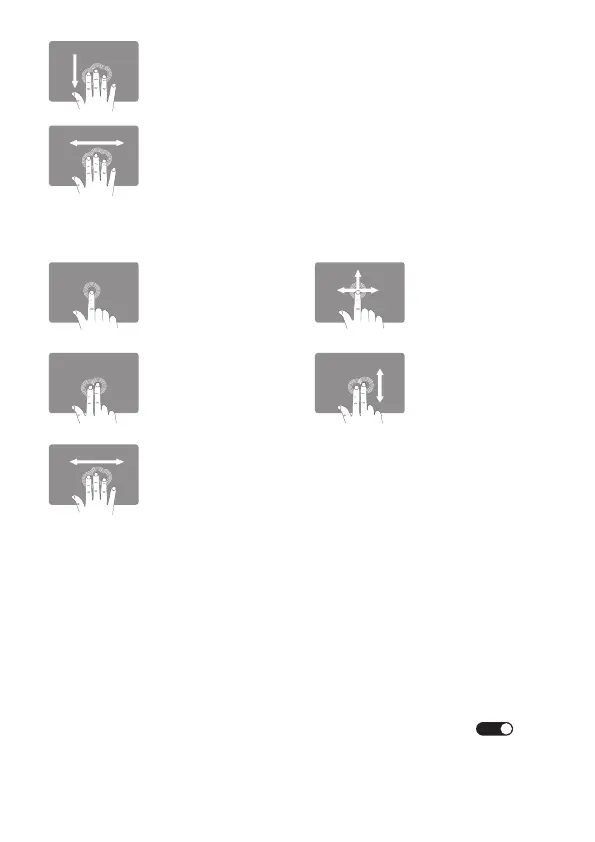
Three Fingers Slide Left/Right
- Switch App
Three Fingers Swipe Down
- Back to the Homepage
For Samsung Smartphone - Android 12.0 and Above
Single Finger Slide
- Move the Cursor
Two Fingers Slide
Up/Down
- Mouse Scroll Wheel
Two Fingers Tap
- Mouse Right Click
Three Fingers Slide Left/Right
- Switch App
(Some require activating Dex mode to use this t
hree-finger gesture)
Single Finger Tap
- Mouse Left Click
- 10 -
(Note: The supported gestures vary from different brand and model
Android phones)
This trackpad does not support "Force Click and haptic feedback". We
recommend enabling the "Tap to click" and "Tap with three fingers for
Look up & data detectors" features for an enhanced user experience:
Apple menu > System Settings > Trackpad > Tap to click >
Apple menu > System Settings > Trackpad > Look up&data detectors
> Tap with Three Fingers
ON



 To Next Page