BASICS
Power On
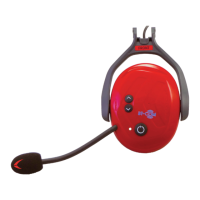
Press multifunction button (4) for 3 seconds, an ascending signal will sound
Signal and the LED flashes 2x red every 3 sec.
Power Off
Press the multifunction button for 5 seconds, a signal sounds and the LED lights
up red for 2 seconds and then goes off.
Volume +
Briefly press the up button (1). A short confirmation signal sounds. Each press
increases the volume by one level.
Volume -
Briefly press the down button (2). A short confirmation signal sounds. Each press
decreases the volume by one level.
Reset
Simultaneously pressing the multifunction button (4) & down button (2) will clear
the internal memory. Confirmed by a short green flashing of the LED.
Mute
To mute the microphone, briefly press (tap) the multifunction button (4). Confirma-
tion by short beep. Press again to reactivate the microphone.
11


 To Next Page