CONNECT
1.) Activate Bluetooth on your smartphone
Incoming phone calls
With a Bluetooth-Device
To connect your to a bluetooth-enabled device, such as a mobile phone or
MP3 player, proceed as follows:
To answer an incoming call directly to the headset, briefly press the multifunction
button.
To reject an incoming call, press the multifunction button (4) until a signal sounds.
2.) Start pairing mode for a
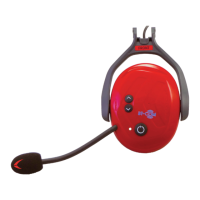
Turn on the capsule. Simultaneously press the multifunction button (4) and the up
button (1). LED (3) flashes alternately red-green.
After a few seconds “Protos®
” will appear on the Blootooth-Device display.
Confirm the connection by tapping. After a successful connection, the LED (3) flashes
blue three times in regular intervals.
15


 To Next Page